Gardening software
Every garden, every season, on schedule
Maintenance schedules that follow the seasons, crews with the right kit, before-and-after photos, and one-off landscaping jobs quoted, scheduled and invoiced from one record.
Live now · 30-day free trial · No card required
Made for the trade
What's different for gardening
Maintenance schedules
Fortnightly in summer, monthly in winter — a schedule per property that follows the seasons, with every visit its own record.
Crews & assignments
Send the right crew with the right kit. Everyone sees their day on their phone; the office sees them on the map.
Before & after photos
Attach photos to the visit from the phone so the customer sees what they paid for. They live in the document library, searchable.
Quotes to invoices
Quote the one-off job on a board, turn it into the visit, invoice it on the drive home with a pay link.
Plan my day
The morning flow orders the day's gardens nearest-first and sends it to the crew.
Offline on site
No signal behind the hedge? Carry on; it syncs later.
Customer messaging
Reminders the evening before, on-the-way texts, receipts — from one message wizard, now or scheduled.
Per-property notes
Access, the composter, what not to cut — on the record and on every job card.
Who owes me
The morning email of what's outstanding, with a portal link so customers can pay it.
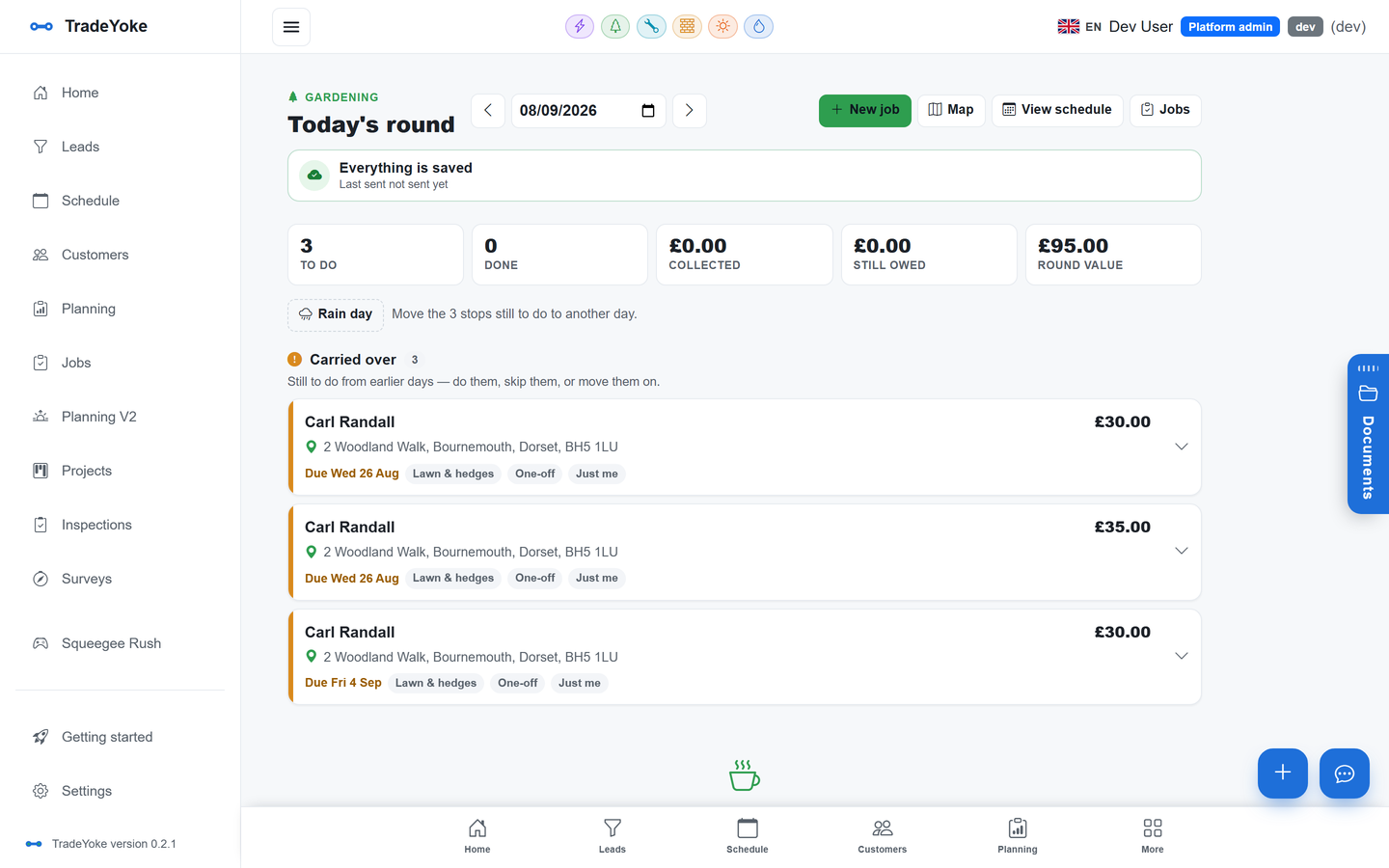
Today's round
The day's gardens, in order
Every stop with its price and notes, the crew it's assigned to, and what's carried over. Mark done, add the photos, move on.
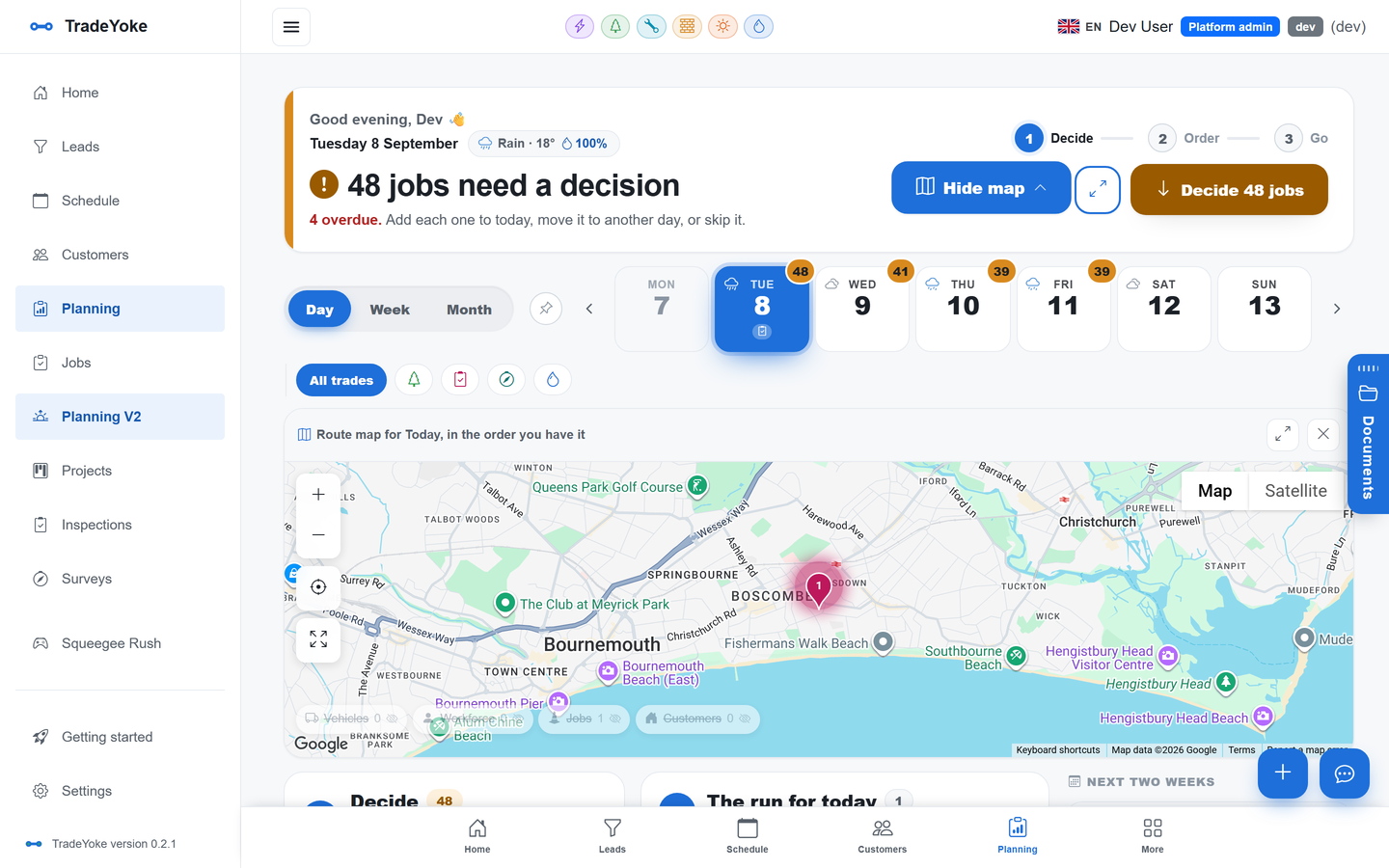
Where the work is
Properties on a map, crews in the right place
Every customer geocoded; plan the day by area and send the right crew with the right kit. Live monitoring shows where they are — the app is the tracker.
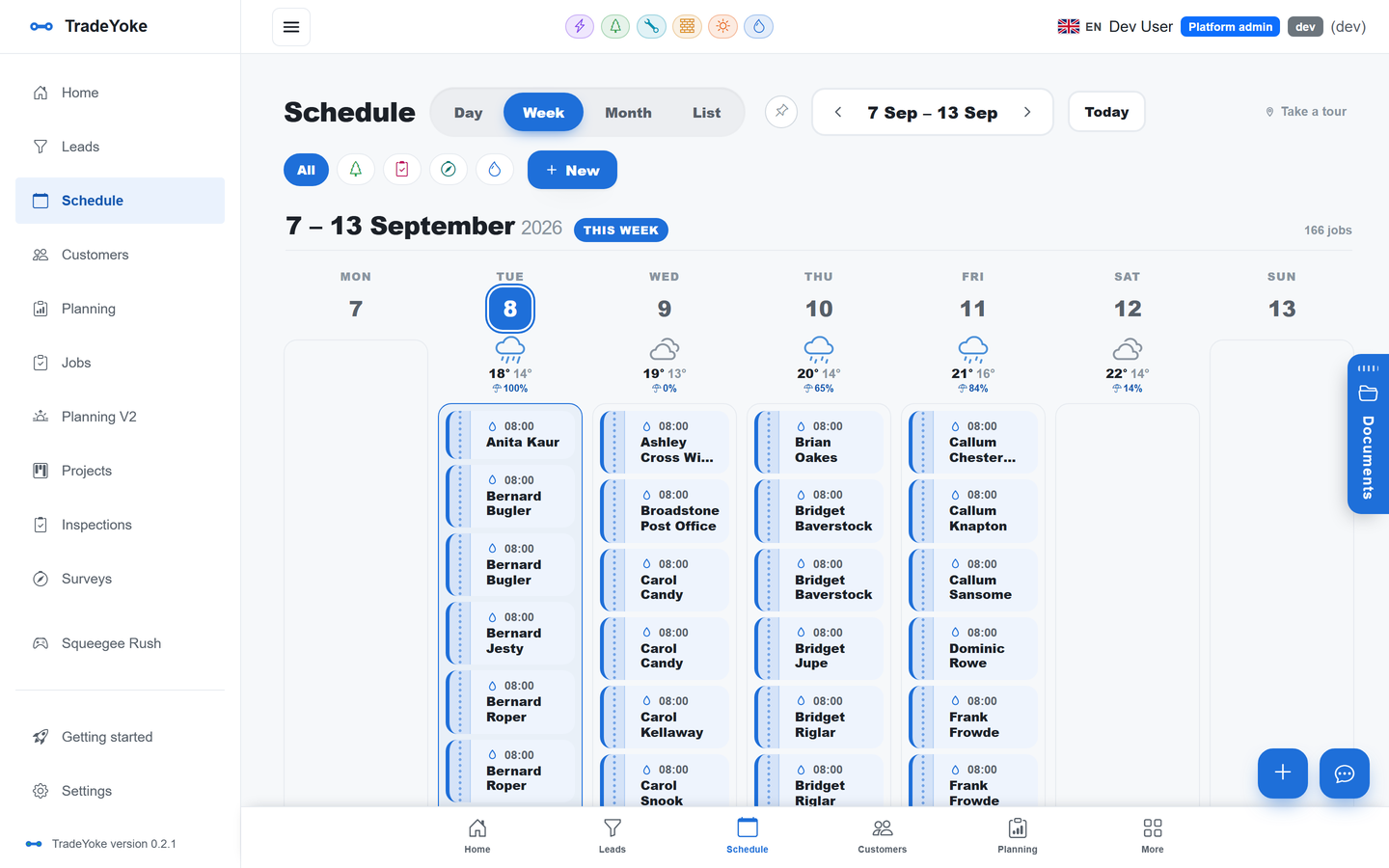
Crews
The whole crew's week on one screen
Assign a job to a crew and it's on their phone; the office sees the whole week, colour-coded by trade. The team register holds roles, trades, employment details and absences per person.
Getting started
Three steps to your first week
-
Import your customers
Spreadsheet in, duplicates flagged, addresses geocoded.
-
Set up the work
Frequencies and prices per property, or the projects and the paperwork your trade needs.
-
Plan the day and go
Decide, order, go — mark done, get paid, customers kept in the loop.
Questions
Asked by gardening businesses
Can a property have a different frequency in winter?
Yes. Set the schedule per property and season — fortnightly in summer, monthly in winter — and the diary projects the visits.
Do customers see the photos?
You choose. Photos attach to the visit and can go out with the receipt or the invoice email.
Can I quote a one-off landscaping job?
Yes. Quotes live on a board — waiting, accepted, ready to book, booked — and become jobs and invoices without re-typing.
Try it on your own work
Free trial, no card. Or open the live demo pre-loaded with sample data for gardening.