Best invoicing software for UK tradespeople in 2026: what to look for
Every invoicing tool claims to be the answer. Here's what actually matters for a UK trade business — branded PDFs, a pay link, an accounting sync you can trust — what the current crop of tools gets right and leaves out, and where TradeYoke fits, gaps included.
Quick answer
Quick answer: the invoicing software worth paying for does four things well — raises a branded, numbered invoice from the job without re-typing, puts a working pay link in front of the customer, keeps a balance you can actually trust, and pushes clean figures to your accountant. Beyond that, whether you need CIS handling, Making Tax Digital for VAT, or a specific accounting package sync depends on your trade and your turnover — no single tool is "best" for every UK tradesperson.
What UK trade invoicing software actually has to do
Strip away the marketing and a tradesperson's invoicing problem is small and specific: get a correct, professional-looking invoice in front of a customer as fast as possible after the job, make paying it require the least possible effort, and never have to explain to an accountant why last month's figures don't add up. Everything else — themes, dashboards, automations — is in service of those three things or it's decoration.
What to check before you pick one
- A branded, numbered invoice raised from the jobIf you're re-typing what you already recorded on the job, the software is duplicating work, not saving it.
- A pay link the customer can actually useA PDF with a sort code in the footer asks the customer to do the paying. A button that already knows the amount owed doesn't.
- A balance you can trust without a spreadsheetIf "what's outstanding" needs cross-checking against a bank statement, the software isn't doing its job.
- An accounting sync that proves it landedSending an invoice to Xero, QuickBooks or FreeAgent is only useful if you can trust it arrived correctly — a sync with no verification just moves the doubt to a different app.
- CIS and VAT handling that matches your tradeA plumber or electrician taking payments under the Construction Industry Scheme needs CIS deduction handling; not every invoicing tool has it, so check before you commit, not after.
What the market offers today
Quick answer: UK invoicing options for tradespeople split roughly three ways — all-in-one job-management platforms like Tradify that bundle invoicing with quoting and scheduling, invoicing-first tools aimed at specific gaps like CIS deductions, and full accounting platforms like Xero or QuickBooks that do invoicing as one part of a much bigger accounting system.
Tradify pitches itself as a complete job-management platform — quote, schedule, track and invoice from one app — with a 14-day free trial and Xero/Sage/QuickBooks sync; its own pages don't go into VAT or Making Tax Digital detail, and CIS is mentioned only in passing alongside its Sage integration. At the other end, specialist invoicing tools have appeared that handle CIS deduction combinations for subcontractors more directly than a general job app does, which matters if CIS is a regular part of your invoicing and a generalist tool treats it as an afterthought. Full accounting platforms — Xero, QuickBooks — do invoicing well but weren't built around a job diary, so raising an invoice from a completed visit or round usually means re-entering what a job-management tool already knew. None of that is a knock on any of them: it's a reminder that "best" depends on which of those three shapes matches how you actually work.
Where TradeYoke fits — and where it doesn't, yet
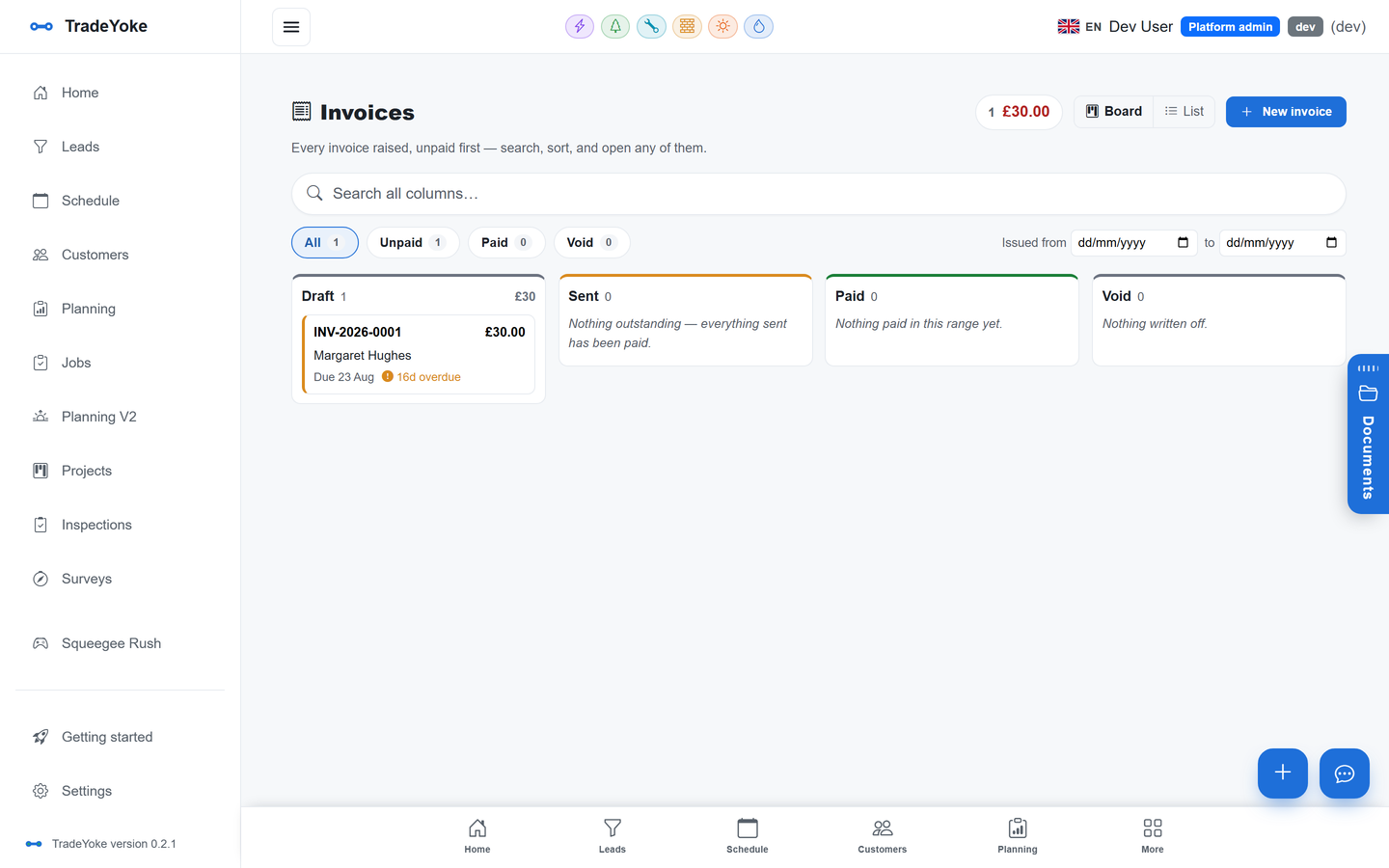
Quick answer: TradeYoke raises numbered, branded invoices from the job on an append-only ledger, puts a Pay now button (Stripe or GoCardless) on the email, the PDF and the customer portal, and pushes invoices and payments to Xero, QuickBooks Online or FreeAgent with a read-back check that proves each one landed correctly — plus a guided HMRC Making Tax Digital VAT filing wizard. It doesn't yet handle CIS deductions on the invoices you raise, and Making Tax Digital for Income Tax (due to phase in for the self-employed earning over £50,000 from April 2026) isn't built yet either — VAT filing is live today, Income Tax is on the roadmap.
What TradeYoke adds that a bolt-on invoicing tool generally can't: the invoice isn't typed up separately from the job — for window cleaning, gardening and scaffolding it can raise and send itself the moment the job's marked done — and because it sits on an immutable ledger, the balance TradeYoke shows you is provably correct rather than a field someone could have quietly edited. The bookkeeping sync then reads back what actually landed in Xero, QuickBooks or FreeAgent rather than just firing the push and hoping, which is the detail that decides whether you trust the numbers your accountant sees.
Does TradeYoke handle CIS deductions?
Not yet, on the invoices you raise to customers. If CIS is a regular part of how you invoice, check this specifically before choosing any tool — it isn't universal even among trade-specific software.
Can TradeYoke file my VAT return?
Yes — HMRC Making Tax Digital for VAT is built in, with a guided nine-step wizard and a read-back of what HMRC received. Making Tax Digital for Income Tax Self Assessment isn't built yet.
Do I need my own Stripe or GoCardless account?
Yes — you connect your own accounts in Settings; TradeYoke never holds your money, and payouts go straight to your bank on their normal schedule.
Which plan includes invoicing?
Downloadable invoices are on every plan, including Free. Branded invoices, emailing and texting customers, and Pay now are part of Essentials and above; card payments, GoCardless and bookkeeping sync are part of Premium. See /pricing for the full comparison.
See your own invoices on a real ledger
30 days of Essentials free, no card required. Raise your first invoice from a real job and watch the balance stay honest.