Get paid without chasing: automatic invoices, Pay now everywhere and Stripe set-up in minutes
TradeYoke can now raise and send a window cleaning, gardening or scaffolding invoice the moment the job's marked done, and every invoice carries a Pay now button — on the email, the PDF and the customer's own account page.

The cost of a diary full of jobs and an empty bank account
Quick answer: raising the invoice, sending it, and chasing the customer for a card number are three separate jobs most sole traders do by hand, after the working day is over — and each one is a place the money can stall. TradeYoke now does the first two automatically for window cleaning, gardening and scaffolding, and makes the third a single tap for the customer.
Doing the work has never been the problem for most trades. Getting paid for it is. Ask any window cleaner, gardener or scaffolder what happens between finishing a job and the money landing, and the answer is usually a list of manual steps: remember to raise the invoice, work out what to charge, find the customer's email, write a covering line, send it, and — if you're one of the many still on bank transfer only — wait, then chase. Every one of those steps is a place a payment quietly stalls, not because the customer won't pay, but because nobody asked them to, clearly, at the moment it was easiest to say yes.
Late payment costs UK small businesses real money in time and cash flow — HMRC's Making Tax Digital rules aside, an invoice that isn't raised on the day it's earned is an invoice that takes longer to collect. The fix that works, for every trade we've watched, is the same: shorten the gap between the job finishing and the ask to pay.
What you can do about it today, TradeYoke or not
Quick answer: raise the invoice the same day, put a way to pay by card on it, and stop sending an invoice that just states a total with no button to act on.
Five habits that get you paid faster, whatever you use
- Invoice same-day, not same-weekThe longer the gap between the job and the invoice, the less the customer remembers why they're paying — and the easier it is for you to forget to send it at all.
- Put a way to pay ON the invoiceA PDF with a bank sort code buried in the footer asks the customer to do the work of paying. A button that already knows the amount does not.
- Make the link work more than onceA pay link that dies after a day just means a second, more awkward, message a week later.
- Decide your default, and stick to itCard payments by default with a manual option for the regulars who prefer bank transfer beats deciding case by case, tired, at 9pm.
- Keep a debt book, even a rough oneKnowing who owes what and for how long is the difference between chasing early and chasing embarrassingly late.
How TradeYoke does it: the job invoices itself
Quick answer: turn on automatic invoicing for window cleaning, gardening or scaffolding and a job raises and emails its own invoice the moment it's marked done — off by default, with a per-customer override.
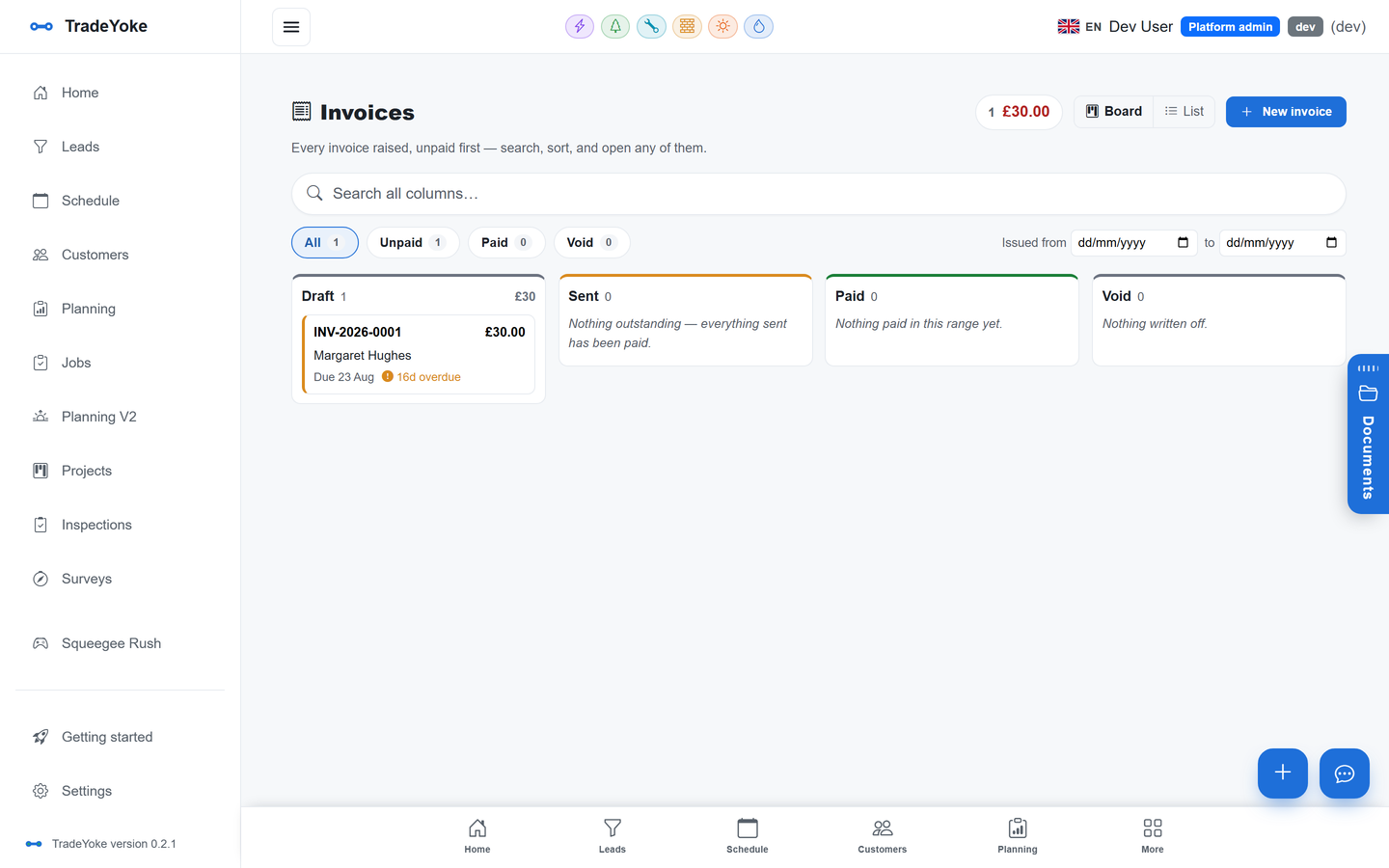
TradeYoke's invoicing sits on an immutable ledger, so every invoice, payment and adjustment is a permanent entry rather than a field someone can quietly edit. On top of that ledger, a completed job can now raise its own invoice and send it — for window cleaning, gardening and scaffolding — the moment it's marked done. It's off by default for the whole business, so nothing changes until you decide it should, and it's off (or on) per customer too, for the accounts where a blanket rule is the wrong call — the regular who's always invoiced monthly, say, or the landlord who wants one statement for six properties.
Pay now, wherever the customer is looking
Quick answer: a Pay now button now appears on the invoice email, on the PDF itself, and on the customer's own portal page — always for exactly what's still owed, and the link stays live.
Getting the invoice out is only half of it; the other half is not making the customer hunt for a way to pay it. TradeYoke now puts a Pay now button in three places a customer is actually likely to be looking: the email the invoice arrives in, the PDF document itself (so it still works if they've saved or forwarded it), and their own portal page if you've set one up. Whichever one they tap, it charges exactly what's still owed — not the original total if part of it's already been paid — and a copied link keeps working, rather than quietly expiring after a day. You can turn Pay now off tenant-wide, or set an individual customer to always or never see it, for the accounts you'd rather handled by bank transfer.
A Stripe set-up that doesn't need a technical co-founder
Quick answer: Connect with Stripe now asks for one thing at a time and needs only your secret key to get going — no webhook key hunting required to start taking card payments.
Card payments run through your own Stripe account — TradeYoke never holds your money — and the connection screen has been simplified so it shows only the next thing you actually need to do, with everything else ticked off or tucked away. If the connection ever gets into a stuck, technical-looking state, TradeYoke now clears it automatically and invites you to reconnect with a plain message instead of showing you a raw error.
Whose Stripe account is it?
Yours. You connect your own Stripe account in settings, and payouts go straight to your bank on Stripe's normal schedule — TradeYoke is never in the middle of your money.
Which jobs can invoice themselves?
Window cleaning, gardening and scaffolding today. It's off by default for the whole business and can be switched on — or overridden for one customer — in settings.
Does Pay now work without an online account?
Yes. Neither the pay link nor the customer portal need the customer to create a login or download anything.
Can I still take bank transfer or cash?
Yes — manual payments are recorded against the invoice the same way as card payments, and the ledger treats them the same for your reports.
Stop chasing your own invoices
30 days of Essentials free, no card required. Import your customers and see the next invoice send itself.