Customer portal
A page where your customers see what they owe and pay it
A customer portal for tradesmen: a secure link, no login, where the customer sees their balance, every invoice, what is overdue and what is booked but not yet billed, downloads invoice and receipt PDFs, and pays now by card or Direct Debit.
30-day free trial · No card required · The same on web, iOS, Android & Windows
Included onUltimate
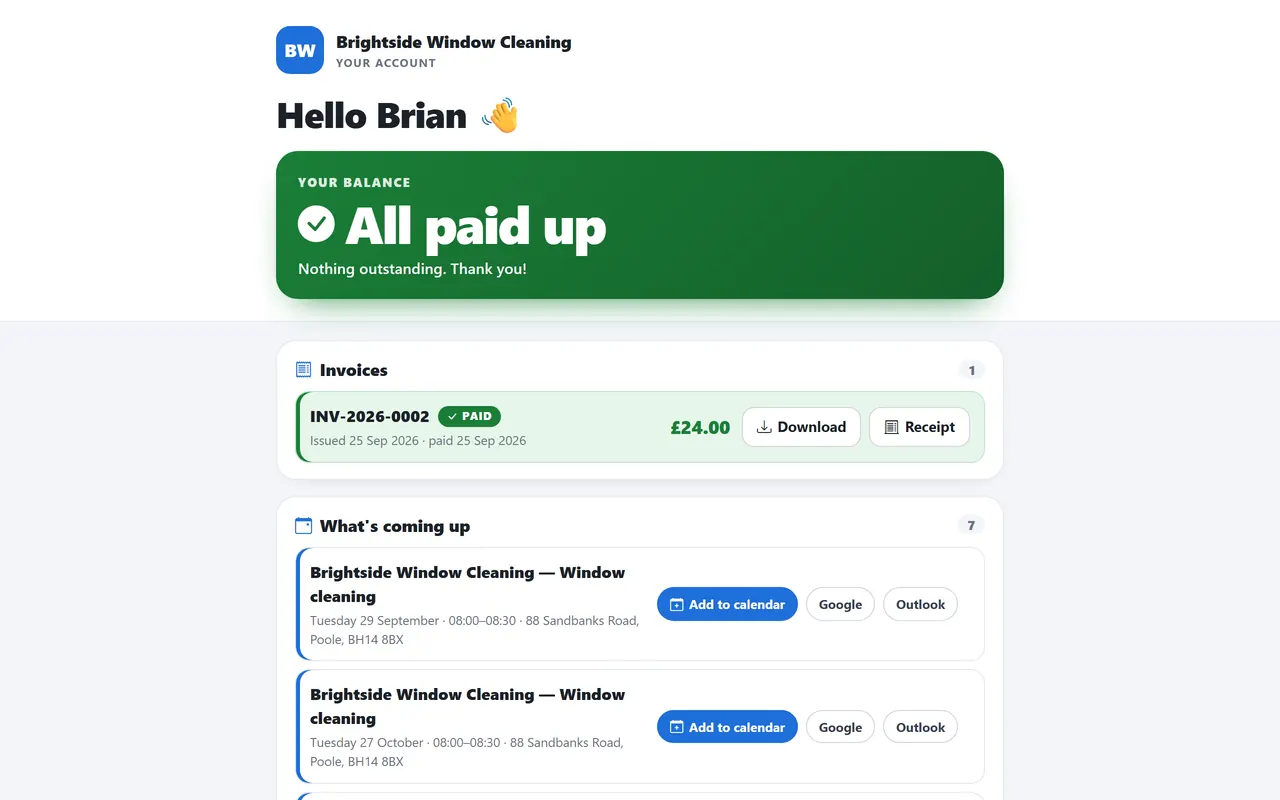
Chasing works better when the customer can see the same numbers you can. The portal is a link you issue from the customer record; it opens on any phone without an app or a password. The customer sees their balance, the invoices behind it, what is overdue, what work is booked and not yet billed, and a Pay now button that uses your connected Stripe or GoCardless account. Every invoice and receipt is there as a PDF. Revoke the link any time and issue a new one.
What it does
Customer portal in TradeYoke
Secure link, no login
A long random token, stored hashed, revocable from the customer record.
Balance and invoices
The running balance, every invoice, the overdue ones highlighted.
Pay now
Card through Stripe or Direct Debit through GoCardless, settled automatically against the invoice.
PDF downloads
Invoices and receipts as PDFs, branded with your details.
Unbilled work
Booked visits that have not been invoiced yet, so the customer knows what is coming.
Powered by TradeYoke, branded as you
Your name and logo on the page; ours in the footer.
The real thing
As it looks today
A real screen from the product, not a mock-up. The same screen is on the phone app.
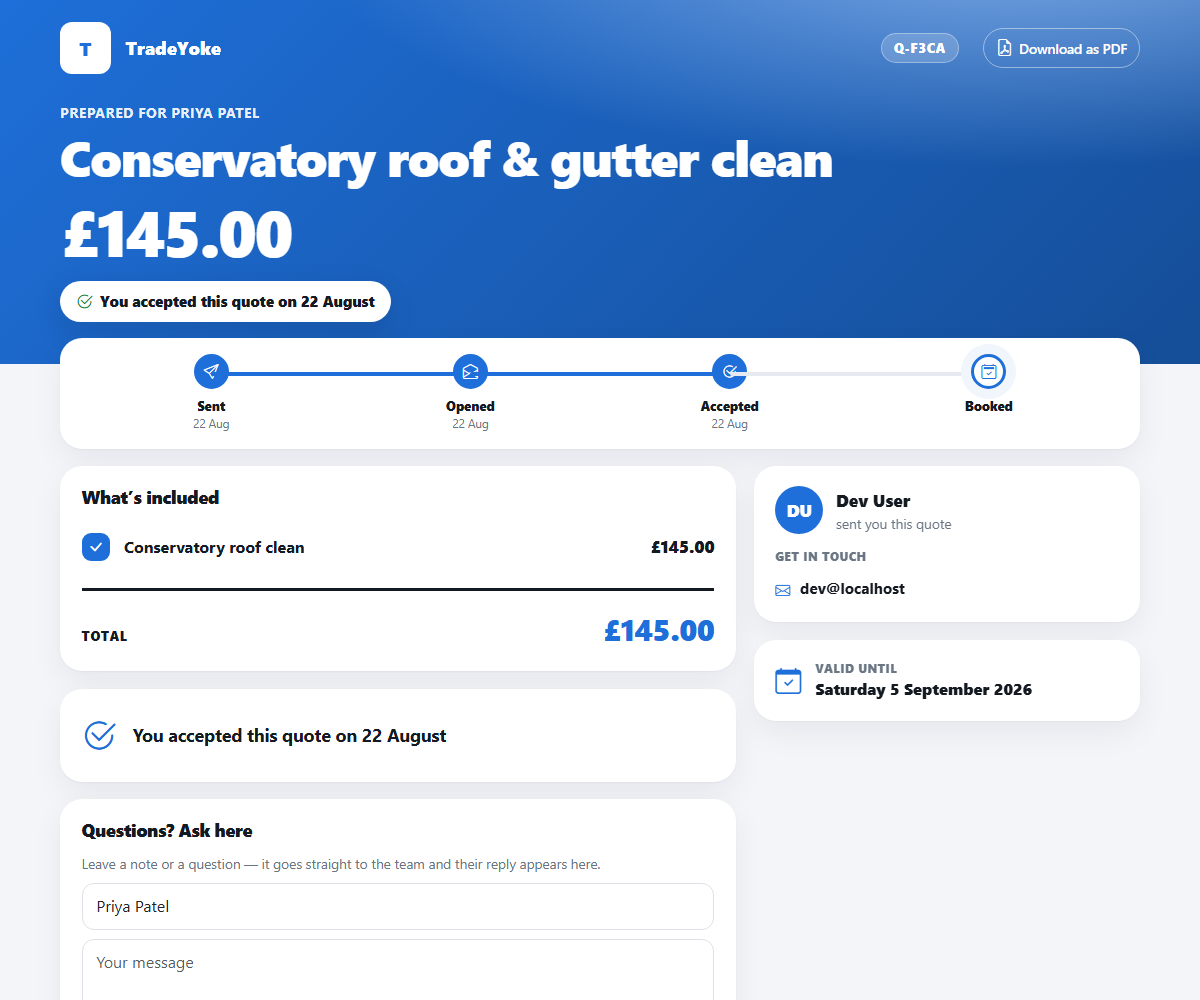
More of it, as it looks today
The details
Also worth knowing
- Sent by text or emailThe portal link goes out through the message wizard and is recorded on the customer's history.
- Works on any phoneA plain web page; nothing to install.
- Owing notices link to itAutomatic owing reminders carry the portal link so the customer can pay from the text.
See it working
What you get, on the real screens
Customer portalUltimate · £55/month
Give every customer their own account page
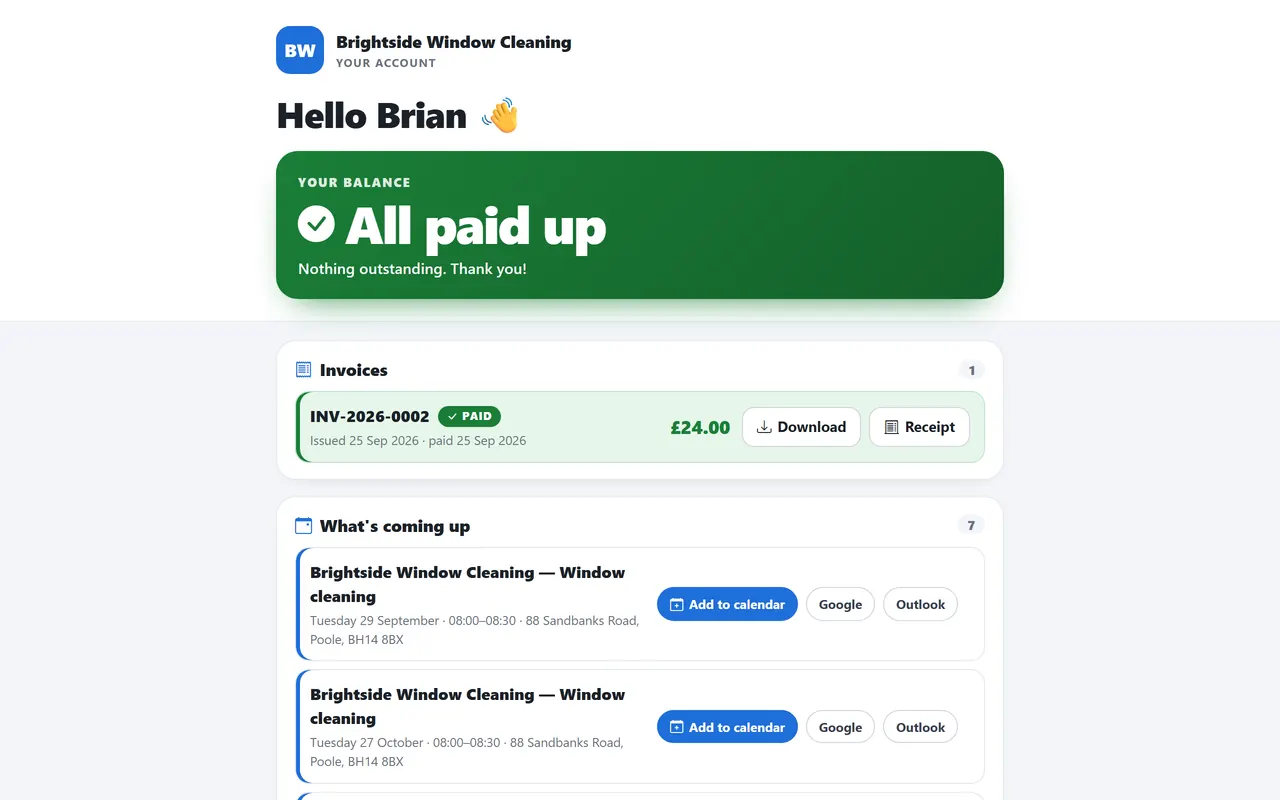
One private link per customer, no password to remember: they can see what they owe, download their invoices and receipts, and pay online.
- Balance, invoices and anything overdue at a glance
- Invoice and receipt PDFs to download
- Pay now through your connected payment provider
- What's coming up, with add-to-calendar links
- In your business name and branding
Questions
Asked about customer portal
Does the customer need an account?
No. The link is the access; it can be revoked and re-issued from the customer record.
Can the customer see other customers?
No. Each link is scoped to one customer and shows only their own ledger.
Can I brand it?
Yes. Company name and logo from your branding settings appear on the portal and on every PDF it serves.
Related: Invoicing & payments · Who owes me · Customers & CRM
Try customer portal on your own work
30 days of Essentials free, no card. Import your customers and see it against a real week.