Expenses, receipts & mileage
Snap the receipt, move on
A receipt scanning app for tradesmen: photograph the receipt and the supplier, total, VAT and date are read for you and pre-filled; log mileage from the day's stops; attach expenses to a job or a vehicle; and export the file your accountant wants.
30-day free trial · No card required · The same on web, iOS, Android & Windows
Included onEssentials and above
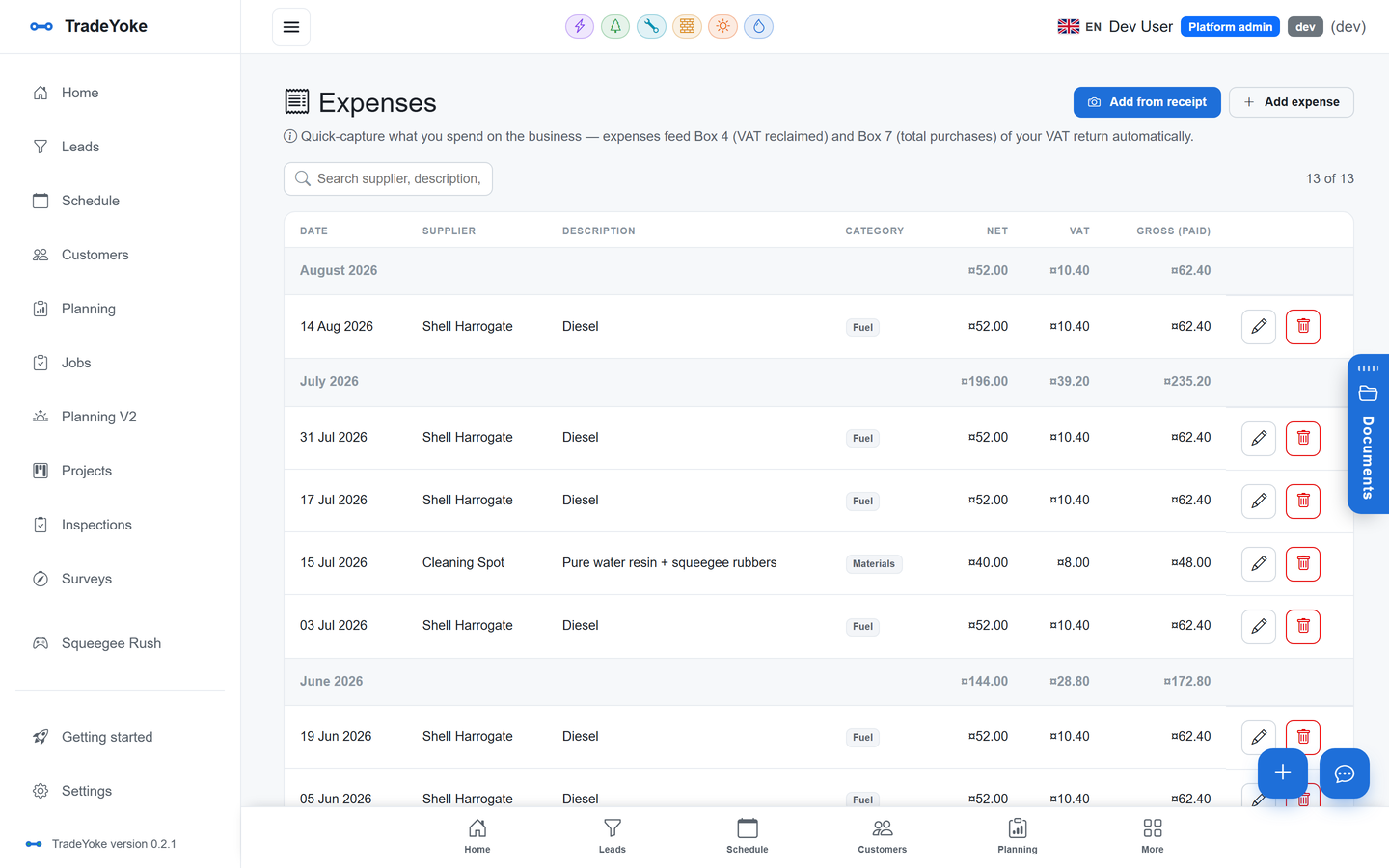
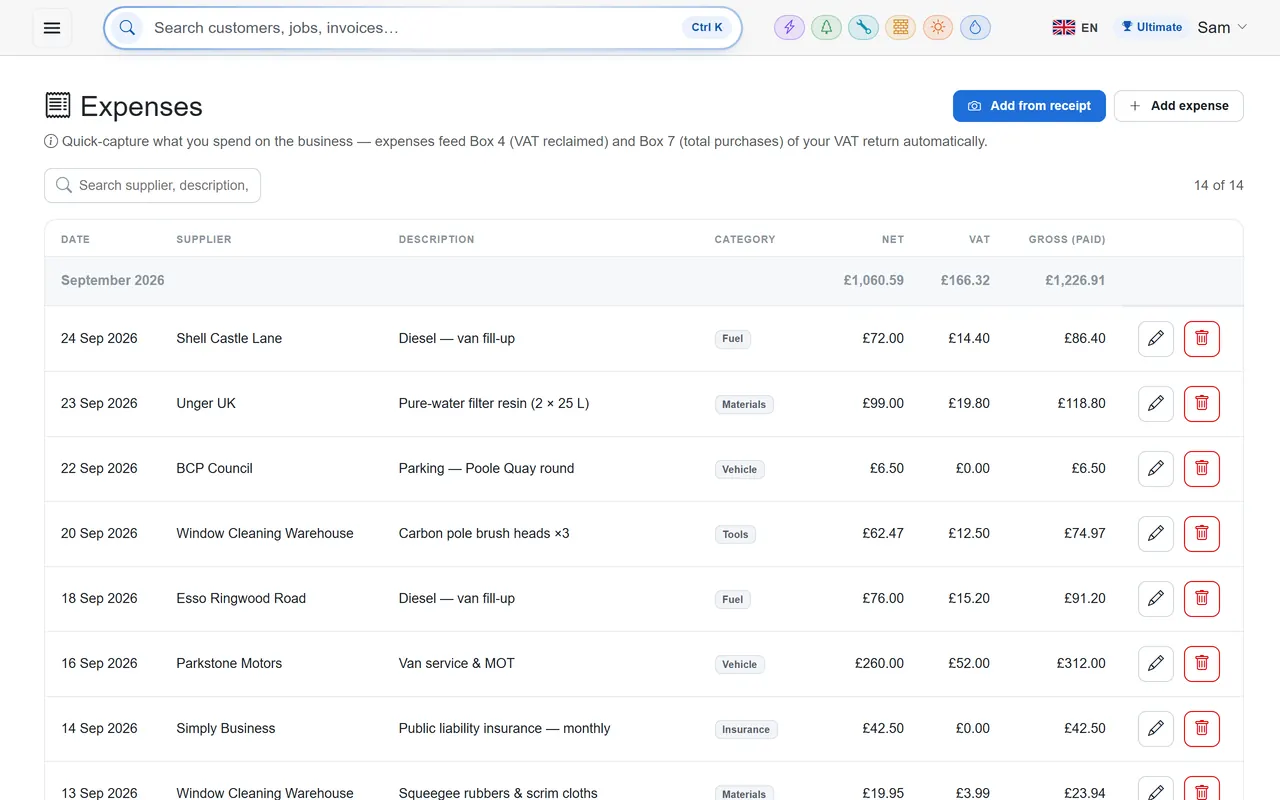
Expenses are the paperwork nobody does until the accountant asks. TradeYoke makes the moment cheap: photograph the receipt on the phone (or upload a file, or a short video of it) and the reader fills in the supplier, total, VAT and date for you to confirm. Mileage is worked out from the day's planned stops. Every expense attaches to a job, a vehicle or the business, and the reports page turns it into profit for the month and a CSV for the accountant.
What it does
Expenses, receipts & mileage in TradeYoke
Receipt capture
Photo, upload or video from the phone or the desktop; it files in the Document Library.
Read for you
The receipt is read and the expense form pre-filled; you confirm and save.
Mileage from the day
Mileage claims worked out from the planned stops, at your rate.
Attach to a job or vehicle
Expenses show on the job's costs and on the vehicle's record.
Profit and the accountant file
Earned, collected, expenses and profit for any range; CSV export.
Suppliers directory
A register of the merchants you buy from with contacts and trades.
The real thing
As it looks today
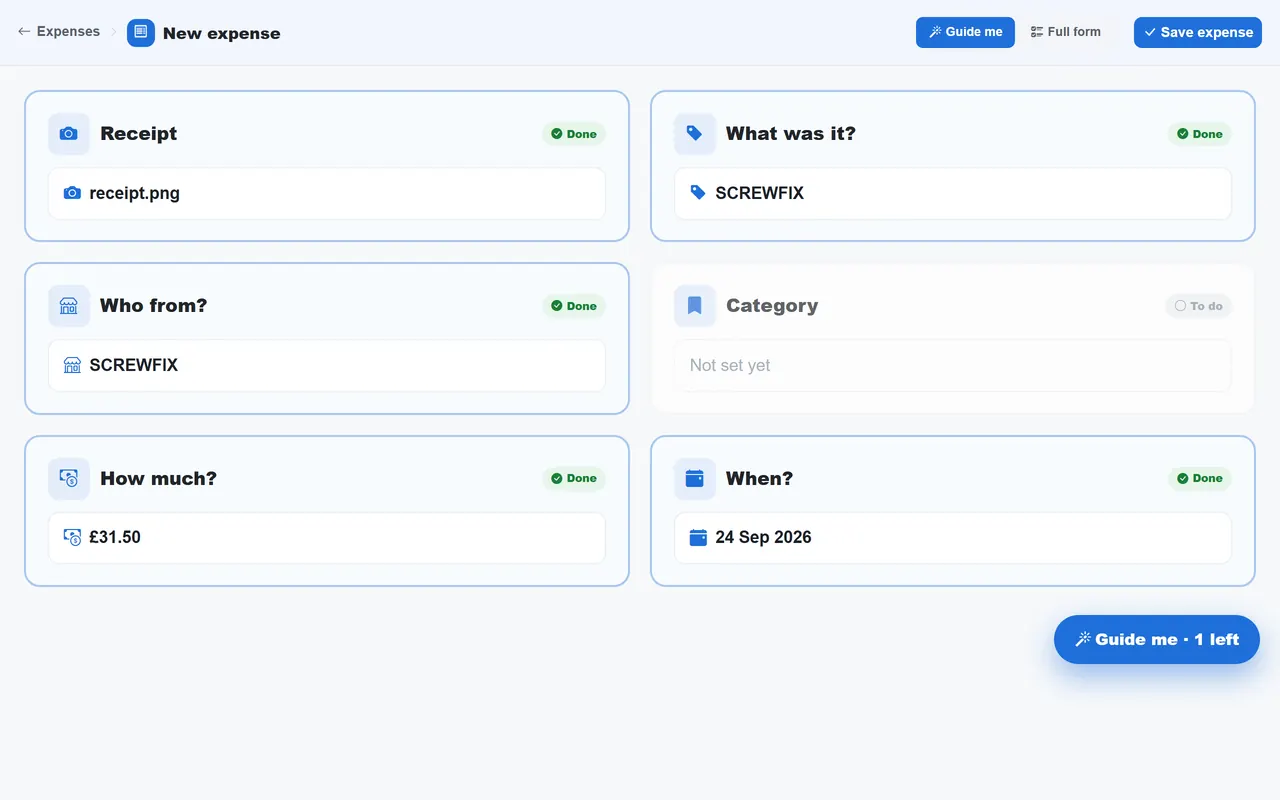
A real screen from the product, not a mock-up. The same screen is on the phone app.
More of it, as it looks today
The details
Also worth knowing
- Categories you controlExpense categories are an editable option set.
- VAT capturedVAT on the receipt is captured for the return.
- Purchases and mileage in one placeBoth kinds of claim on the same page.
See it working
What you get, on the real screens
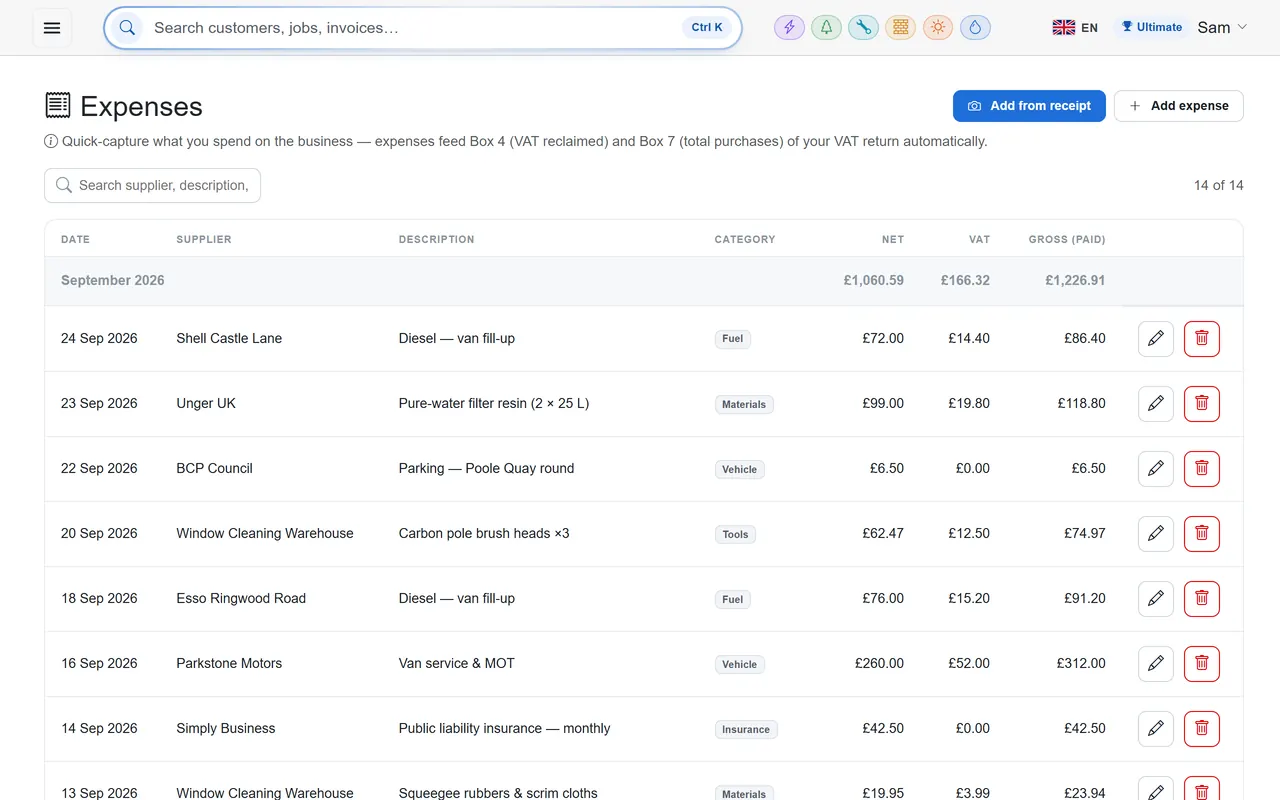
ExpensesEssentials and above · £19/month
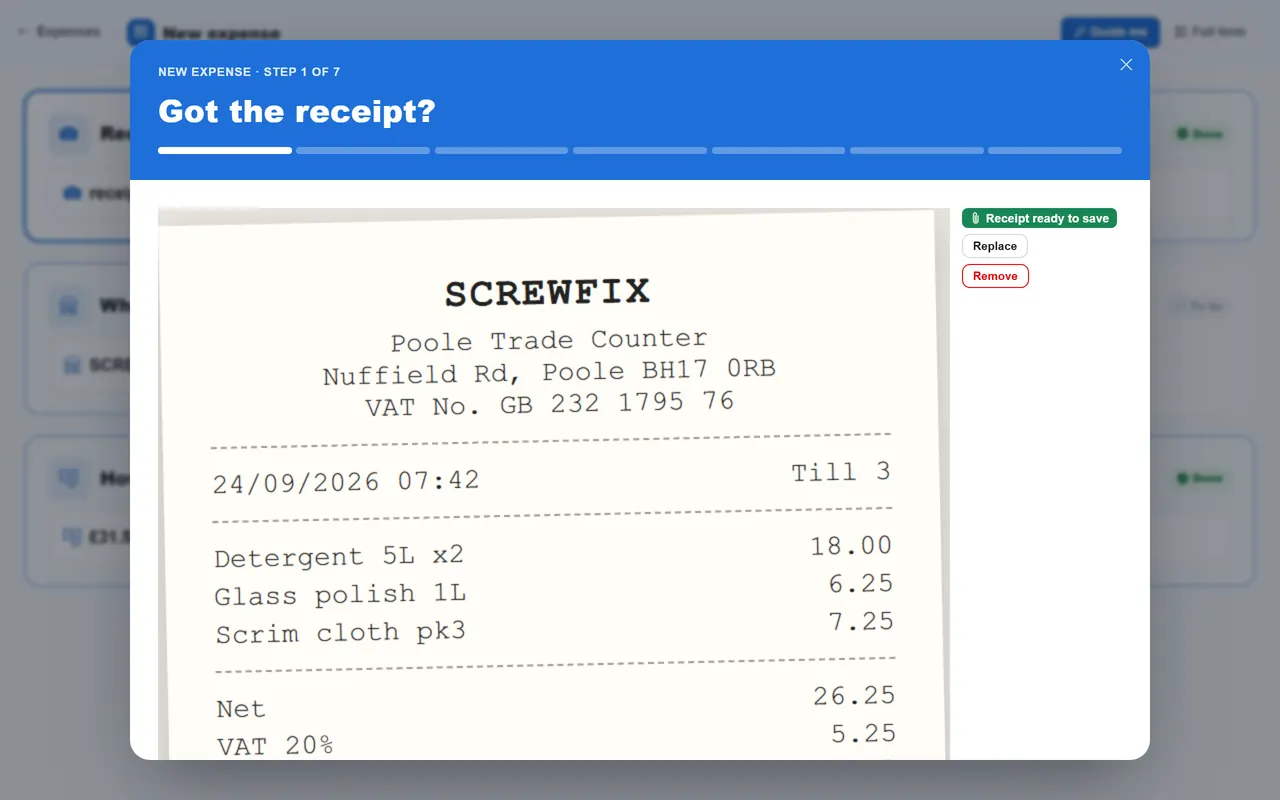
Snap a receipt and the expense fills itself in
Photograph a receipt and TradeYoke reads it for you — supplier, date, amount and VAT — then files the picture so it's there when the accountant asks.
- Add a receipt by camera, upload or video
- Reads the receipt for you and suggests the VAT split
- A mileage log built from the stops you worked, with a CSV export
- Costs show on the job, so you can see what it really made
- Your own categories, and any date range at a glance
Questions
Asked about expenses, receipts & mileage
How does the receipt get read?
An AI vision reader extracts the supplier, total, VAT and date from the image; you always confirm before saving.
Can I attach an expense to a job?
Yes, and it shows on the job's costs and the customer's record.
Is there a purchase-order or stock system?
Not yet. Suppliers are a directory today.
Try expenses, receipts & mileage on your own work
30 days of Essentials free, no card. Import your customers and see it against a real week.