Team, projects, vehicles & suppliers
The registers that make it a business system
Team management software for trades: a team register with roles, engagement type, qualifications and absences, a guided add-team-member wizard, multi-trade projects, a vehicle register with documents and maintenance, and a suppliers directory.
30-day free trial · No card required · Web app today, mobile & Windows apps in pilot

- Web Open nowBeta
 Coming soon
 Coming soon
 Coming soon
The unglamorous registers are what turn a job app into a business system. TradeYoke keeps the team (with their roles and permissions, engagement type, qualifications and absences), the projects that group jobs across trades under one customer and status, the vehicles with their documents and maintenance records, and the suppliers you buy from — and shows all of them where they matter: the schedule, the map, the expenses.
What it does
Team, projects, vehicles & suppliers in TradeYoke
Team register
People, roles, engagement type, trades, qualifications and absences; a guided wizard to add someone and their login in one go.
Roles and permissions
Each team member gets a role; roles carry view, add, edit and delete per feature.
Projects
Multi-trade work under one project with a customer, status and dates, and its own wizard.
Vehicles
A register with documents, expiry tracking, maintenance and notes; on the live map as a tracked asset.
Suppliers
The merchants you buy from, with contacts, trades and website.
CSV import
Vehicles import from a spreadsheet with a template and a dry run.
The real thing
As it looks today
A real screen from the product, not a mock-up. The same screen is on the phone app.
The office sees the van
Team, projects and vehicles in one place

Loading up
The right kit, the right crew
A team register with roles and absences, so the right person gets the job.
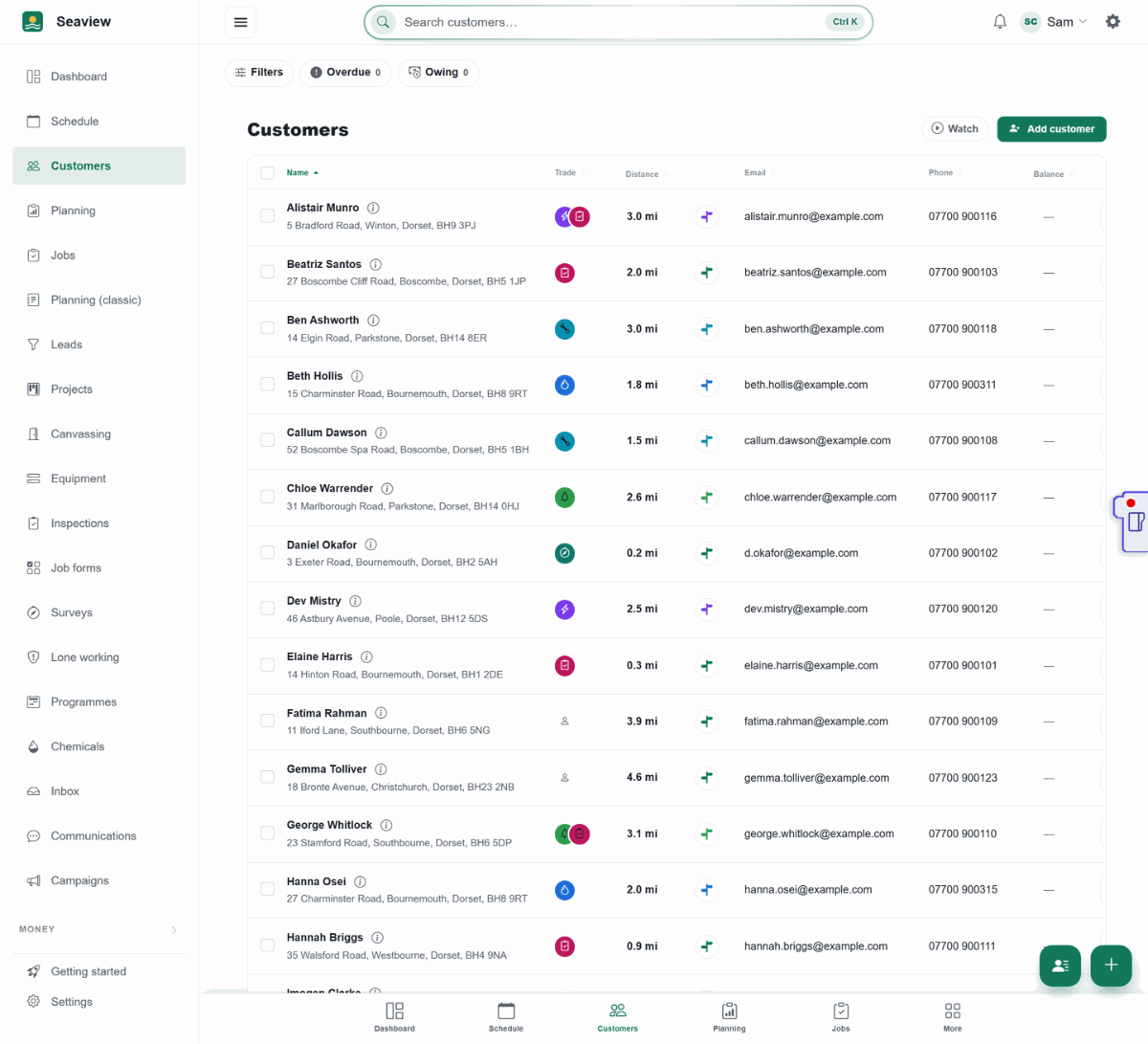
Every job, assigned 
On the tools
The MOT that doesn't creep up on you
A vehicle register with documents, so the MOT and insurance expire where you'll see them.
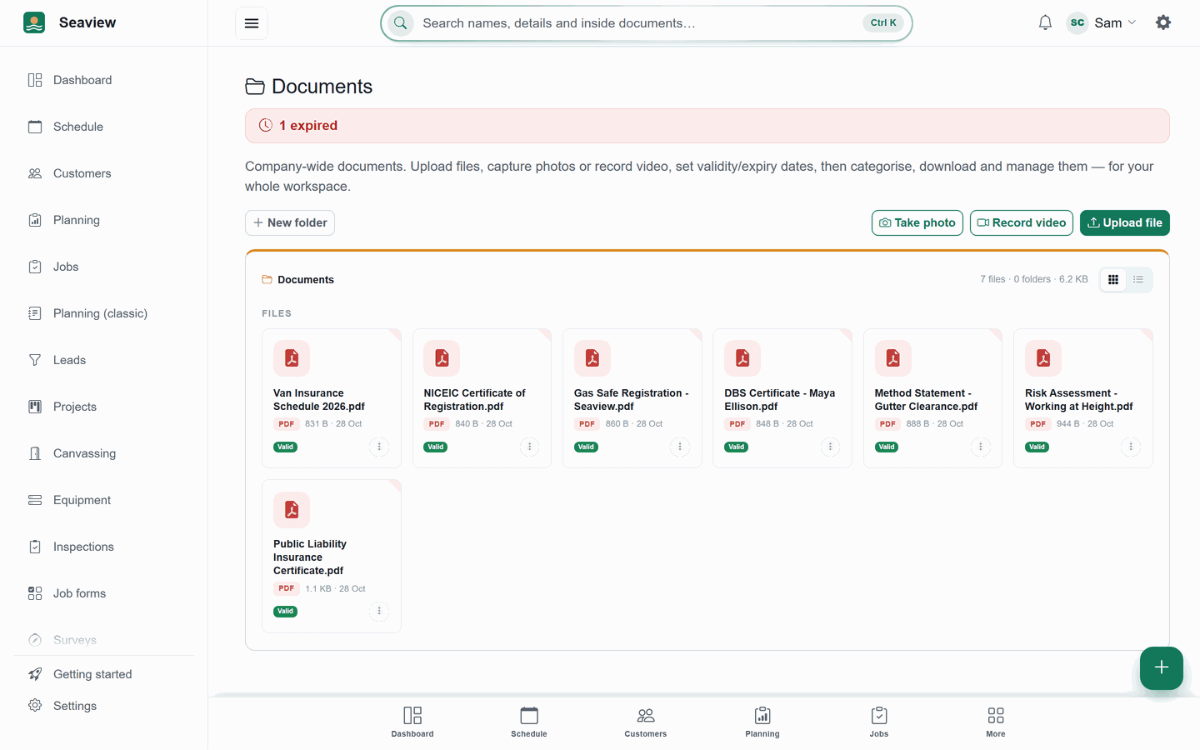
Every document, tracked


More of it, as it looks today


The details
Also worth knowing
- Absences recordedHolidays and sickness recorded on the team member, with dates.
- Employment detailsPay rate, NI and UTR fields on the profile for the office's records.
- Option sets you controlEngagement types, vehicle types and categories are editable lists.
- A Canvasser role and pay schemesGive someone the built-in Canvasser role and they see only canvassing and their own doorstep quotes. Set a dated pay scheme on their team record: a percentage of jobs won, flat amounts, hourly pay or a mix.
See it working
What you get, on the real screens
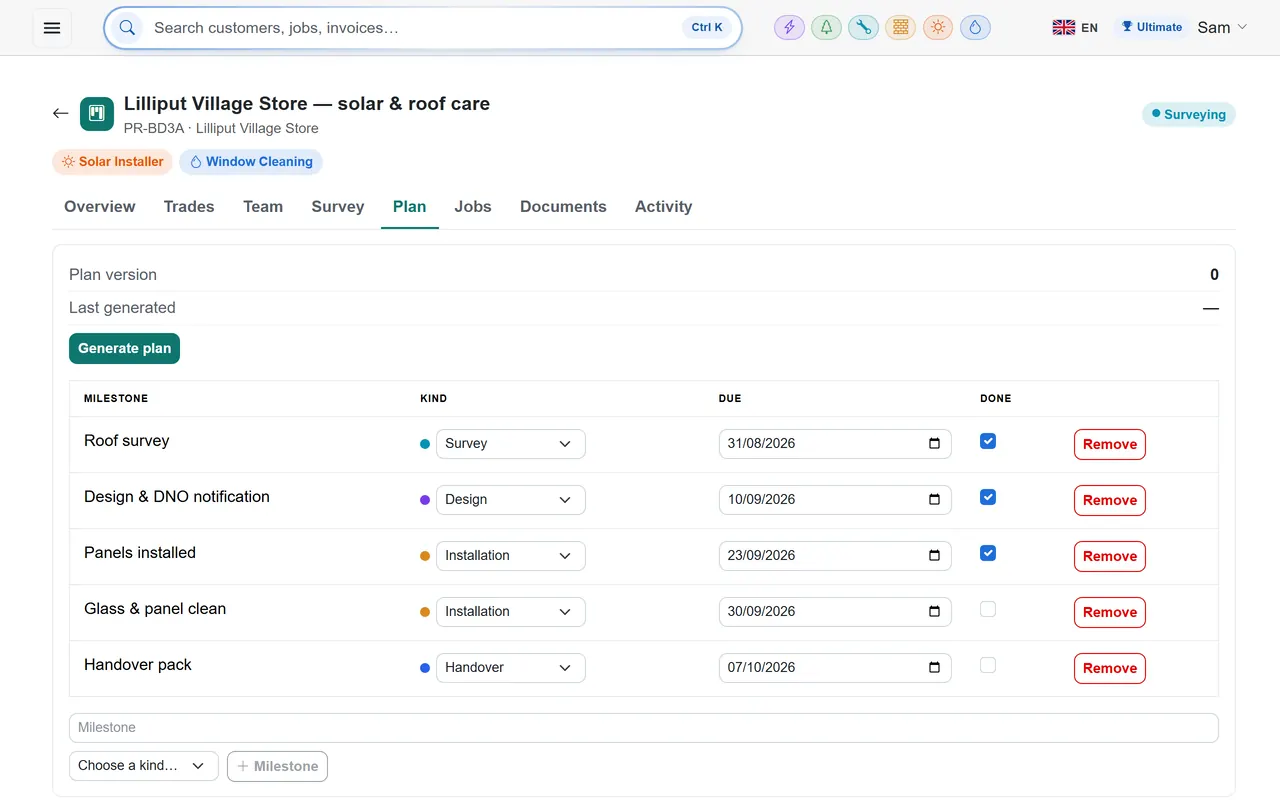
ProjectsEssentials and above · £9.99/month
Run bigger jobs as projects
Keep every trade, visit and document for a bigger piece of work together — with a site survey, milestones and a project plan you can hand to the customer.
- Add the trades involved and put them in order
- A site survey and milestones to keep it on track
- A project plan PDF, with every version kept
- Every job on the project, grouped by trade
- Shows on the customer's record and on your dashboard
Questions
Asked about team, projects, vehicles & suppliers
Is there a per-user charge?
No. Plans are per business; invite the team with the roles they need.
Are there timesheets?
Not yet. The team register holds the people and their details; time tracking is on the roadmap.
Can a project have jobs from two trades?
Yes. That is what projects are for.
Can I pay a canvasser through TradeYoke?
TradeYoke tracks it rather than paying it: you set a pay scheme on the canvasser's team record (a percentage of jobs won, flat amounts per yes, quote or win, or hourly pay), they clock on and off, and the Team tab on the canvassing page shows each person's doors, yeses, quotes, wins, hours and earnings for any period, with a CSV export for payroll.
Try team, projects, vehicles & suppliers on your own work
30 days of Essentials free, no card. Import your customers and see it against a real week.