Roles, permissions, audit & 2FA
Who can see what, and who did what
Trade business software with two-factor authentication, role-based permissions on every action, a per-business audit trail, and sign-in with Microsoft, Google or an emailed link. Your data lives in your own storage container.
30-day free trial · No card required · The same on web, iOS, Android & Windows
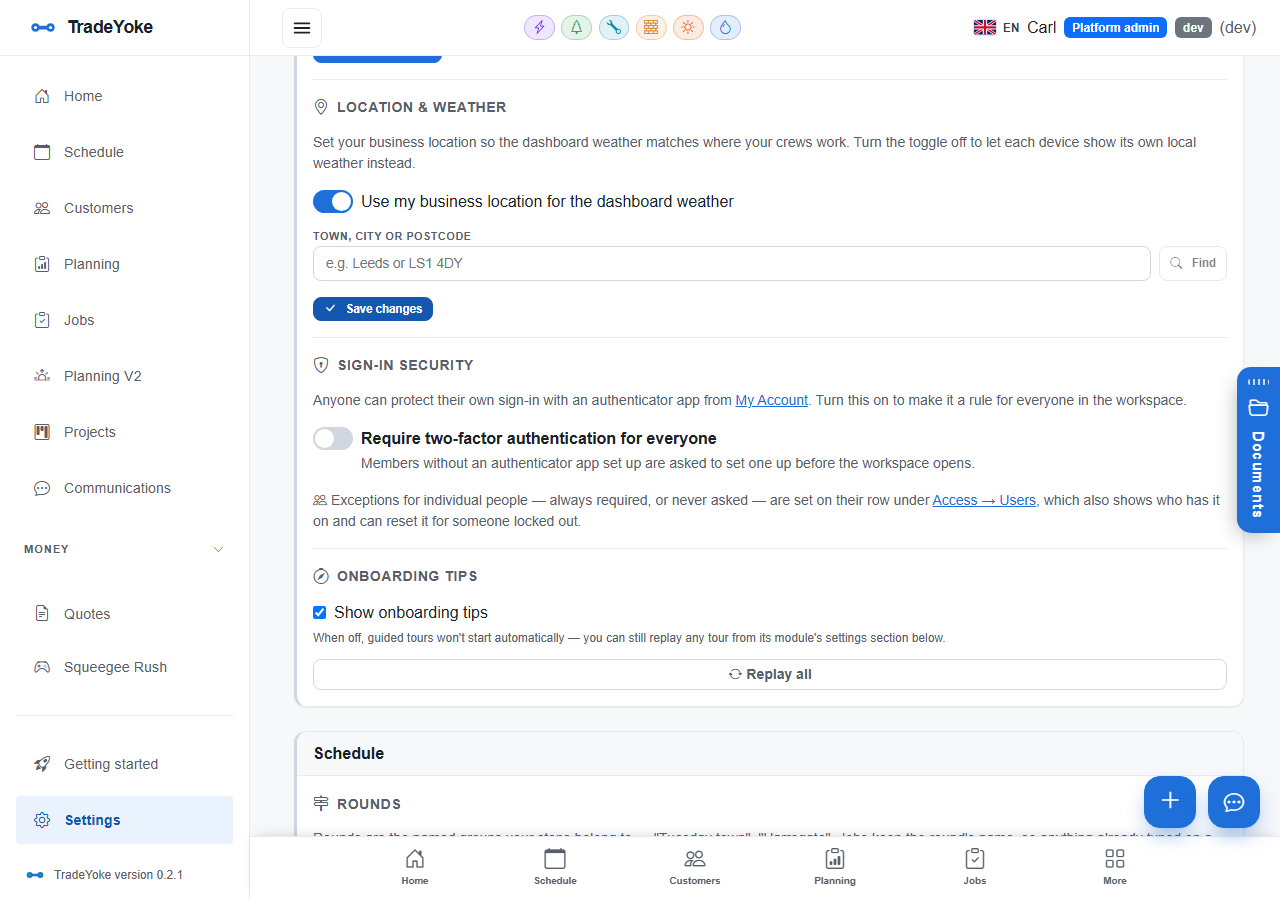
Security in TradeYoke is not a settings page; it is how the app is built. Every feature declares view, add, edit and delete permissions, and both the screen and the server check them. Roles bundle permissions and are given to team members. Two-factor sign-in works with Google or Microsoft Authenticator and an admin can require it for the whole business. Changes to jobs, customers and money are written to an append-only audit trail. And each business's data is stored in its own container, never mixed with anyone else's.
What it does
Roles, permissions, audit & 2FA in TradeYoke
Permissions on every action
View, add, edit, delete per feature; checked in the UI and on the server.
Roles
Bundle permissions into roles; give each team member one.
Two-factor authentication
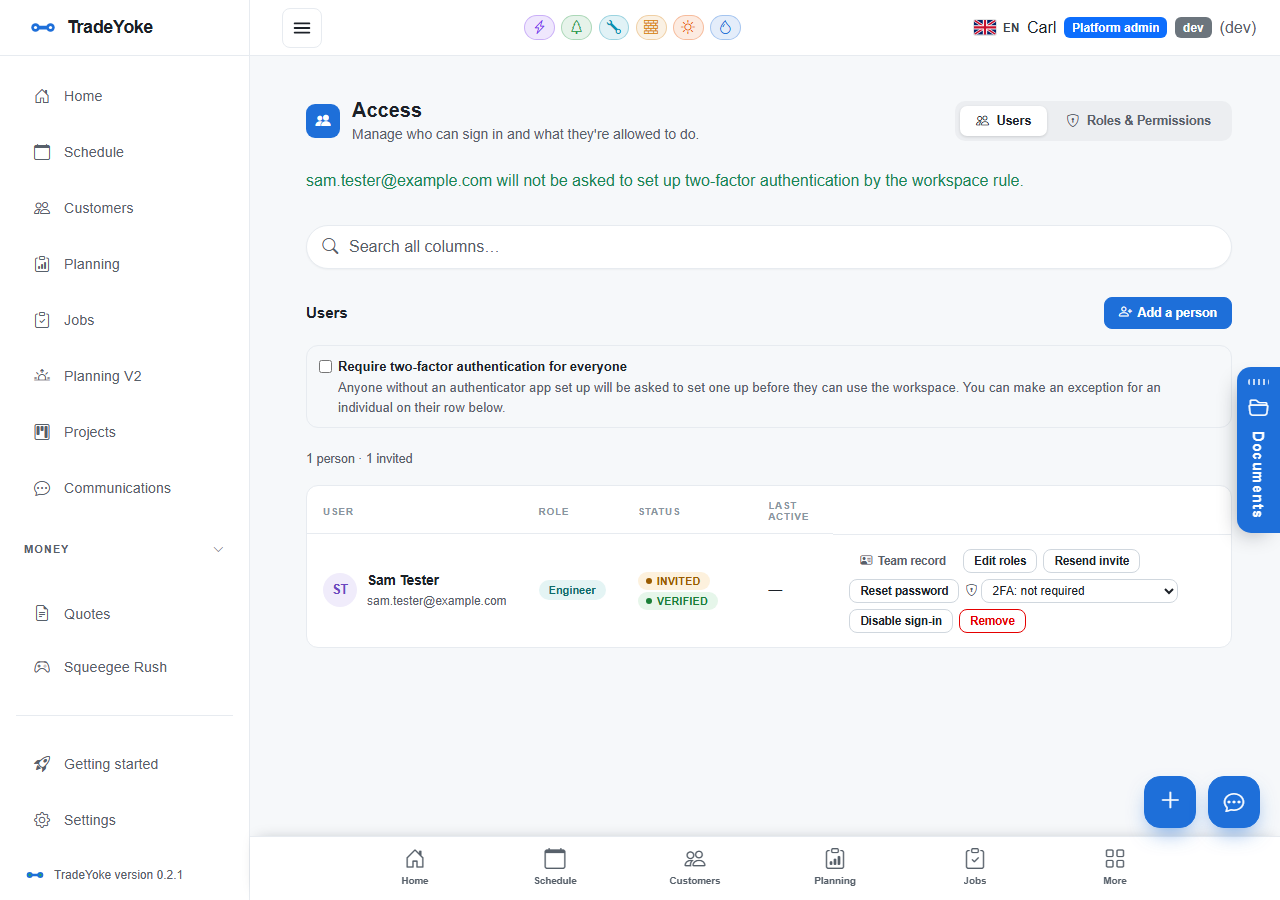
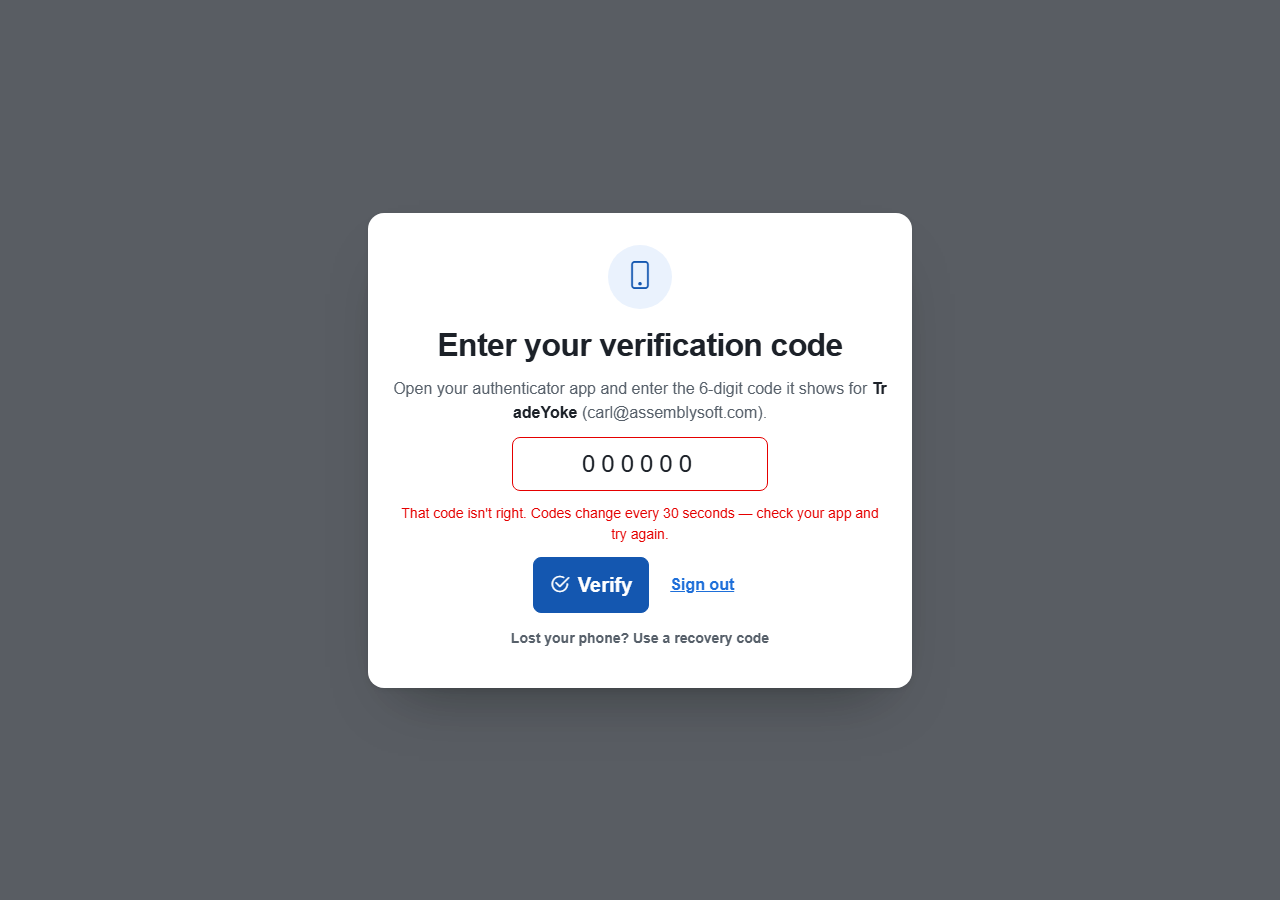
Any TOTP authenticator app; admins can require it business-wide and reset a locked-out user.
Sign in your way
Microsoft, Google, or a magic link by email; no password to forget.
Audit trail
Who did what, when, on jobs, customers, quotes, invoices and payments; read-only and exportable.
Your own container
Each business's data in its own storage container, never mixed with anyone else's.
The real thing
As it looks today
A real screen from the product, not a mock-up. The same screen is on the phone app.
More of it, as it looks today
The details
Also worth knowing
- Module switchesTurn features on or off per business; what is off is invisible and blocked by URL too.
- Crash logs you can seeErrors are captured with full detail into your business's own log, viewable by an admin.
- Encrypted in transit and at restAzure storage encryption and TLS everywhere.
Questions
Asked about roles, permissions, audit & 2fa
Can I require 2FA for everyone?
Yes, from the business's security settings; an admin can also reset a user's 2FA.
Can a field worker see the money?
Only if their role says so. Permissions are per feature and per operation.
Where is my data held?
In Microsoft Azure, in a storage container that belongs to your business alone.
Related: Team, projects, vehicles & suppliers · The platform · Pricing
See also: the Team & safety guide
Try roles, permissions, audit & 2fa on your own work
30 days of Essentials free, no card. Import your customers and see it against a real week.