Van tracking without the hardware: the app as the tracker
You do not need a box wired into the van to know where the team is. The app on the phone is the tracker, and the map shows customers, jobs, vehicles and people together.
Van tracking used to mean a box wired behind the dashboard, a fitting appointment, and a monthly fee per vehicle. For most small trade businesses the phone in the driver's pocket already does the job. The app is the tracker, the map shows customers, jobs, vehicles and people together, and the customer gets a text when the van is on its way.
This post covers how that works, what a live map is actually used for day to day, where hardware still earns its place, and how to switch tracking on without souring the team.
Van tracking without hardware: how it works
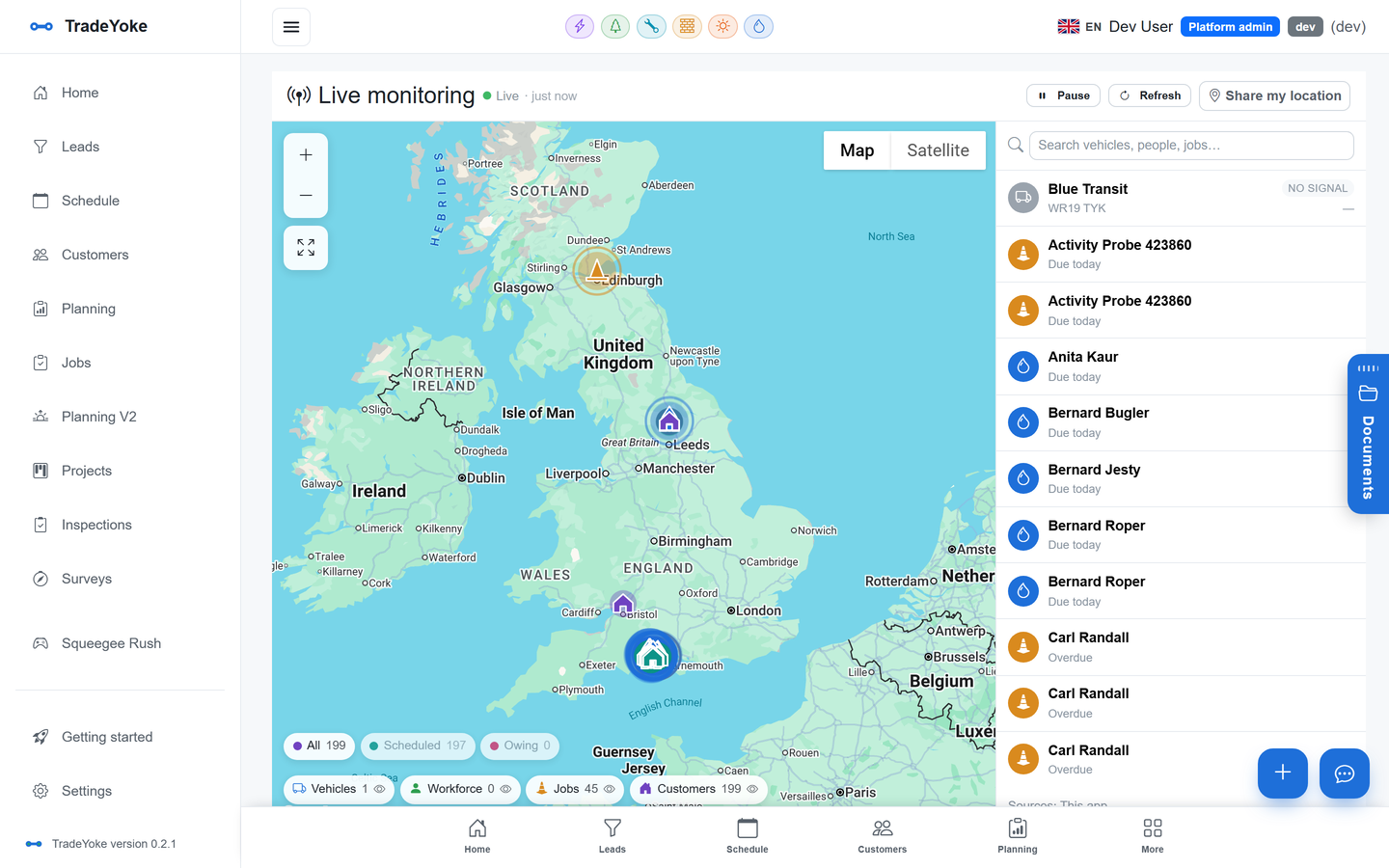
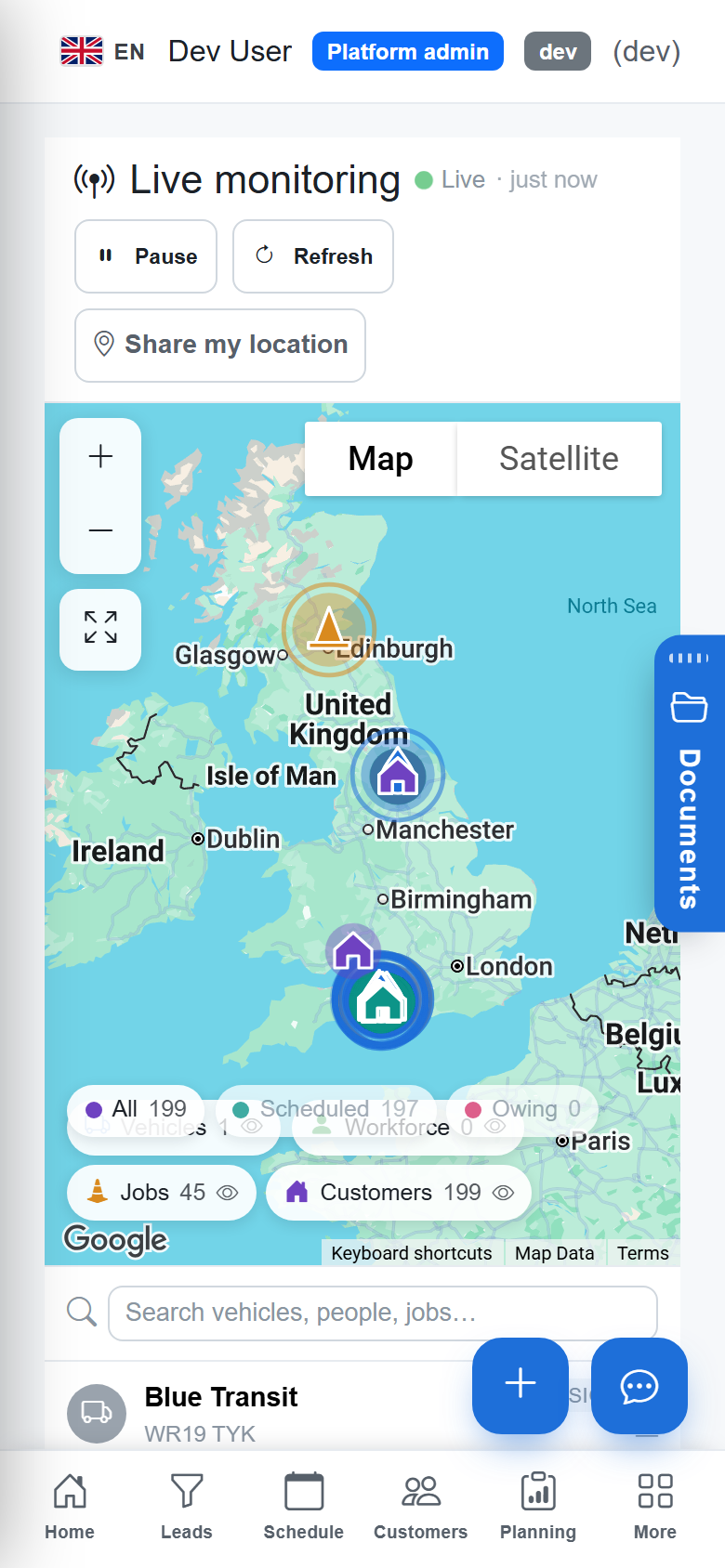
Each team member runs the TradeYoke app on their phone. While the app is at work, the phone shares its location, and the live monitoring map plots the workforce alongside the day's jobs and the customer list. Vehicles in the register are shown with their documents, so the van's MOT and insurance expiry sit on the same screen as its driver.
There is nothing to fit and nothing to fail when the van is changed. A new starter installs the app, is invited with a role, and appears on the map on their first morning. The platform page describes live monitoring alongside the rest.
What you actually use it for
Nobody sits watching a map. It gets opened for specific questions, and they are always the same ones.
- "Where's Dan?" The customer has rung to say nobody has turned up. The map answers in one glance and the reply is a fact, not a guess.
- "Who's nearest?" A boiler has failed, a scaffold has been struck, a gate is locked. The nearest person on the map gets the call, and the diary is updated from the same screen.
- "Is the round on track?" Three stops behind at eleven o'clock is a different afternoon from three stops behind at three. Seeing it early is what makes it fixable.
For a gas and plumbing business that is mostly reactive work, the nearest-person question is the whole value. For a scaffold firm with twenty sites, it is knowing which gang is where when a client rings about the weather.
On-the-way texts: the part customers notice
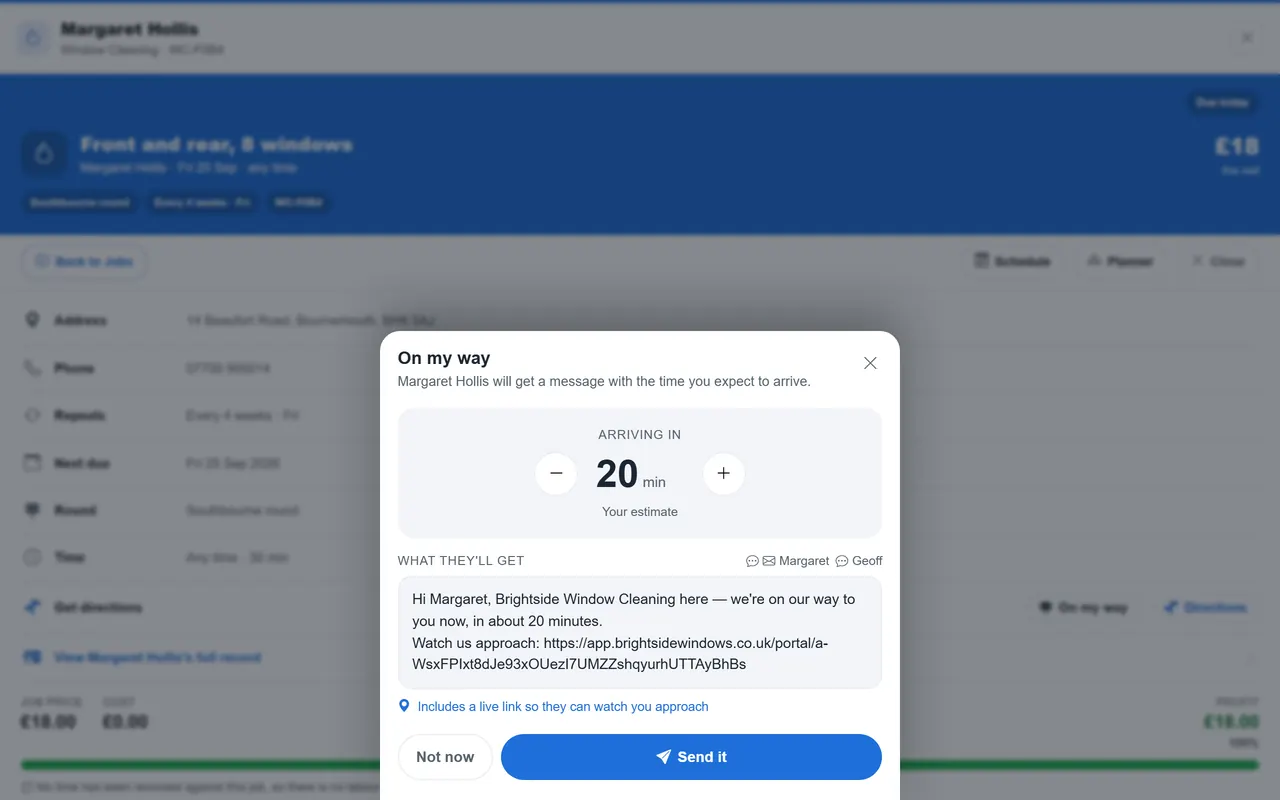
The customer does not see the map. What they see is a text that says the engineer is on the way, sent when the previous job is finished rather than when someone remembers. It is the same message wizard that sends the 'we're coming tomorrow' text the evening before, and replies land in the customer's thread rather than on the driver's personal phone.
For round-based trades this is what stops the locked gate. For appointment trades it is what stops the "between eight and one" window feeling like a whole morning lost. Either way the sending is automatic once the previous visit is marked done, so it happens on the day nobody had time for it.
Privacy with the team: tracking people, not vans
A box in the van tracks a vehicle. An app on a phone tracks a person, and that difference is where trust is won or lost. The Information Commissioner's Office publishes guidance on monitoring workers, and the principles are straightforward: be clear about what is collected and why, collect it only when it is needed, and tell people before you start.
In practice that means tracking during the working day, for the purposes above, and saying so in writing. The team should know what the map shows, who can see it, and that it is off when they are not at work. Covert tracking is a fast way to lose good people and a slow way to lose an employment tribunal. Check the ICO's guidance and, if you employ people, your HR adviser before you switch anything on.
Before you switch tracking on
- Write down whyDispatch, customer updates and safety are good reasons. Curiosity is not.
- Tell the team, in writing, before it startsWhat is collected, when, who sees it, and that it is scoped to the working day.
- Give the map to the people it helpsA team that can see each other on the map understands what the office sees.
- Keep it to working hoursThe app is the tracker while the app is at work.
- Review it after a monthAsk the team what it has been used for, and whether that matched what you said.
When hardware still makes sense
An app on a phone is not the answer to everything. If you need to recover a stolen van at three in the morning, a hidden hardware tracker with its own battery is the tool. If you want driver behaviour data for an insurance policy, or you need to track plant and trailers that never have a phone with them, the same applies. And a worker without a company phone is not on the map at all.
For a business of two to fifteen people whose questions are the three above, the phone is enough, and the saving is the fitting cost and a fee per vehicle every month. It is honest to say the app solves dispatch and customer updates rather than theft recovery.
App on the phone or a box in the van?
| Need | Phone app | Fitted hardware |
|---|---|---|
| Where is the team right now | Yes | Yes |
| Nearest person to a callout | Yes | Yes, if one person per van |
| On-the-way texts to the customer | Yes, from the visit | Not usually |
| Stolen vehicle recovery | No | Yes |
| Driver behaviour for insurers | No | Yes |
| Plant and trailers | No | Yes |
| Cost | Included in Ultimate | Fitting plus a fee per vehicle |
Where it lives in TradeYoke
Live monitoring is part of the Ultimate plan, which is per business rather than per vehicle or per user; every plan is on the pricing page. The map runs on the web for the office and on the phone for the team, from the same data and the same connection logic described in the offline-first post. Because it is one map across every trade, a business running two trades sees both crews together, which is one of the small reasons one account for two trades works.
See also: keeping a lone-working tradesperson safe
Questions people ask
Does it drain the phone battery?
Location sharing while the app is at work uses some battery, as any navigation app does. It is scoped to the working day rather than running permanently, and a van charger removes the question for most teams. Test it for a week before deciding.
Can a team member turn it off?
It is their phone, so yes. The app makes clear when location is being shared, and tracking is tied to the working day. The right approach is an agreement about when it is on, written down, rather than a technical lock nobody trusts.
Is it worth it for a one-person business?
Less so for the map, more so for the on-the-way texts, which a sole trader benefits from as much as anyone. Texting customers is part of Essentials and every plan above it; the live map is Ultimate.
Do I need the Ultimate plan?
Live monitoring is in Ultimate, with your own website and the customer portal. Essentials includes the diary, customers, branded quotes and invoices, reminders, emailing and texting customers, and offline mobile. The 30-day trial is Essentials with no card, so the live map is something you switch on by choosing Ultimate.
Put the team on the map this afternoon
TradeYoke's live monitoring uses the app as the tracker, with on-the-way texts sent from the visit. Start a 30-day trial of Essentials with no card.