How to choose job management software for a UK trade business (2026 checklist)
Speed on the phone, money you can see, books that never need re-typing and UK compliance built in. Here is the checklist we would use, and what it should cost.
Choose job management software by testing it on your phone, on a real job, with your real customers. If it is quick there, shows you who owes you, and sends the numbers to your accountant without anyone re-typing them, it is a keeper. Everything else is a nice-to-have.
This guide is the checklist we would hand a friend who runs a trade business. It covers the five things UK tradespeople say they actually want, the traps in the pricing, and how to run a fair trial in a week.
What job management software for a UK trade business has to do
Talk to enough window cleaners, gardeners, sparks and gas engineers and the same five wants come up every time. It has to be fast on a phone, on site, not at a desk. It has to show the money: outstanding quotes, unpaid invoices, what came in, what went out and what each job actually made. It has to hand clean figures to Xero, QuickBooks or FreeAgent. It has to cope with UK rules: VAT, CIS where it applies, and Making Tax Digital. And it has to be affordable for a one-van business.
Notice what is not on that list. Nobody asks for a bigger feature grid. Nobody asks for a dashboard they need a training day to read. The best tools do a small number of things well and get out of the way, which is the thinking behind the whole TradeYoke platform.
Test it from the van, not the desk
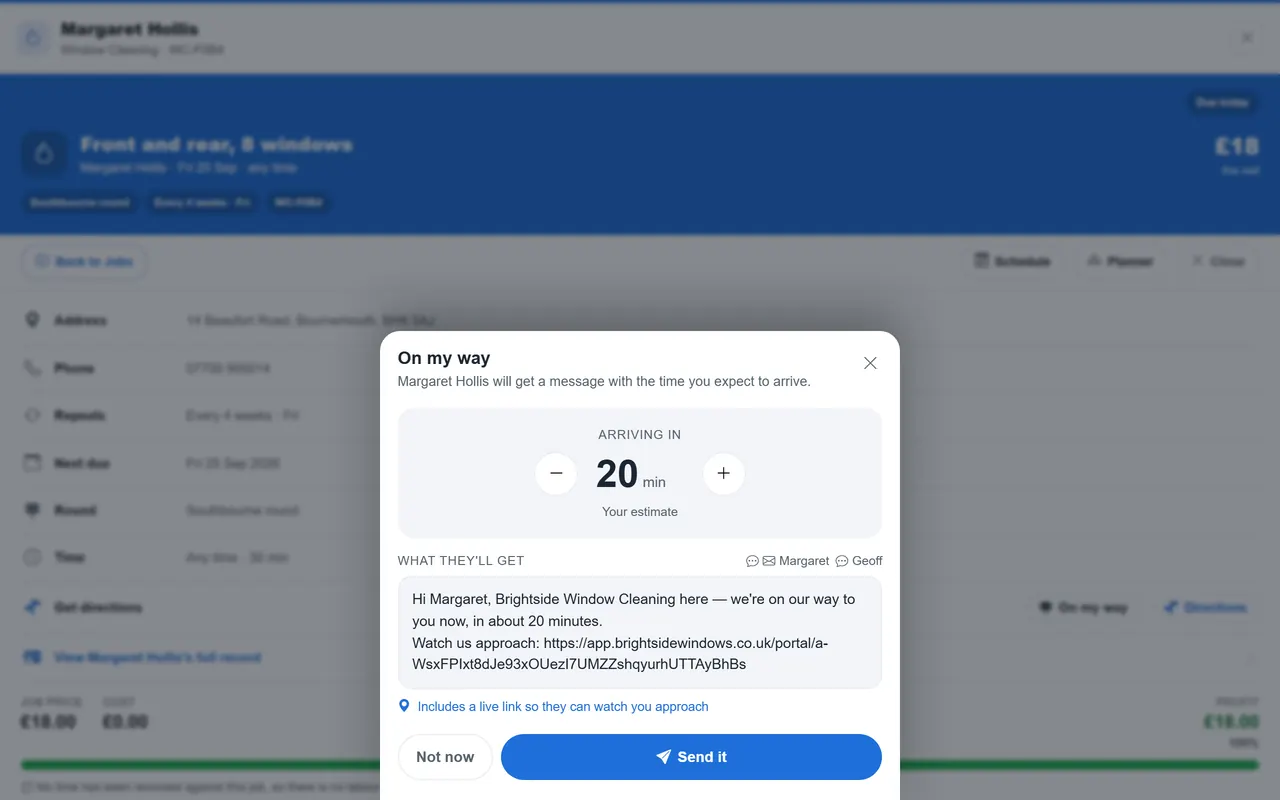
Most software demos happen on a laptop with a fast connection and tidy sample data. Your week does not. Install the app on your own phone, add three real customers, book tomorrow's jobs and try to mark one done standing in a car park with one bar of signal. If the app stalls, spins or loses what you typed, that is the experience you will have every day.
Offline matters more than people expect. The installed TradeYoke app keeps working with no signal, queues what you change and syncs it when you are back in range, which we explain in why "works offline" is the feature you'll use most. Ask any vendor what happens to a job you complete in a dead spot. If the answer is "it will be fine when you reconnect", ask them to show you.
Can you see the money without a spreadsheet?
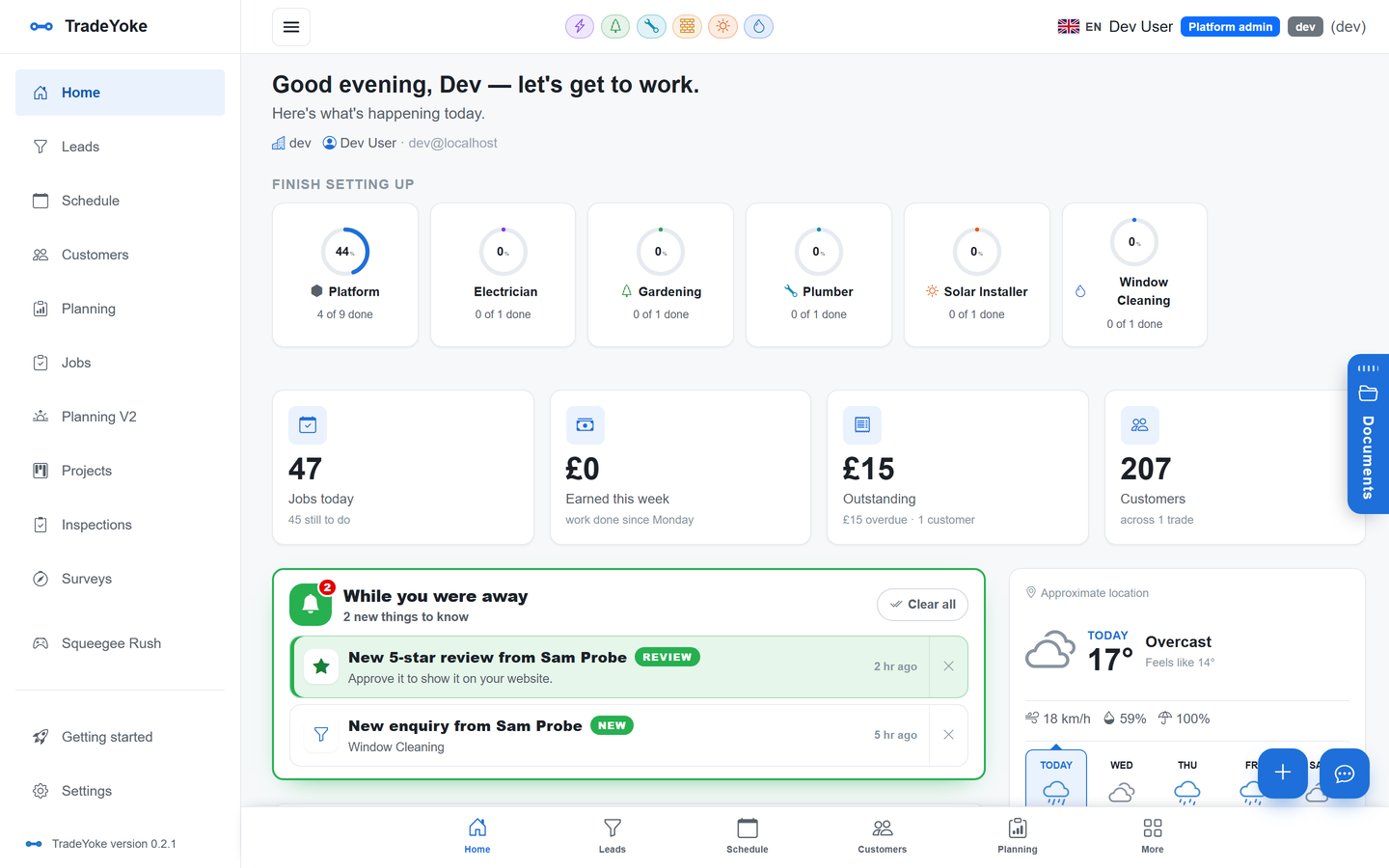
The second question is about visibility. Open the app on a Monday morning and it should tell you who owes you, which quotes are waiting on a decision, what you earned last month and what you spent. If you have to export to Excel to learn any of that, the software is a diary, not a business tool.
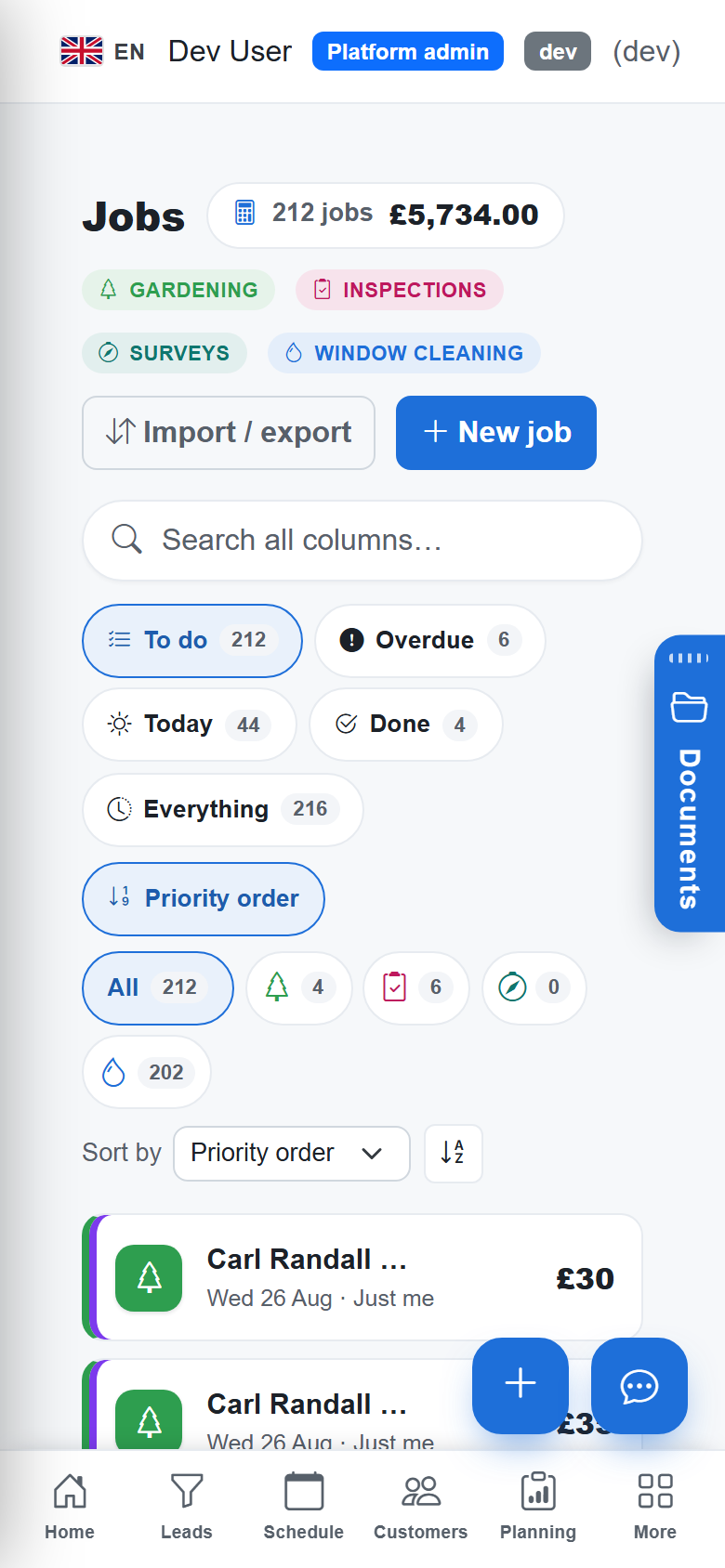
Look for an invoice that is generated from the job rather than typed again, payments that settle against the right invoice automatically, and a report you can trust for any period or tax year. Look for expenses too. A receipt photographed in the van with the supplier and VAT read for you is worth an hour a week to most sole traders. Our guide to getting paid the same day covers the pay-link side of the same story.
Does it talk to your accountant's software?
Ask exactly what "integrates with Xero" means. Some tools export a CSV. Some push invoices one way and hope. The useful version pushes invoices and payments as they happen, reads them back to confirm they landed, and shows you a log of what went where so a missing entry is a five-minute fix rather than a January mystery.
If you are not on accounting software yet, do not let a job app force the choice. Pick the app first, then choose the books to suit your size. We compare the three big names in Xero, QuickBooks or FreeAgent for a trade business.
Compliance: VAT, Making Tax Digital and the paperwork of your trade
If you are VAT registered you already file through Making Tax Digital. From April 2026 MTD also reaches sole traders and landlords with qualifying income over £50,000, with quarterly updates sent from software; the threshold falls to £30,000 in April 2027 and £20,000 in April 2028. Your job app does not have to file those updates itself, but its records need to be clean enough that whoever does can do it without re-keying a year of invoices. Check the dates that apply to you with your accountant or on gov.uk.
Then there is the paperwork of your trade. Gas engineers issue a landlord gas safety record every 12 months. Electricians issue EICRs that private landlords need at least every five years. Scaffolders inspect at intervals not exceeding seven days. Good software knows about expiry dates and turns them into next year's booking, which is why our compliance trades are built around certificates that file themselves against the job.
What it should cost
A sole trader should expect to pay roughly £15 to £30 a month and a small team £30 to £50. Anything much above that needs a reason: online payments, bookkeeping sync, tracking. Watch for per-user pricing that doubles when you take on an apprentice, and for "from" prices that hide the module you actually need. We break the bands down in how much job management software should cost a sole trader, and our own plans are on the pricing page with nothing hidden.
The right app is the one you stop noticing. If you are thinking about the software on site, it is the wrong software.
TradeYoke
The 2026 checklist
- Fast on a phone, on siteBook a job in four taps. Mark it done in one. No spinner between them.
- Works with no signalChanges queue and sync later; nothing you typed is lost.
- Shows the moneyWho owes you, quotes waiting, earned and spent for any period, profit per job.
- Invoices from the jobNumbered, branded, emailed, and settled automatically when a payment lands.
- Real accounting syncPushes to Xero, QuickBooks or FreeAgent and reads back to confirm.
- Knows your trade's paperworkCertificates with expiry dates that become next year's booking.
- Honest pricingPer business, not per seat; a free plan to start, and a 30-day trial of Essentials with no card.
Questions people ask
Do I need job management software as a sole trader?
Not on day one. But the moment you have more than a couple of dozen regular customers, a diary and a notebook start costing you money in missed visits and unchased invoices. The right time is before you lose a customer to a forgotten booking, not after.
Should I pick the app or the accounting software first?
Pick the job app first because that is where you spend your day. Then choose accounting software to suit your size, and make sure the two talk to each other properly, with read-back rather than a one-way export.
What about CIS and VAT?
If you are VAT registered, the app should produce VAT-correct invoices and, ideally, file your MTD VAT return. CIS deductions are usually handled in the accounting software. Check the specifics with your accountant before you rely on either.
How long should a trial take?
One working week. Use it on real jobs, with real customers, on your own phone. If you have not moved your customer list in by the end of day one, the import is too hard, which is a finding in itself.
Try it on a real week
30 days of Essentials free, no card. Import your customers, book tomorrow, and see whether it earns its place in the van.