Invoicing & payments
Invoice it, send the link, get paid
An invoicing app for tradesmen with card payments through Stripe and Direct Debit through GoCardless. Numbered, branded PDF invoices raised from the job, sent by email or text with a pay link, settled automatically against an immutable ledger, with a receipt to the customer.
30-day free trial · No card required · The same on web, iOS, Android & Windows
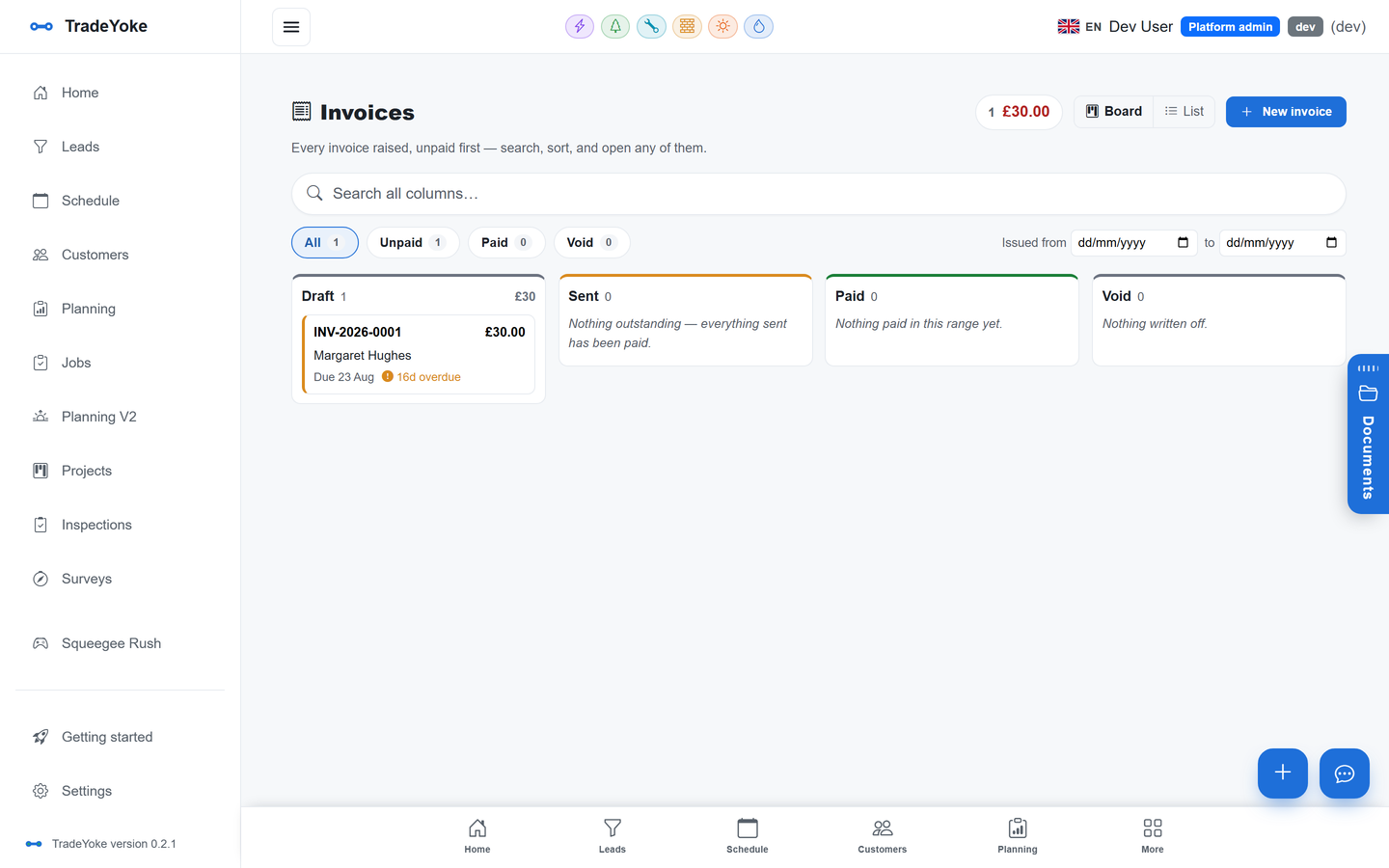
Invoices in TradeYoke sit on a ledger that never rewrites history: every invoice, payment and adjustment is an entry, so the balance is always explainable. Raise the invoice from the job, preview and edit it side by side with the PDF, and send it with a pay link. Card payments go through Stripe and Direct Debit through GoCardless using your own accounts; the webhook settles the payment against the invoice and the customer gets a branded receipt. Window cleaning visits raise their invoice automatically when marked done.
What it does
Invoicing & payments in TradeYoke
Numbered, branded PDFs
Sequential numbering per year, your logo and details, a preview editor with the PDF beside it.
Pay now, everywhere
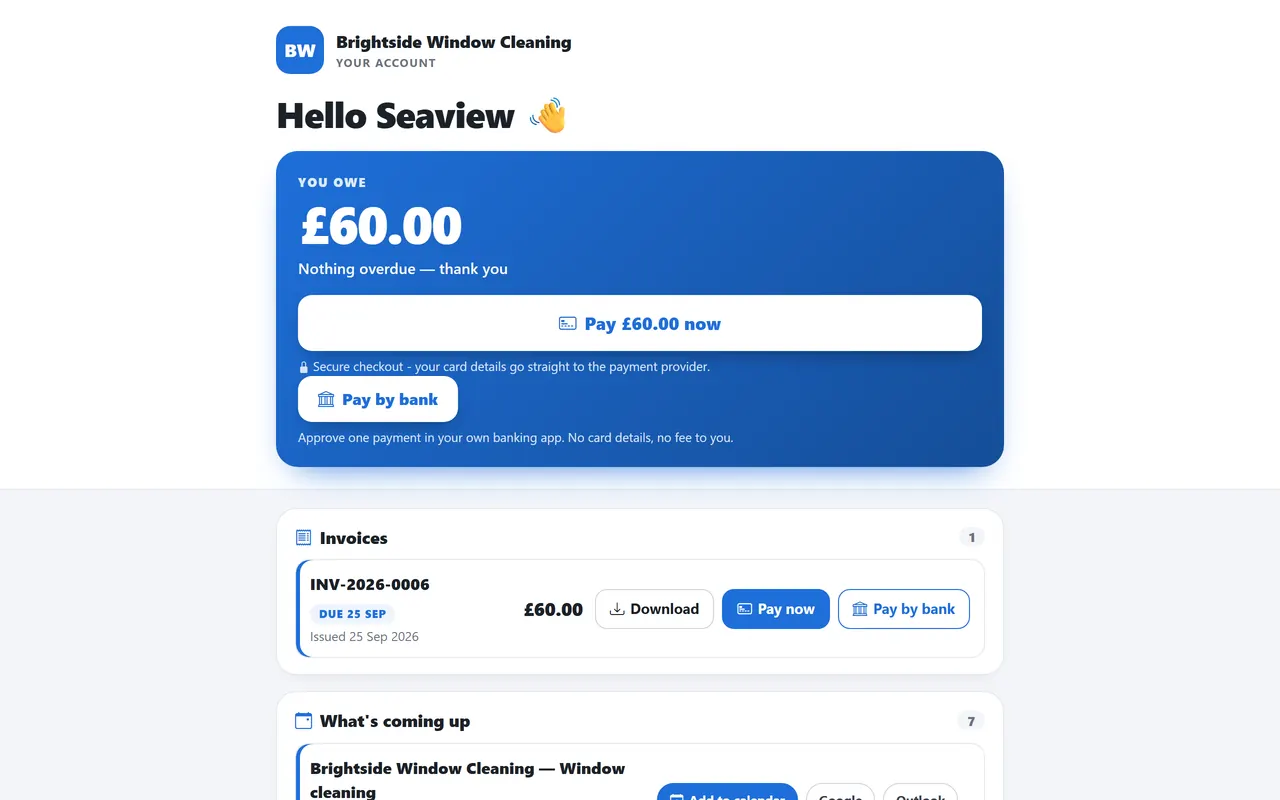
A Pay now button on the invoice email, the PDF and the customer portal, always for exactly what's left to pay; a copied link stays live, not just for a day.
Stripe and GoCardless
Connect your own Stripe and GoCardless accounts from settings; TradeYoke never holds your money. Connect with Stripe needs only your secret key to get started.
Immutable ledger
Invoices, payments and adjustments are entries; balances and aging come from the ledger, not a field someone edited.
Receipts and notices
A receipt PDF goes to the customer on payment; owing notices go out automatically.
Statements
A statement per customer built live from the ledger, on the portal and as a PDF.
The real thing
As it looks today
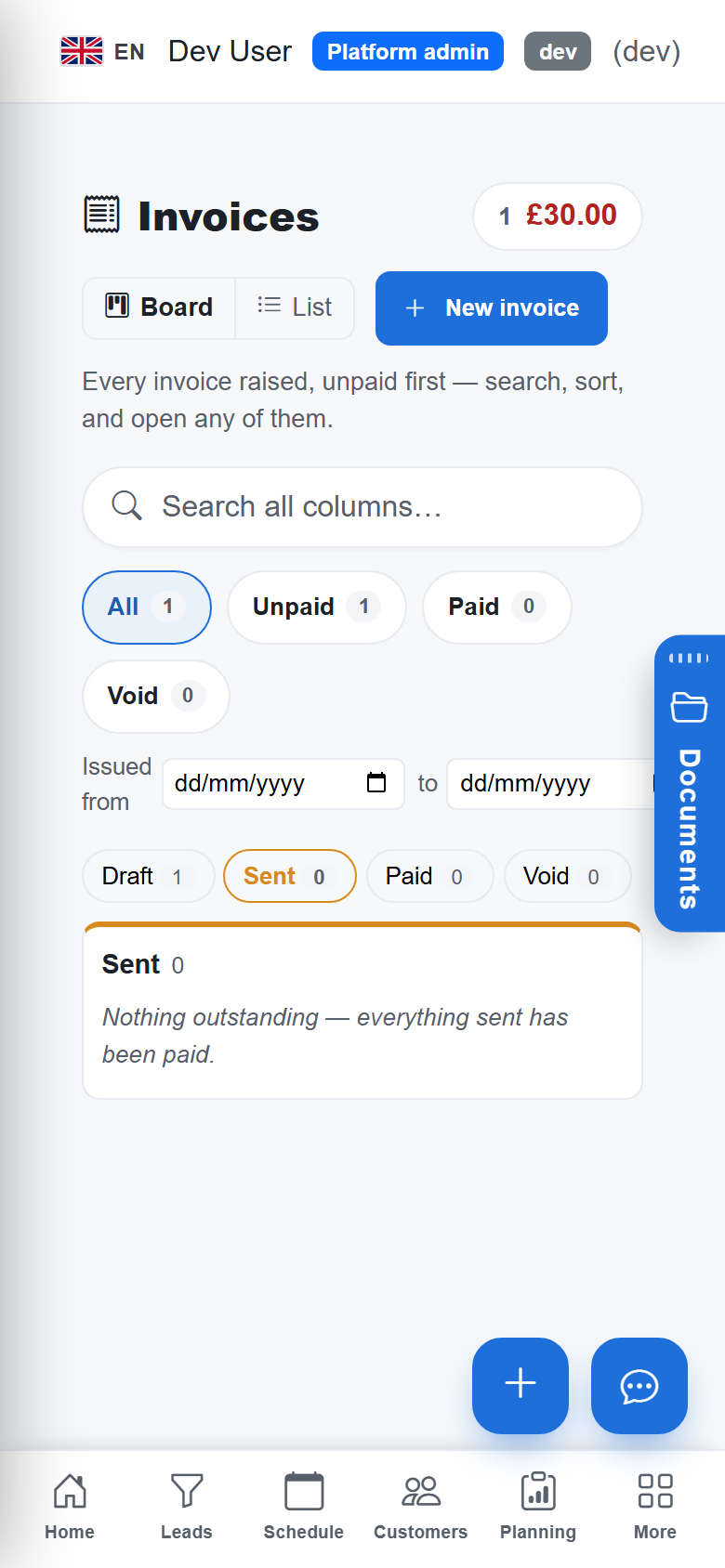
A real screen from the product, not a mock-up. The same screen is on the phone app.
More of it, as it looks today
The details
Also worth knowing
- Invoice itself when the job's doneSwitch on automatic invoicing for window cleaning, gardening or scaffolding and a job raises and emails its own invoice the moment it's marked done — off by default, with a per-customer override for the cases where a blanket rule is wrong.
- Visits bill themselvesCompleted window cleaning visits flow onto the ledger as billable work; other trades raise the invoice from the job.
- Manual payments tooRecord cash, bank transfer and cheque against the invoice; the ledger treats them the same.
- Three ways to settle a mismatchOver-payment, short-payment and unmatched payments each have a resolution on the ledger.
- Per-trade payment togglesTurn online payments on for one trade and not another.
- The accountant fileEarned, collected, expenses and profit for any range, and CSVs your accountant wants.
See it working
What you get, on the real screens
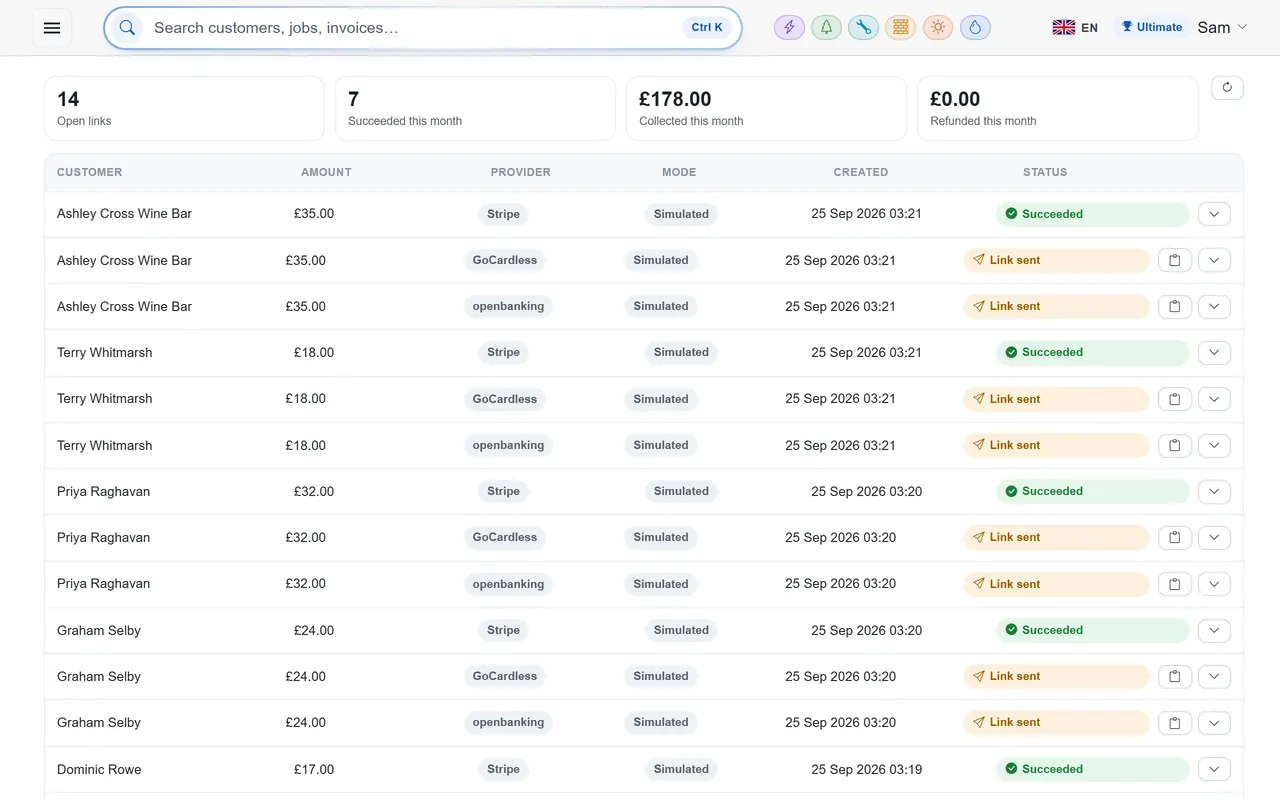
PaymentsPremium and above · £39/month
Get paid by card, with Pay now on every invoice
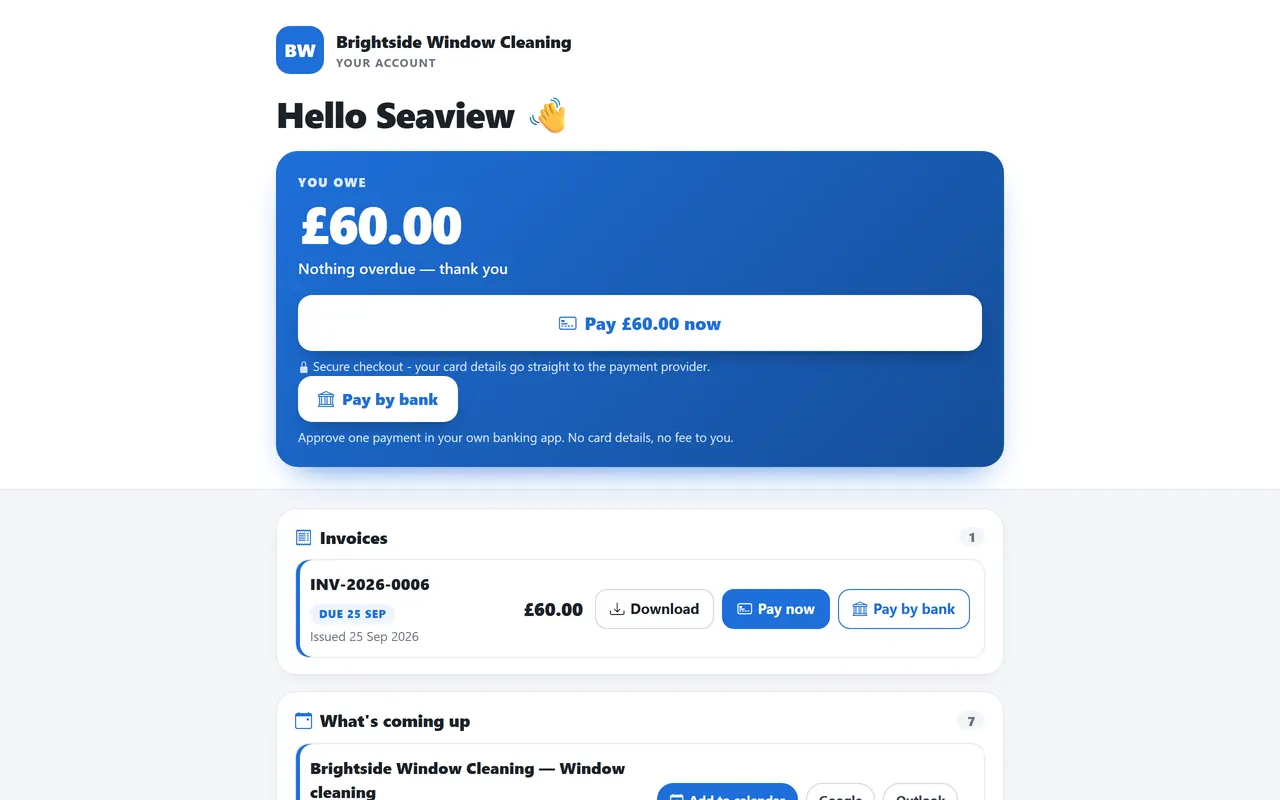
Connect Stripe in a few minutes — no keys to hunt for — and every invoice you send carries a Pay now button. When the customer pays, the invoice marks itself paid.
- A Pay now link on every invoice, email and text
- Connect with Stripe: a guided set-up, nothing technical to copy
- Payments settle the invoice automatically — no matching up by hand
- Direct Debit through GoCardless for your regulars
- Refund in full or in part when you need to
Questions
Asked about invoicing & payments
Whose Stripe or GoCardless account is it?
Yours. You connect your own accounts in settings; payouts go straight to your bank on their normal schedule.
Does a Direct Debit mandate get reused?
Yes. Once a regular customer has set one up through a pay link, later collections use it.
Can I edit an invoice after sending?
You can void and re-issue. The ledger is append-only, which is what your accountant and HMRC want to see.
Can customers pay without an account?
Yes. The pay link and the customer portal need no login.
Can a job invoice itself when it's finished?
Yes, for window cleaning, gardening and scaffolding jobs — turn it on in settings (it's off by default) and set a different rule for individual customers if a blanket policy is wrong for them.
Related: Customer portal · Who owes me · Xero, QuickBooks & FreeAgent sync · Pricing
See also: the best-invoicing-software comparison
Try invoicing & payments on your own work
30 days of Essentials free, no card. Import your customers and see it against a real week.