Customers & CRM
One customer list across every trade
A CRM for trade businesses: one customer list shared by every trade you run, with duplicates flagged and merged, notes and documents attached, every job, quote, invoice and balance in one place, and the customer's location on the map.
30-day free trial · No card required · The same on web, iOS, Android & Windows
Included onEvery plan, including Free
Trade CRMs tend to be either a contact list or an accounting ledger. TradeYoke's customer record is both: who they are and how to reach them, what work you have done and have booked, what they owe and how they usually pay, the notes the van needs and the documents you have sent them. Because every trade shares the record, a customer who has both their windows and their garden done is one customer, not two.
What it does
Customers & CRM in TradeYoke
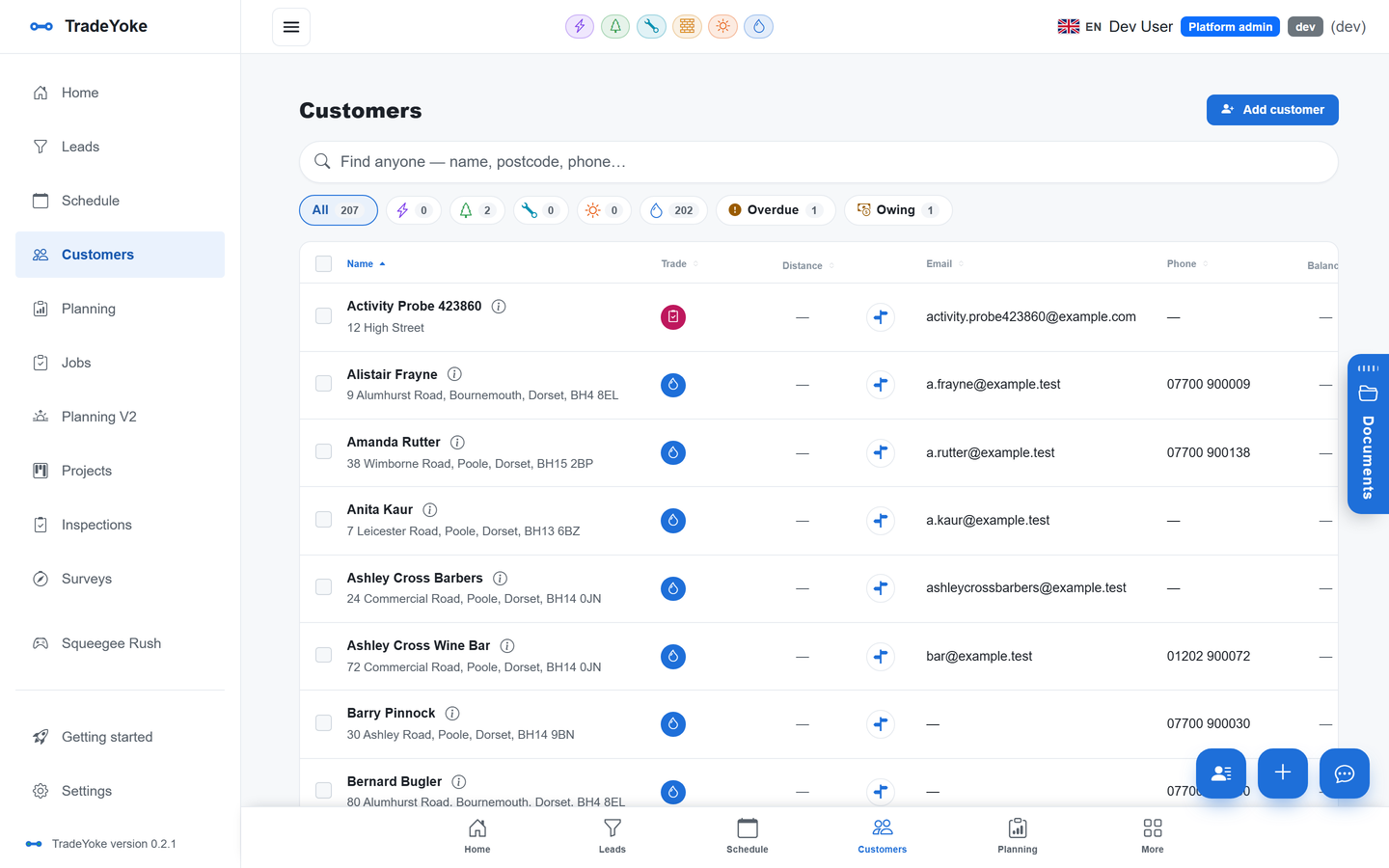
Contacts and customers
A generic contact record beneath every trade's customer, with lead source, how they heard about you and consent.
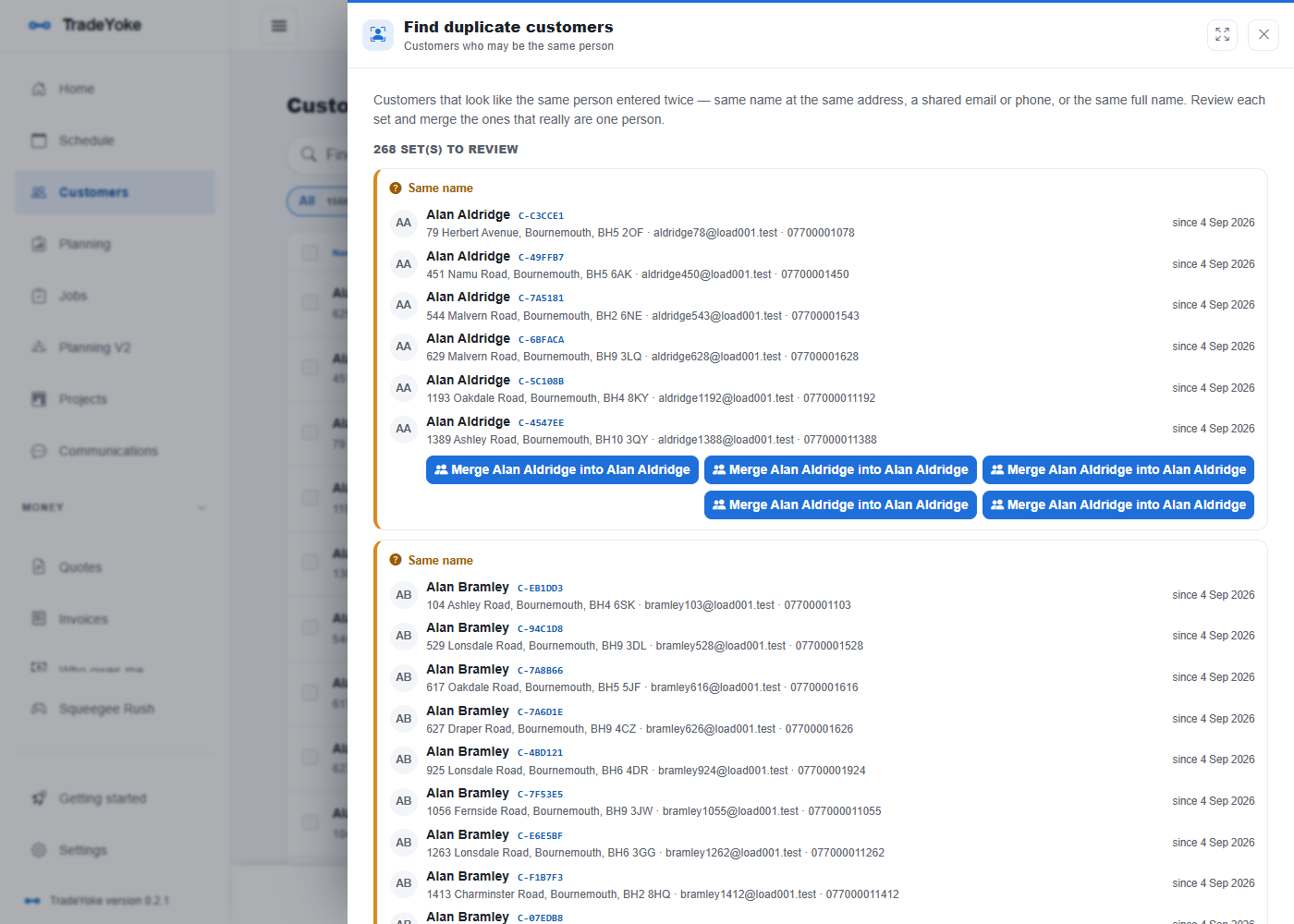
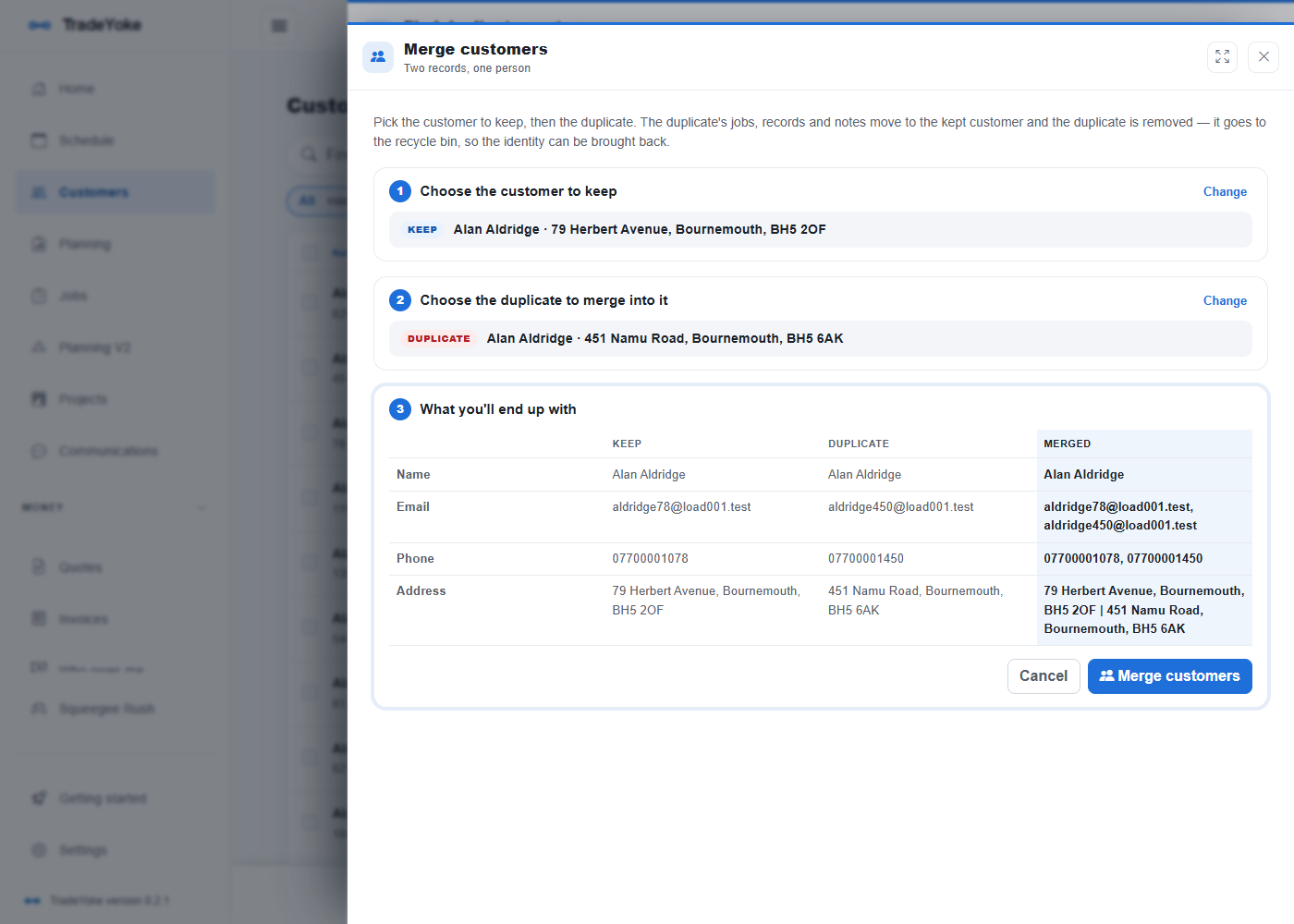
Duplicate detection and merge
Duplicates are flagged on import and on entry; merge two records and their jobs, invoices and documents follow.
Finance tab
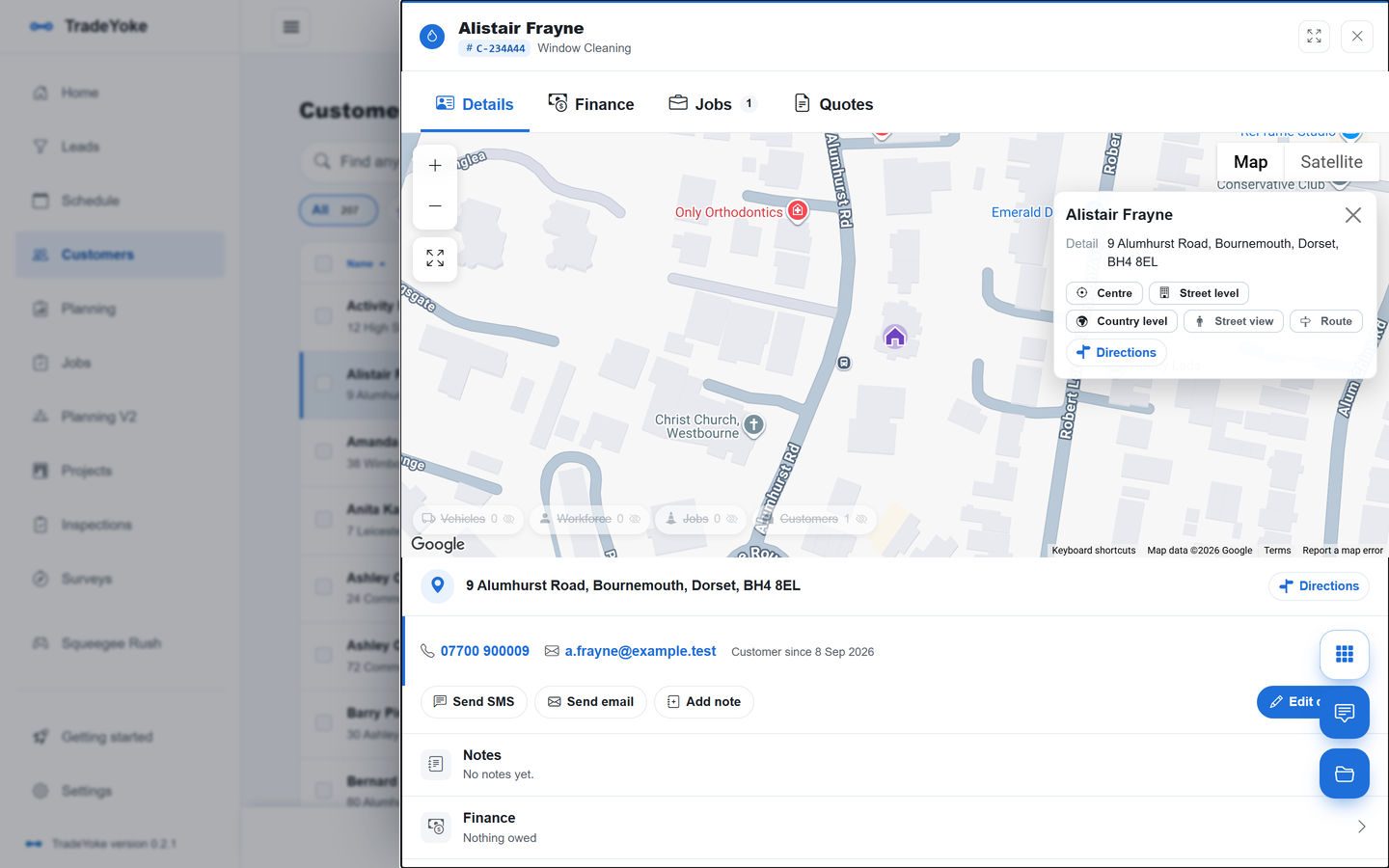
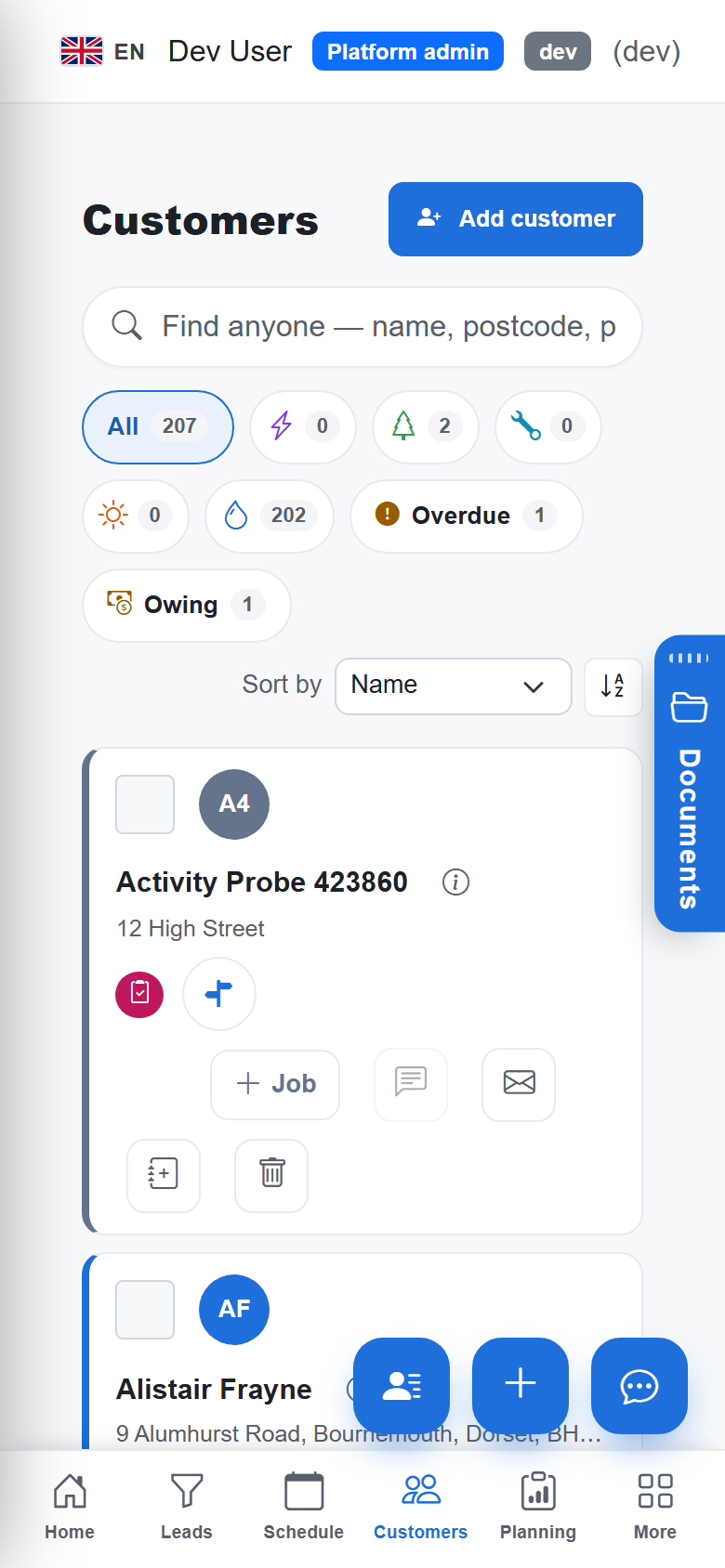
Invoices, payments and the running balance on the customer; owing and overdue at a glance.
Notes and documents
Notes for the office, notes for the van, and every document, certificate and photo filed against them.
Location and distance
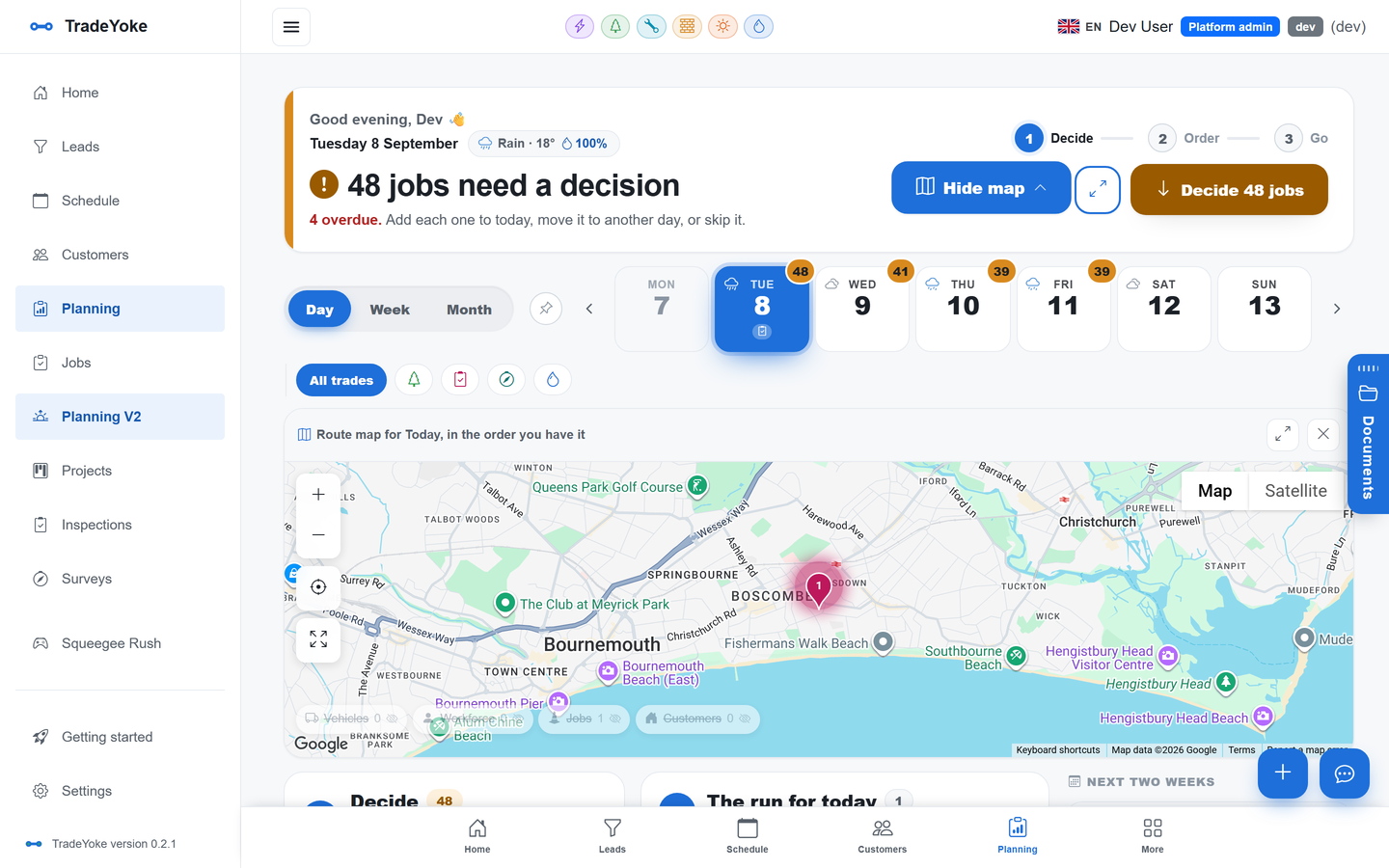
Geocoded on entry; the list shows distance from you, and the map shows them among the day's jobs.
Recycle bin
Deleted customers go to a bin and can be restored with everything attached.
The real thing
As it looks today
A real screen from the product, not a mock-up. The same screen is on the phone app.
More of it, as it looks today
The details
Also worth knowing
- Import from a spreadsheetCSV import with a template, dry run, geocoding and duplicate checks.
- Per-trade settings on the customerEach trade adds its own panel: window cleaning frequency and price, gardening schedule, gas appliances.
- Communications historyEvery email and text sent to the customer, and their replies, in one thread on the record.
- Customer portal linkIssue a link where they see what they owe and pay; revoke it any time.
Questions
Asked about customers & crm
Can two trades share one customer?
Yes. That is the point of the shared record: one customer, one balance, one history, however many trades you do for them.
What happens to duplicates?
They are flagged when you import or type a match, and you can merge them; nothing attached is lost.
Can I export my customers?
Yes, to CSV at any time.
Related: Customer portal · Email & SMS messaging · Who owes me
Try customers & crm on your own work
30 days of Essentials free, no card. Import your customers and see it against a real week.