Email & SMS messaging
One message wizard for every email and text
SMS appointment reminders and email for tradesmen from one message wizard: pick email or text, send now or schedule it, fix a missing number without leaving the flow, and see every message and reply on the customer's record.
30-day free trial · No card required · Web app today, mobile & Windows apps in pilot

- Web Open nowBeta
 Coming soon
 Coming soon
 Coming soon
Watch how it works: Send a message
A four-step wizard that checks every step, previews the text and signs it with your business name. A short narrated walkthrough, with captions.
You just watched
Sending a message to customers in TradeYoke
Everything you send to a customer in TradeYoke goes through one wizard, whether it is a quote link, an invoice, a receipt, a certificate or a plain text saying you are running late. Choose the channel, write or pick the message, send now or schedule it for later, and it is recorded on the customer's communications history. Replies to texts come back onto the same record, so the conversation stays with the customer, not on someone's phone.
What it does
Email & SMS messaging in TradeYoke
Email or SMS, one flow
The same wizard whatever you are sending; the channel is a choice, not a different screen.
Send now or later
Schedule a message for a time; a background dispatcher sends it, once, even if the office is closed.
Fix details in the flow
No mobile number? Add it in the wizard and carry on; the record is updated.
Replies on the record
Inbound texts and emails are routed back to the customer and the thing they were about, checked against a signed thread so a reply can't be forged into someone else's conversation.
Documents by message
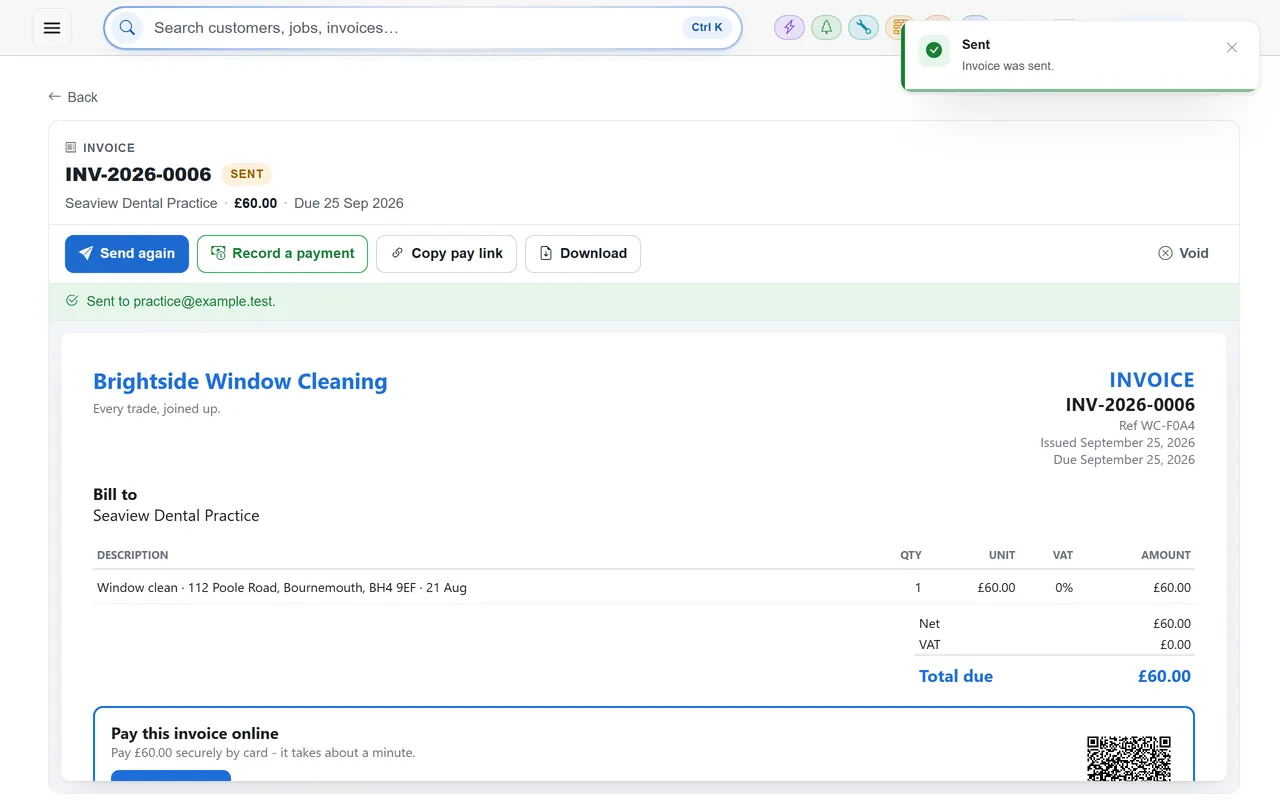
Quotes, invoices, receipts and certificates go out through the wizard and are stamped as sent.
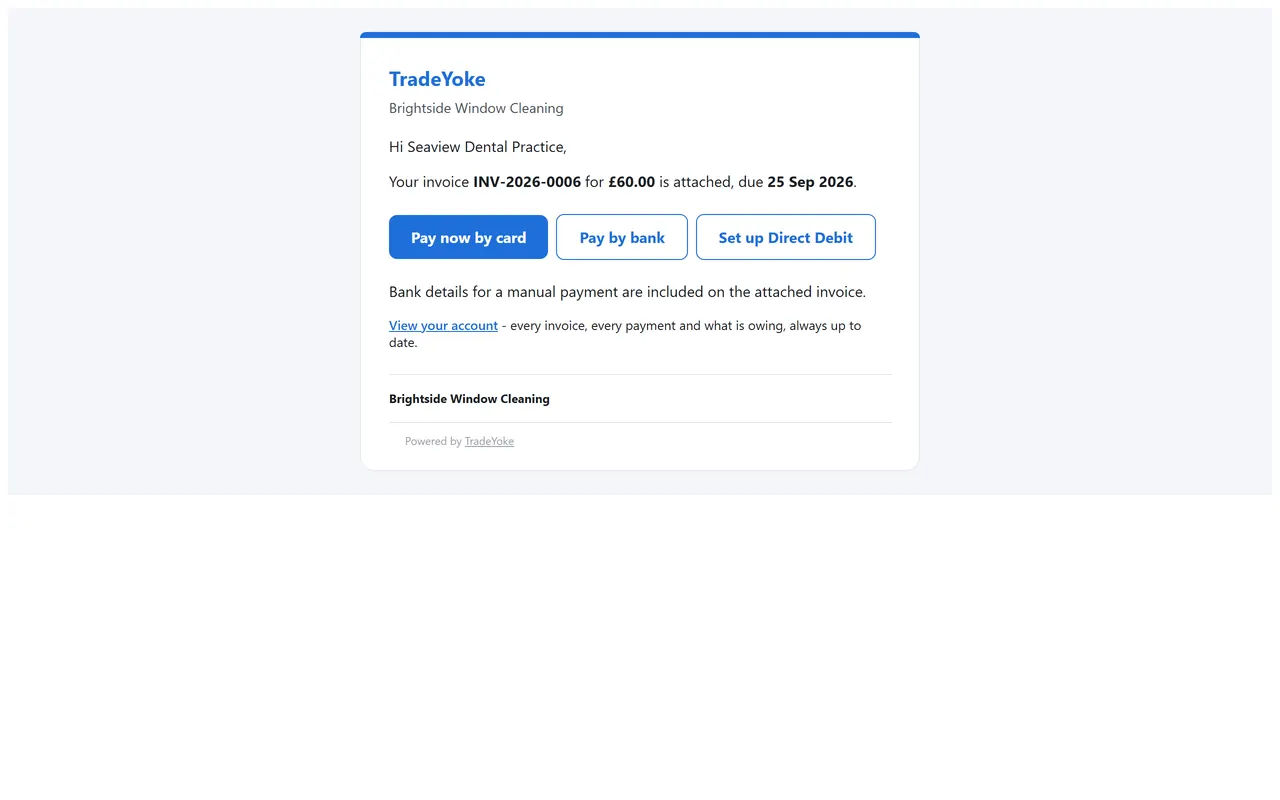
Branded email shell
Your name and logo on every email; a consistent look from receipt to reminder.
The real thing
As it looks today
A real screen from the product, not a mock-up. The same screen is on the phone app.
One message wizard
The right text, sent without thinking about it

On the way
Sent before you've pulled up
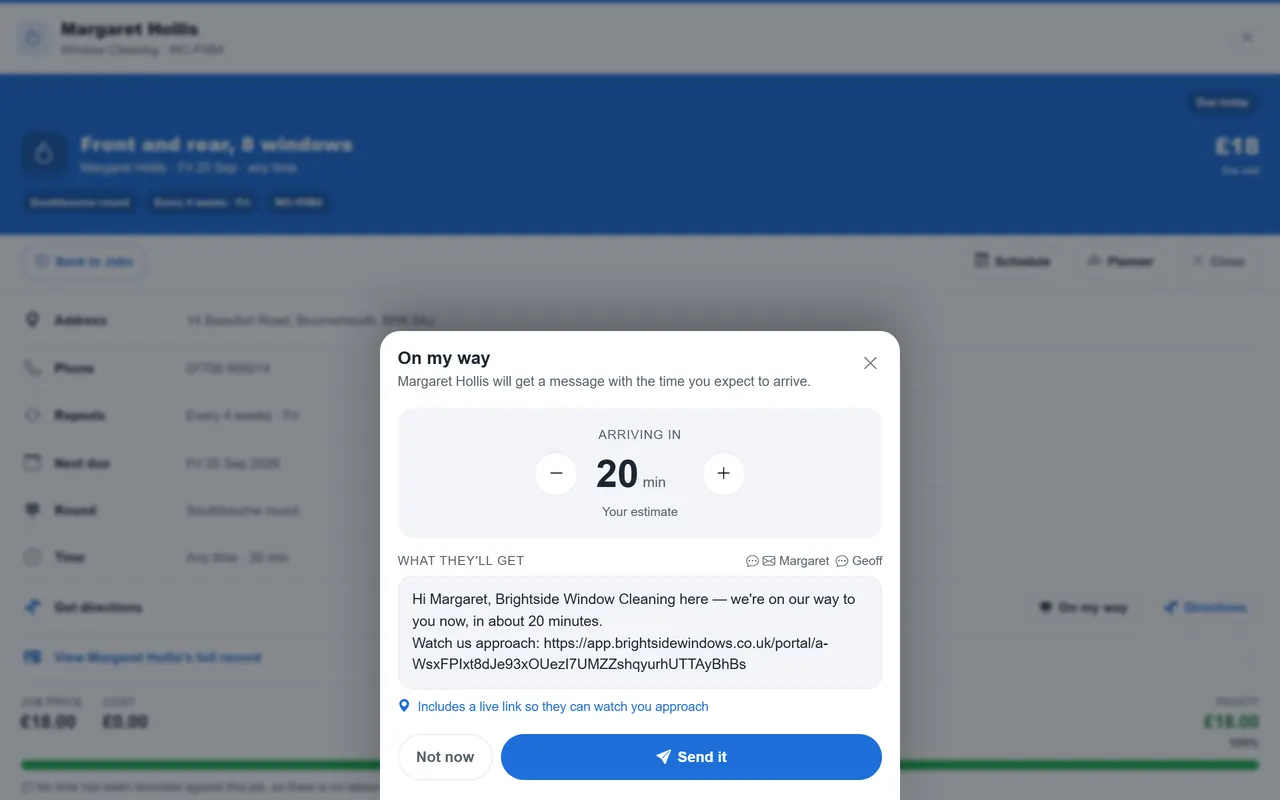
'On my way' goes out from the job — one tap, logged on the customer's record.
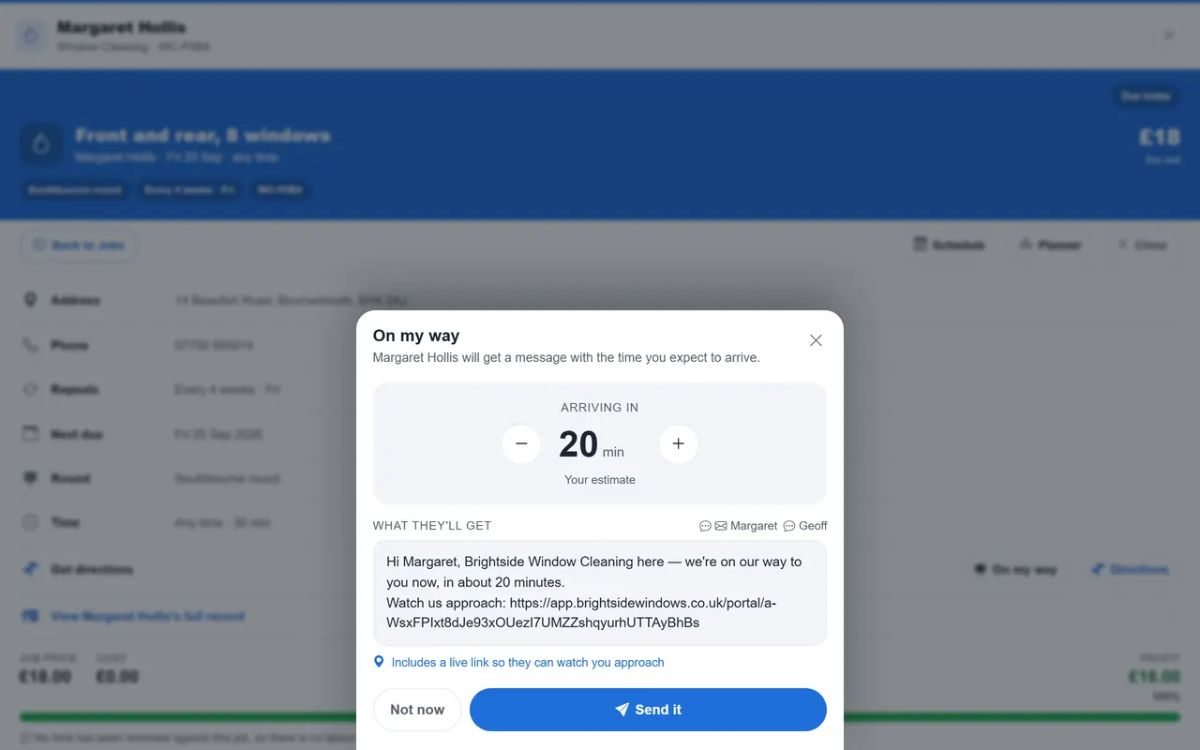
'On my way' — sent from the job 
Next morning
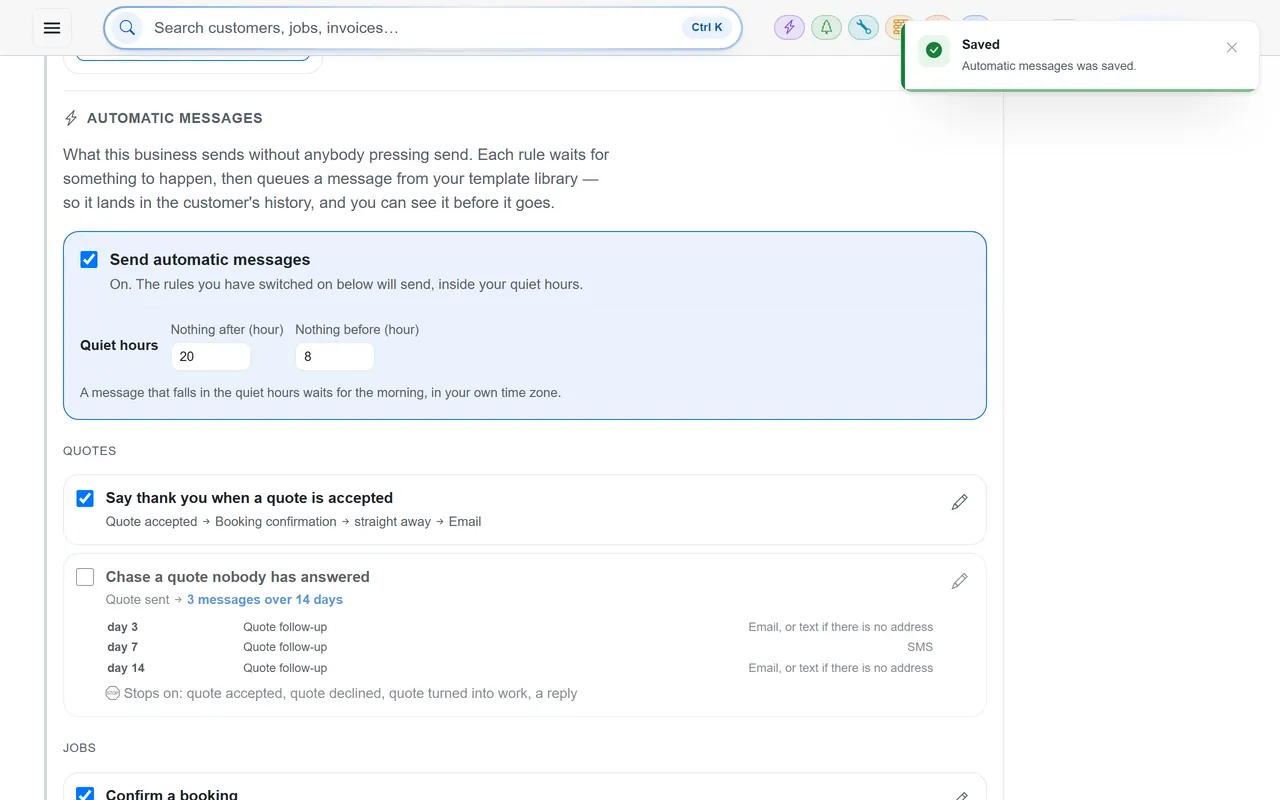
Reminders that send themselves
Round reminders go out automatically the evening before — nobody has to remember.
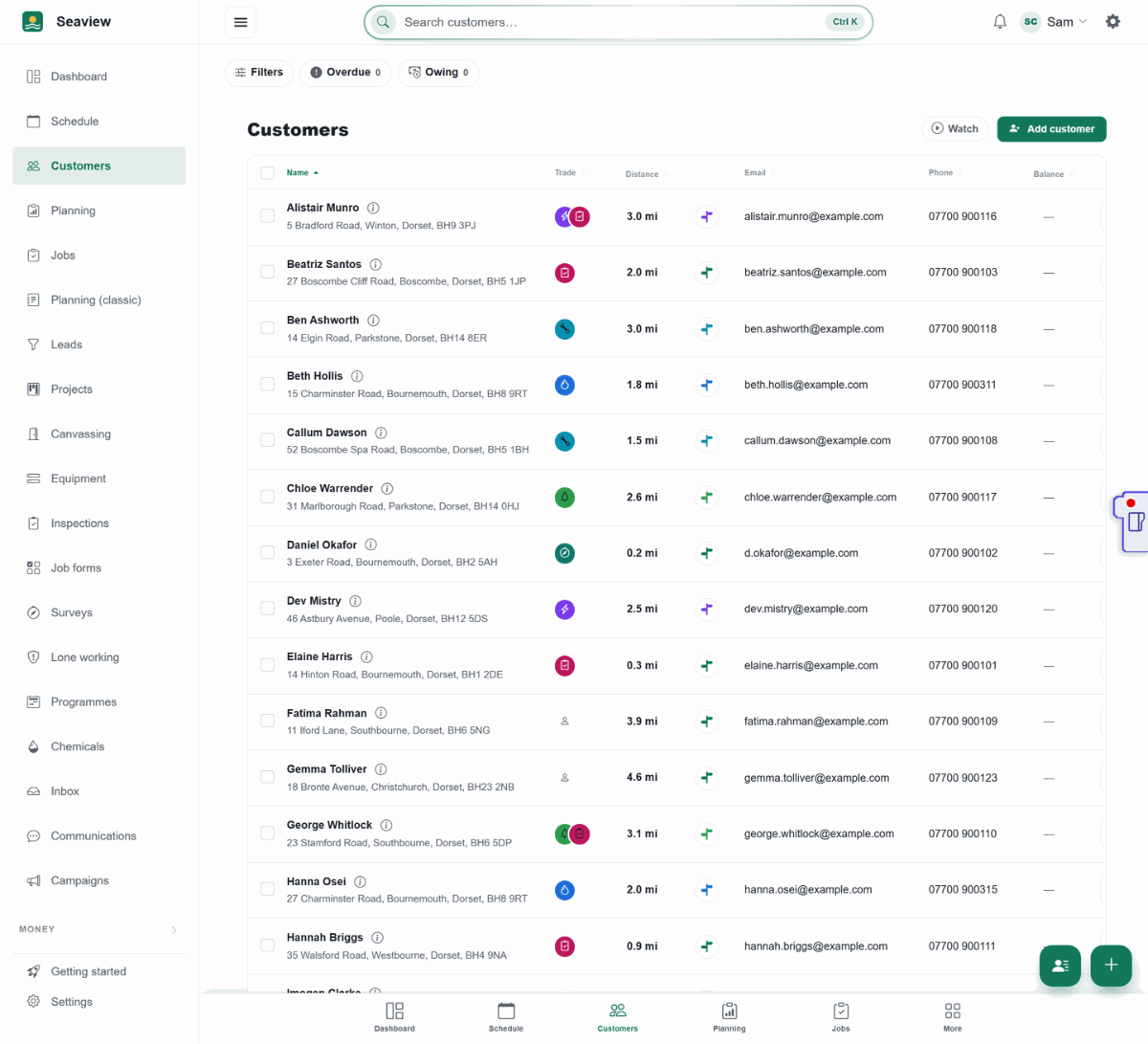
Every reply lands on the record


More of it, as it looks today


The details
Also worth knowing
- Cancel a scheduled messageUntil it is sent, it can be cancelled from the record.
- Automatic noticesOwing notices and round reminders are generated for you by the daily sweep.
- Internal inboxMessages between the office and the van live in the same system.
- Six languagesEvery one of TradeYoke's 41 message templates ships in English, Spanish, Welsh, German, Portuguese and French. Pick the one language your business posts in, in Settings → Regional, and every quote, invoice, receipt and text goes out in it — however the team is set up on screen.
- Every wording is yours to changeAround 55 of the emails and texts TradeYoke sends by itself — invoices, receipts, statements, quotes, deposit requests, certificates, job reports, review invites, owing notices and the team invitation — can be reworded and previewed in Settings → Message templates; anything you haven't touched uses TradeYoke's own default wording.
- Replies are checked before they're trustedEvery inbound reply is matched to its conversation by a signed thread record; anything that fails that check, or whose sending mail server didn't pass authentication, carries an 'unverified sender' warning right there in the thread — so a spoofed 'our bank details changed' message doesn't get treated as genuine.
- Message about a visitEvery job has a Message button: pick Booking confirmation or Visit reminder and the day, the time and the job reference are already filled in. Written from the customer instead, it uses their next booked visit — and with nothing booked it leaves that sentence out rather than sending a gap.
- The right person already chosenPress Message on a job, or the text button on a customer in the list, and the wizard opens with that customer's name, email address and mobile number already there. Choose text, email or both, then check the preview before it goes.
- Each linked person greeted by nameWhen a customer has linked people, a message sent to them greets each person by their own name rather than the customer's.
- Text replies with a heads-upWhen a customer replies to a text you sent from TradeYoke, the reply is added to their record and you get an alert in the app and a push notification, so a "can you skip this week?" is not missed.
See it working
What you get, on the real screens
EmailEssentials and above · £9.99/month
Email your customers straight from TradeYoke
Send invoices, quotes, reminders and receipts by email in your own branding — from the job, the customer or the invoice — and every message is kept on the customer's record.
- Email an invoice or quote as a PDF in a couple of taps
- Automatic messages: booking confirmations, evening-before reminders and overdue nudges
- Start from a template — the customer's name, the amount and the link are filled in for you
- Send now, or schedule it for later
- Every email saved on the customer's history, so you know exactly what went out
Text messagingEssentials and above · £9.99/month
Text your customers without picking up your phone
Booking confirmations, "on my way" texts with an arrival time and payment reminders go out as texts from TradeYoke — and each one is kept on the customer's record.
- "On my way" with an arrival time worked out from where you are
- Reminders the evening before, so fewer wasted trips
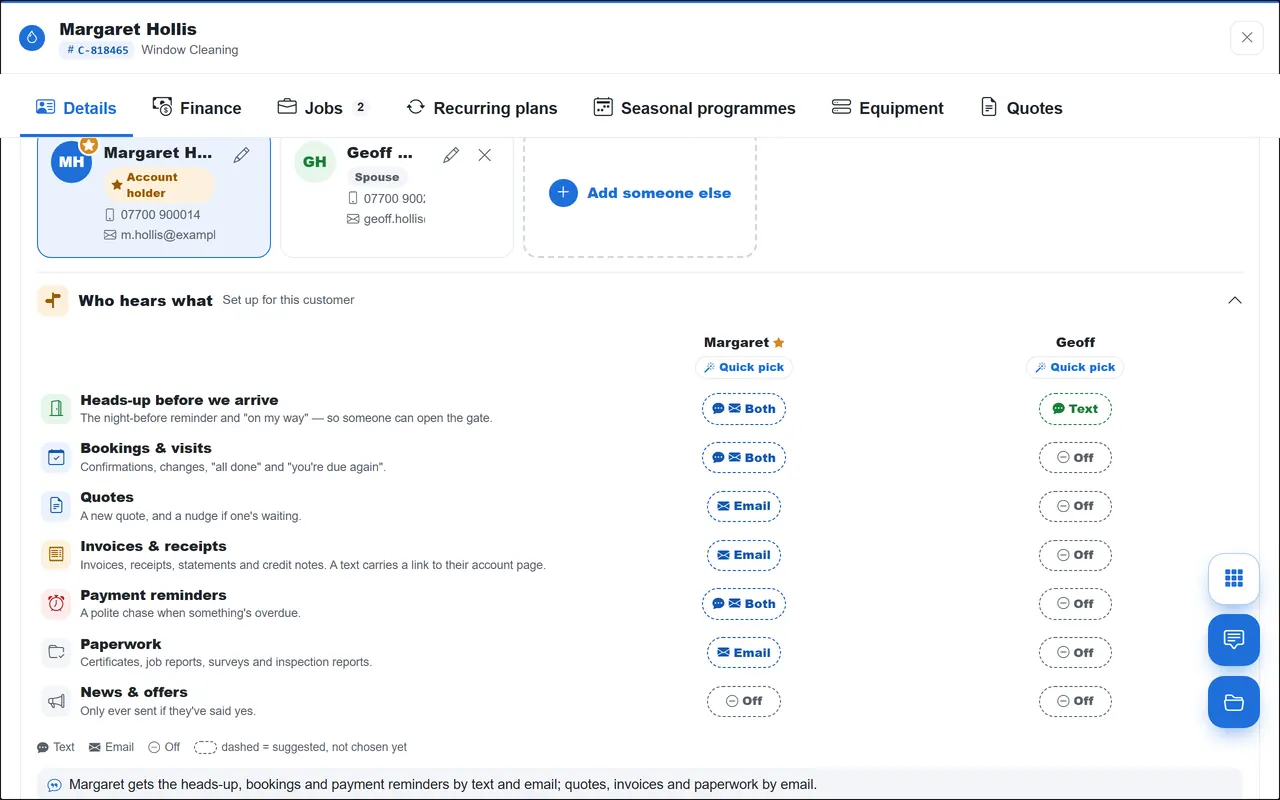
- Choose who hears what — text, email or both, person by person
- Quiet hours hold texts back until the morning
- Every text recorded on the customer's history
Questions
Asked about email & sms messaging
Do I need my own SMS account?
No. Texts go through TradeYoke's messaging provider; email goes through it too, branded as you.
Can customers reply to a text?
Yes. Replies are routed back to the customer's record and shown in the thread.
How do I know a reply is really from my customer?
Every inbound message is checked and threaded by a signed record; if that check fails, or the sending mail server didn't pass authentication, the thread shows an 'unverified sender' warning so you know to double-check before acting on it — especially anything about payment or bank details.
Can I send a message to everyone on a round?
Today messages are per customer or generated by the automatic notices; bulk campaigns are not a feature yet.
Can I change the wording TradeYoke sends on my behalf?
Yes. Reword any of the roughly 55 automatic emails and texts — and see a live preview before you save — in Settings → Message templates; TradeYoke's own default wording fills in anywhere you haven't.
Can I send invoices and texts to my customers in Welsh?
Yes. Set Welsh (or Spanish, German, Portuguese or French) as your business's document language in Settings → Regional, and every quote, invoice, receipt and automatic text goes out in it — team members still each pick their own screen language separately.
Does TradeYoke write to each customer in their own language automatically?
No. Your business picks one outbound language for everything it sends; there is no per-customer automatic language detection today.
Does TradeYoke fill in the date when I message a customer about a job?
Yes. Opening the Message button on a job fills the template's day, time (when one was booked) and job reference in automatically. Opening it from the customer's own record instead uses their next booked visit — and if nothing is booked, the sentence that needed a date is left out rather than sent with a gap. It works the same way for every trade, in all six languages.
How do I stop retyping the same text to customers?
Use TradeYoke's message templates. The ten messages a trade business sends over and over — booking confirmation, visit reminder, on our way, work finished, quote sent and so on — are ready-made, editable in your own words in Settings → Message templates, and fill in the customer's name, the visit's day and time and the job reference for you. Press the Message button on a job, pick a template and check the preview.
Will TradeYoke greet each person by name when I message a customer's linked contacts?
Yes. Since release 0.3.45, a message sent to a customer's linked people greets each person by their own name, for messages sent straight away and for scheduled ones.
Will I know when a customer replies to my text?
Yes. When a customer replies to a text sent from TradeYoke, the reply is added to that customer's record and TradeYoke alerts you in the app and sends a push notification. Replies only come back for texts sent from TradeYoke, not for messages sent from a personal phone.
Related: Who owes me · Customers & CRM · Quotes & estimates
Try email & sms messaging on your own work
30 days of Essentials free, no card. Import your customers and see it against a real week.