Scheduling & rounds
A diary that understands rounds
Job scheduling software for tradesmen that thinks in rounds, not just appointments. Day, week, month and list views, recurring visits that fill the diary themselves, drag-and-drop, and every trade colour-coded so a mixed day reads at a glance.
30-day free trial · No card required · The same on web, iOS, Android & Windows
Included onEvery plan, including Free
Most scheduling tools were built for one-off appointments. A window cleaner, gardener or gas engineer lives on a round: the same properties on a rhythm, each with its own price and frequency. TradeYoke's schedule is built around that. Set a property to every four weeks and the visits appear on the diary; move one and the rhythm holds; mark today's done and the next one is already waiting.
The board is the same on the office PC and the phone in the van, and it is colour-coded by trade, so a firm running gardening and window cleaning on one account sees both on one diary.
What it does
Scheduling & rounds in TradeYoke
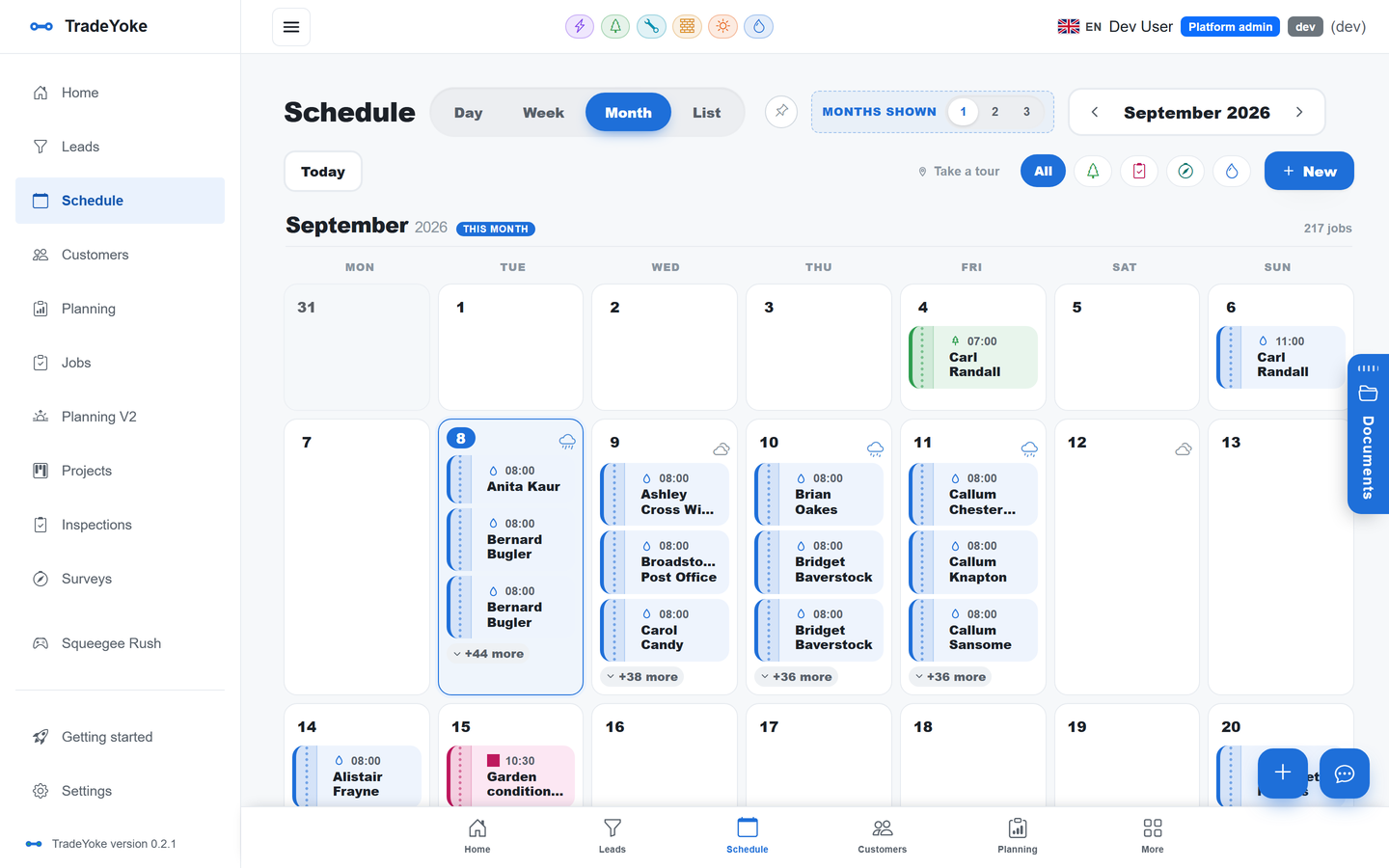
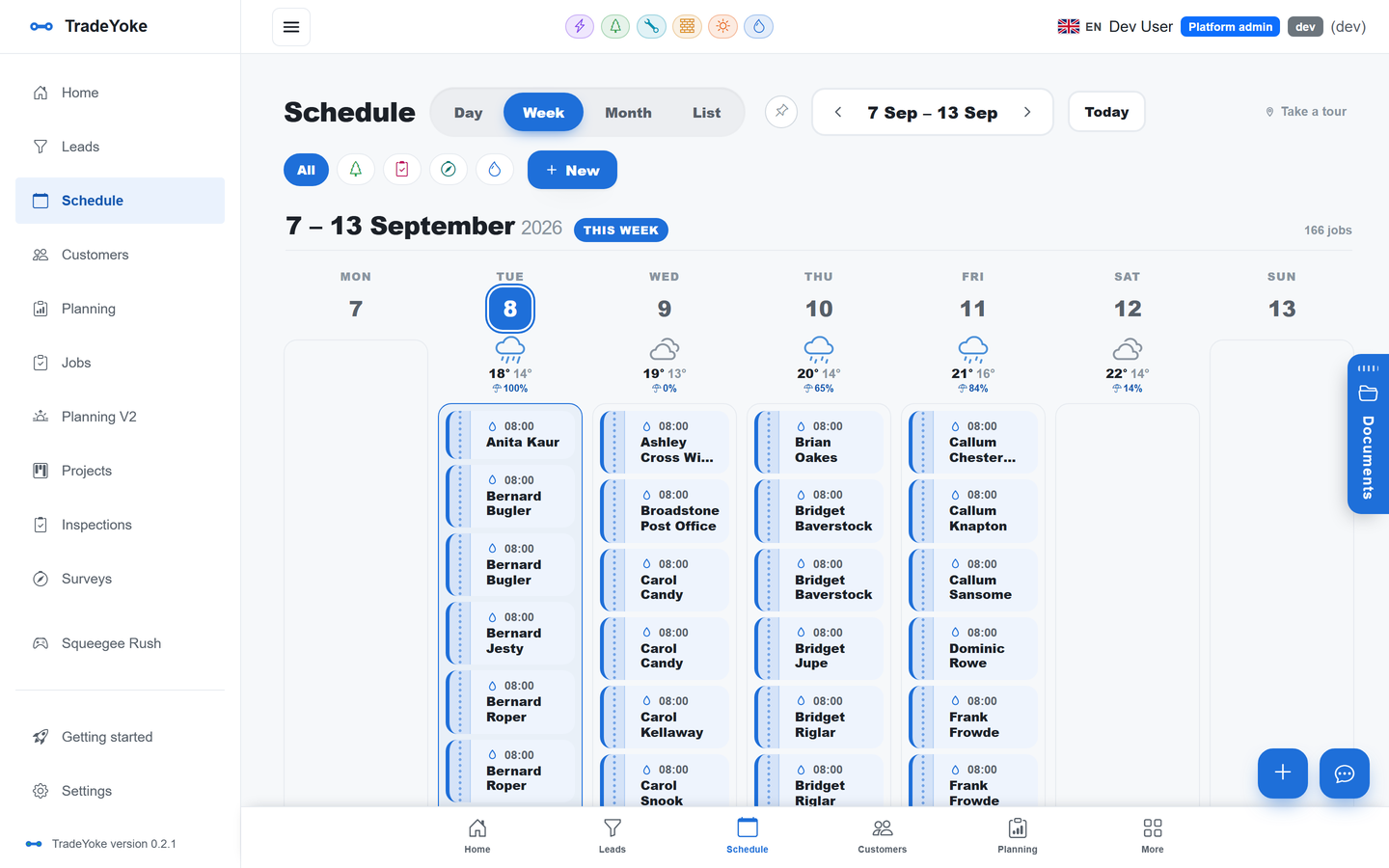
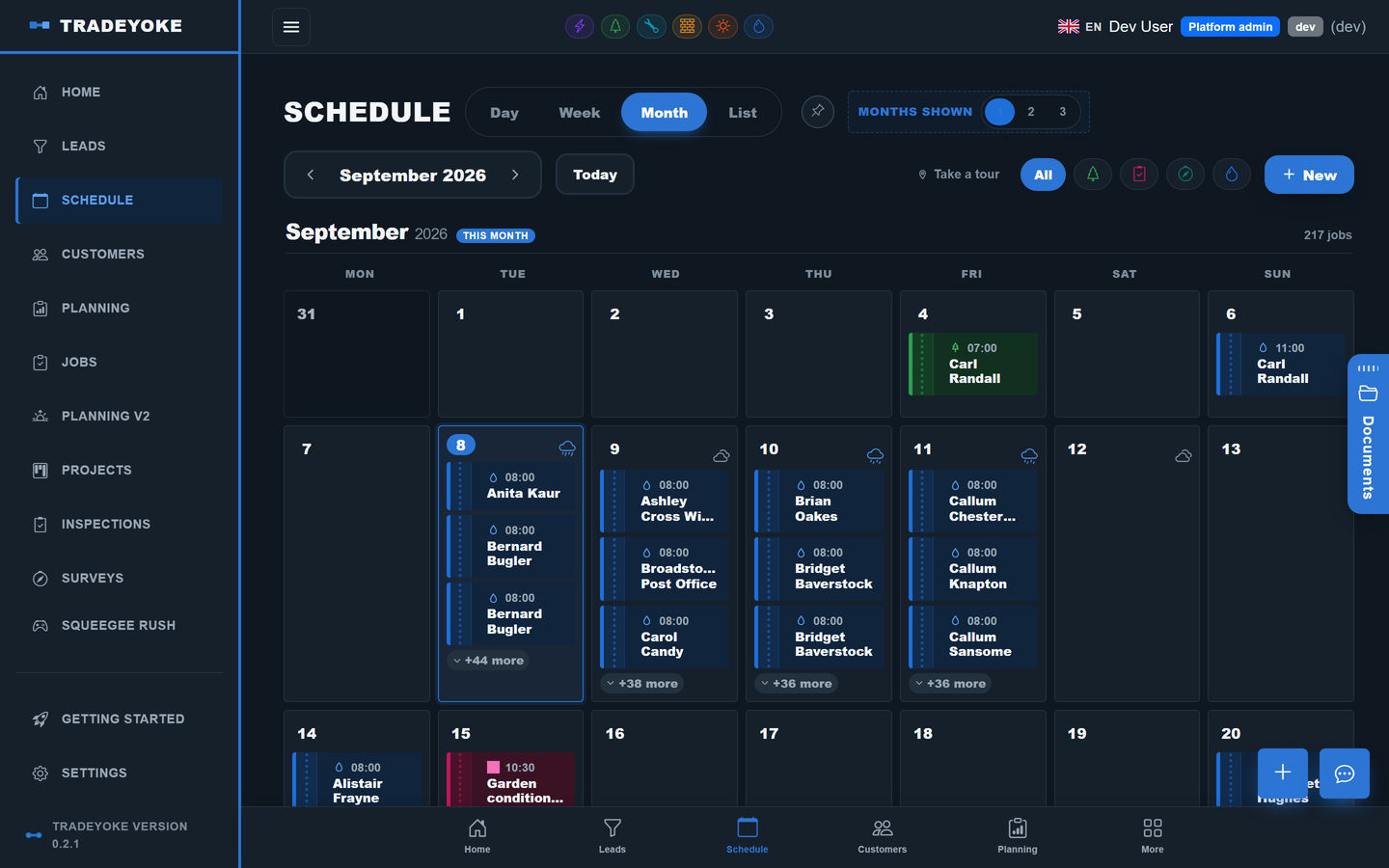
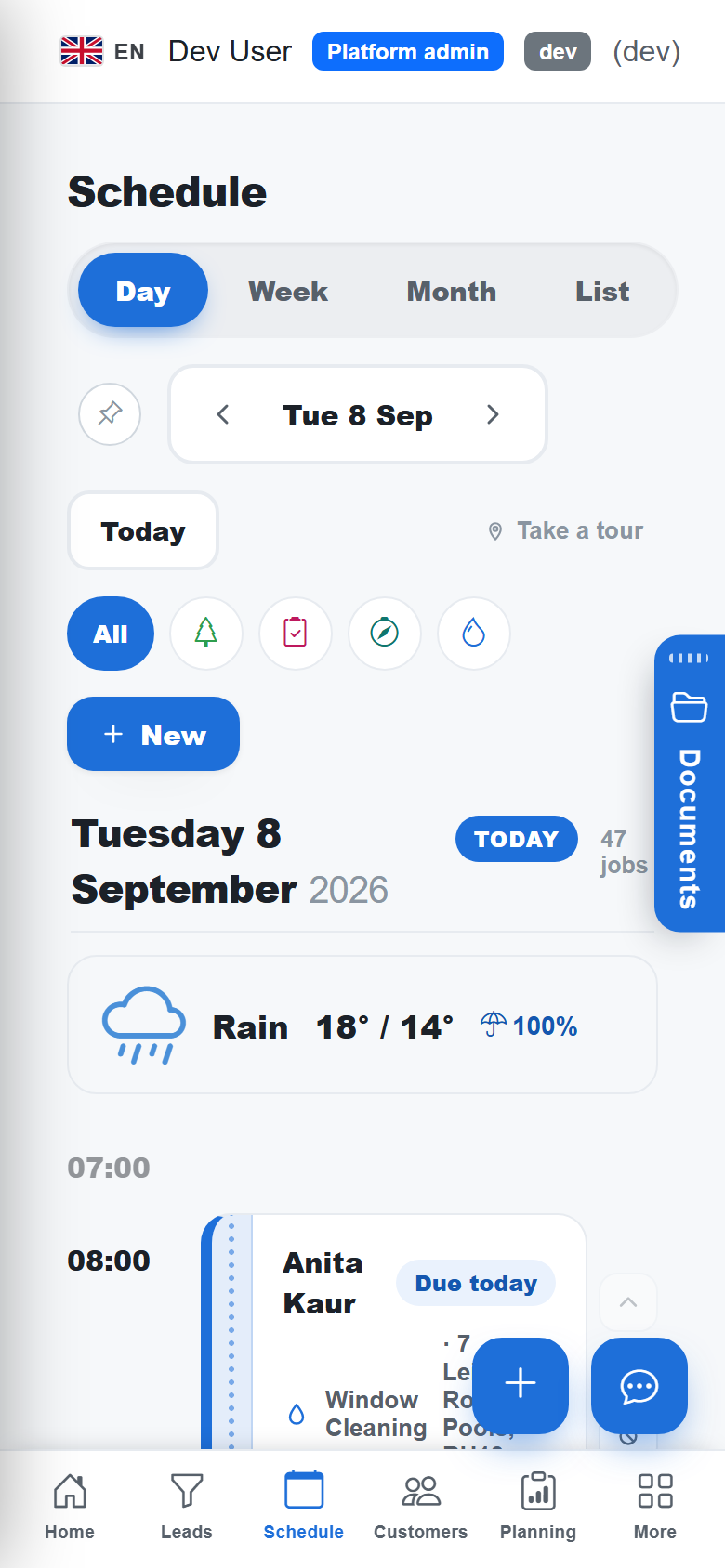
Day, week, month and list
Switch views without losing your place; filter to one trade, one person or the whole crew.
Recurring rounds
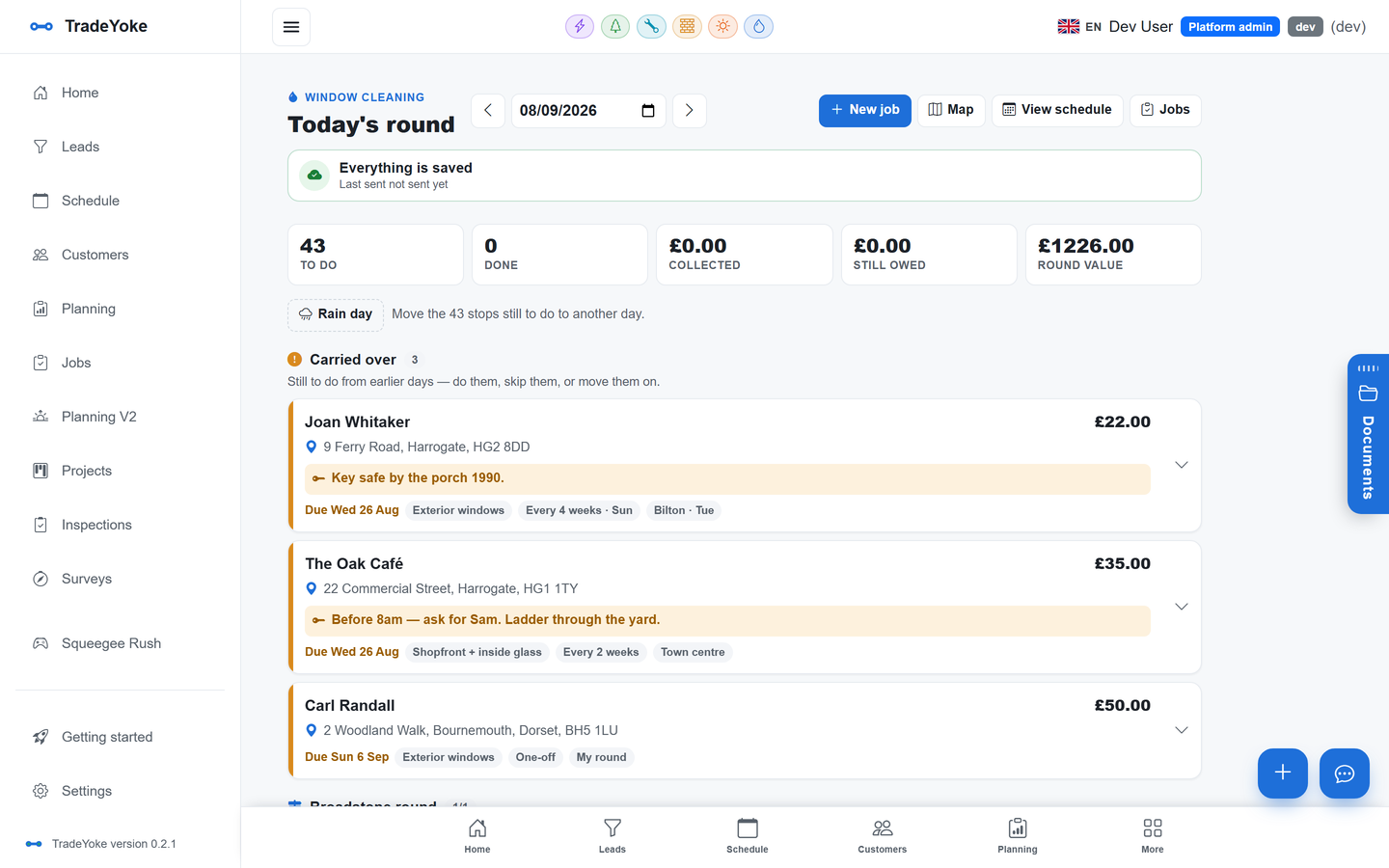
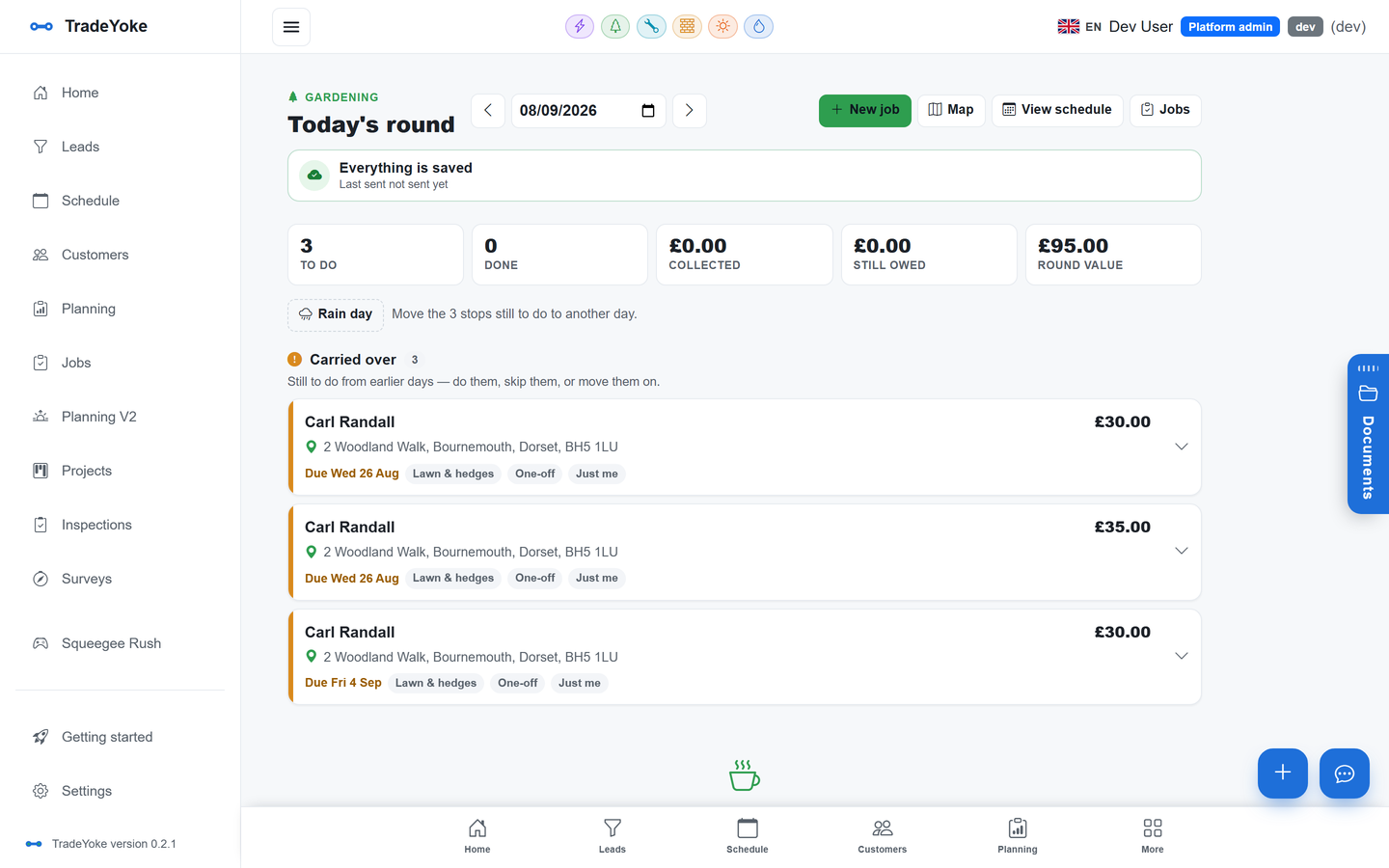
Weekly, fortnightly, every four or eight weeks, or your own rhythm per property; the diary fills itself.
Drag-and-drop
Drag a job to another day or another person; drag stops to reorder the round on the phone.
Weather on the board
The forecast for each day sits on the diary so rain days get shuffled early.
Colour-coded by trade
Every trade has its own colour; a mixed day reads at a glance.
Done, skipped or moved
Mark a visit done from the phone, skip it with a reason, or move the whole round when the weather says so.
The real thing
As it looks today
A real screen from the product, not a mock-up. The same screen is on the phone app.
More of it, as it looks today
The details
Also worth knowing
- Rounds are groupings with an orderName a round, add properties to it, drag to set the order; Plan my day uses it as the starting point.
- Per-visit records for window cleaningEach clean is its own record with price, notes and outcome, so history and owing are per visit, not per customer.
- Access notes and hazards on the stopGate codes, dogs, 'use the side gate' and hazards live on the job and show on the phone before you arrive.
- Trade-specific jobsElectrical, plumbing and solar jobs carry their own fields and paperwork while sharing the same diary.
Questions
Asked about scheduling & rounds
Can I run two people's diaries?
Yes. Every job has an assignee, and the board filters by person. Each person sees their own day on the phone.
Does the round reorder itself?
Plan my day orders the run nearest-first from wherever you start. You can drag stops to override it, and the order is remembered.
What happens on a rain day?
Move the whole round to another day in one action; the recurring rhythm carries on from there. Customers can be told by text from the same screen.
Is the schedule the same on the phone?
Yes. It is the same code on the web, iPhone, Android and Windows apps, and the phone works offline.
Try scheduling & rounds on your own work
30 days of Essentials free, no card. Import your customers and see it against a real week.