From notebook to app: moving a trade business over in an afternoon
The fear of moving is worse than the move. Import the spreadsheet, let the app find the duplicates and geocode the addresses, book next week, and keep the notebook in the glovebox for a fortnight.
You can move a trade business from a notebook to an app in a single afternoon. The work is one spreadsheet, one import, an hour tidying duplicates and addresses, and booking next week. Everything after that happens on the job, one customer at a time.
The reason most people put it off is not the work. It is the fear of a gap: a fortnight where the notebook is out of date and the app is not yet trusted. This guide is built to close that gap in a day, with the notebook kept in the glovebox as insurance.
Moving a trade business from paper to an app: what actually has to move
Less than you think. Three things carry your business: the customer list with addresses and prices, the pattern of who you visit when, and the money still owed. Old completed jobs, the 2019 quotes and the receipts from three tax years ago can stay where they are. Your accountant already has them.
So the afternoon has three jobs. Get the customers in. Get the round or the recurring work in. Record who owes what today. Do those in order and stop; anything else is polish you can add from the van.
Hour one: the spreadsheet
If your customers live in a notebook, type them into a spreadsheet first. One row per customer with name, address, postcode, phone, the price and the frequency. Do not tidy as you go; type it as it is, including the "Mrs J, blue door, back gate stiff" notes, because those go in as notes and they are half the value.
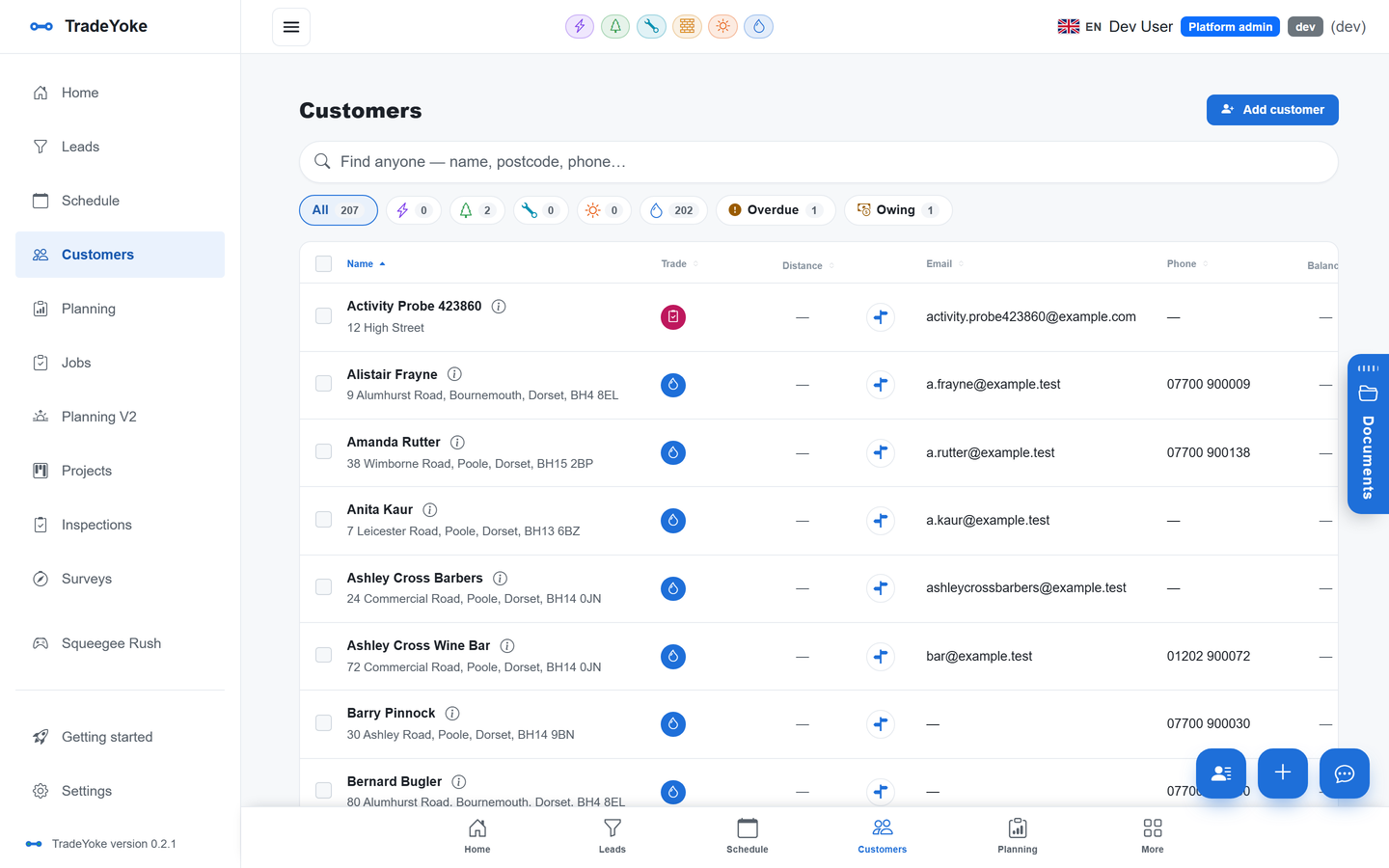
If you already have a spreadsheet, or an export from another app, use it as it is. The import in TradeYoke maps columns by name, so a "Postcode" column and a "Post code" column both land in the right place. A round of 150 customers imports in a couple of minutes.
Hour two: duplicates and addresses
Every hand-kept list has the same customer twice: once as "Jones, 14 Elm Rd" and once as "Mr Jones, 14 Elm Road". The import flags likely duplicates on name and address and offers a merge that keeps both sets of notes and history, so you resolve them in one sitting rather than finding them in June.
Addresses are geocoded as they come in, which is what makes the map, nearest-first routing and the mileage log work later. A handful will not resolve because the postcode is wrong or the house has a name rather than a number. Fix those now while you still remember where the house is; the customer record shows the pin and lets you drag it.
Hour three: the round and next week
Recurring work is where a notebook really lets you down, because the pattern lives in your head. Whether you clean windows every four weeks or cut a lawn fortnightly, set the recurrence once per customer and the diary fills itself. Each visit gets its own record, so "done", "skipped" and "carried over" mean something a year from now.
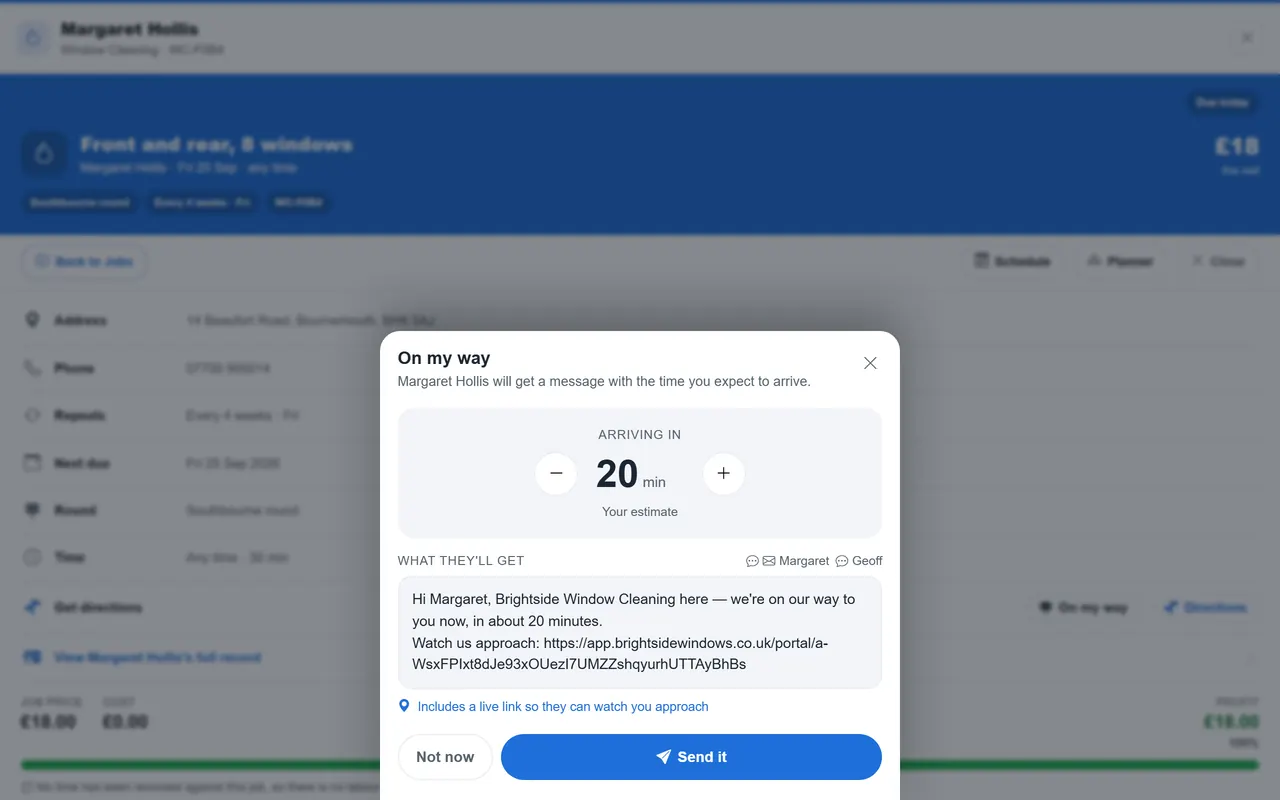
Then book next week exactly as the notebook has it. This is the moment the app becomes real: tomorrow's list on your phone, in the order you would drive it. From here on, the round runs from the app and the notebook is a backup. Window cleaners can see how a round looks on the window cleaning trade page; gardeners will find the seasonal version on the gardening page.
Money owed today
Finally, record what is outstanding. For each customer who owes you, raise the invoice or record the balance so the app's "who owes me" view is right on day one. This is the step people skip and regret, because a reminder system that thinks everyone is paid up cannot chase anyone. Once it is in, the morning owed report and pay links do the chasing for you.
Do not chase the money the same afternoon. Give customers a week with a polite note that you have moved to a new system and they will be able to pay by link from now on. The tone of that note is covered in chasing late payments the polite way.
The afternoon, in order
- One spreadsheetName, address, postcode, phone, price, frequency, notes. Typed as it is.
- Import and mergeLet the app flag duplicates; merge them while you remember which is which.
- Fix the unplaced pinsDrag the handful of addresses that would not geocode.
- Set the recurrenceOnce per customer. The diary fills itself.
- Book next weekExactly as the notebook has it. This is your first real day on the app.
- Record what is owedSo the owed report and reminders are right from day one.
- Keep the notebook for a fortnightIn the glovebox. You will not open it, but it helps to know it is there.
What about the old records?
HMRC expects you to keep business records for a set number of years after the relevant tax year, so keep the old notebooks and files exactly as they are. You do not need to type history into the app for it to be valid; you need it to be findable if asked. gov.uk sets out how long to keep what.
Move the customers, the pattern and the money. Everything else can stay in the drawer.
TradeYoke
Questions people ask
What if I get the prices wrong on import?
Prices live on the customer record, so you fix one and the next job picks it up. An import is not a commitment; it is a starting point you correct as you visit each customer.
Can I import from another app?
Yes, as long as it can export a spreadsheet or CSV. Map the columns, import, merge any duplicates and you are done. Our guide to choosing job management software suggests doing this on day one of a trial for exactly that reason.
Do my customers need to do anything?
No. They will notice a reminder text the day before, a tidier invoice and a link to pay, and that is all. Tell them once that you have moved to a new system so the first text is not a surprise.
How do I price the round once it is in the app?
The app will show you what the round is worth per week and per month. If that number is a shock, read how to price a window cleaning round in 2026 before you change anything.
Bring the notebook, we'll do the rest
Import the spreadsheet, merge the duplicates, book next week. Thirty days of Essentials free, no card.